8 Using the product
26
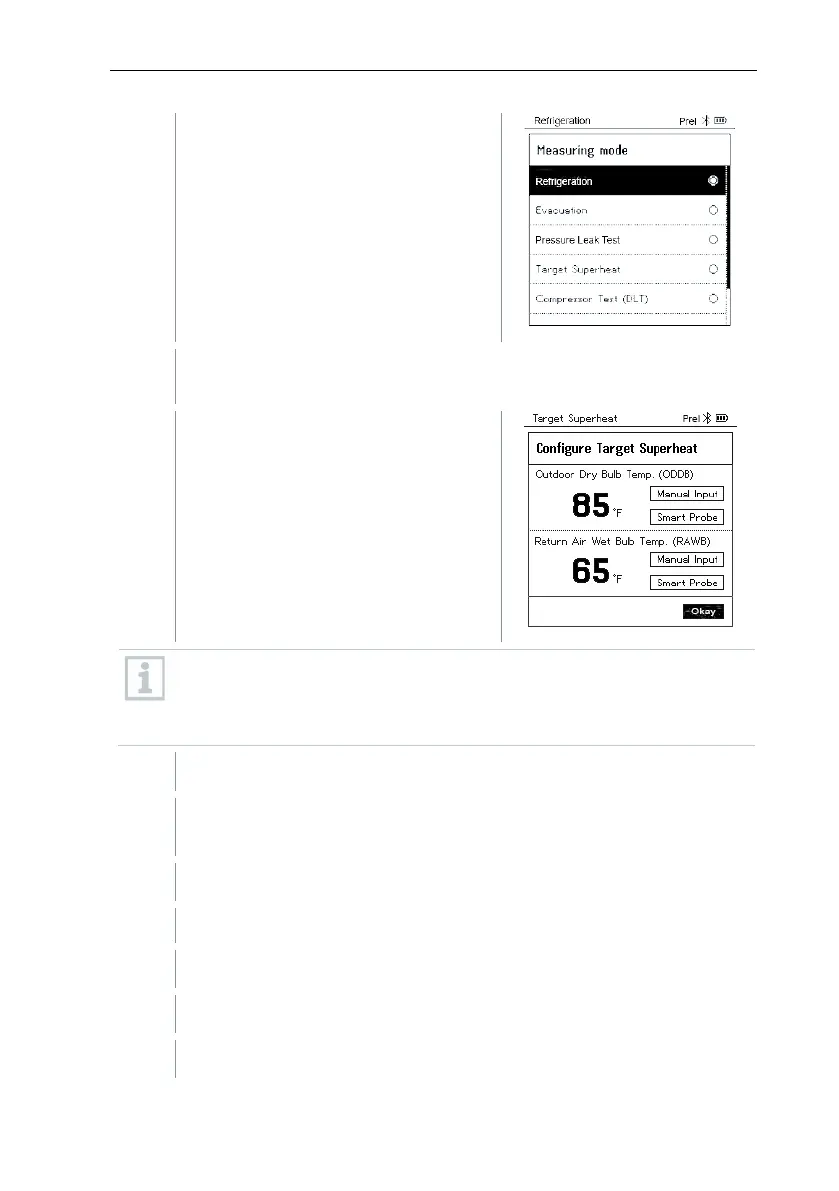
The Measuring Mode menu is
displayed.
Press [▲] / [▼] to select Target Superheat and press [Menu/Enter]
to confirm.
The Configure Target Superheat
menu is displayed.
The values can either be configured manually via Manual Input or
recorded by the testo 605i via Smart Probe. When a Smart Probe is
selected, available testo 650i instruments are displayed for the
connection.
Adjust values for Outdoor Dry Bulb Temp.
Press the [▲] key and in the Outdoor Dry Bulb Temp. field, select
Manual Input.
Press [Menu/Enter] to confirm.
The field is activated.
Press [▲] / [▼] to set the value.
Press [Menu/Enter] to confirm.
Adjust the Return Air Wet Bulb Temp. value



 To Next Page