48
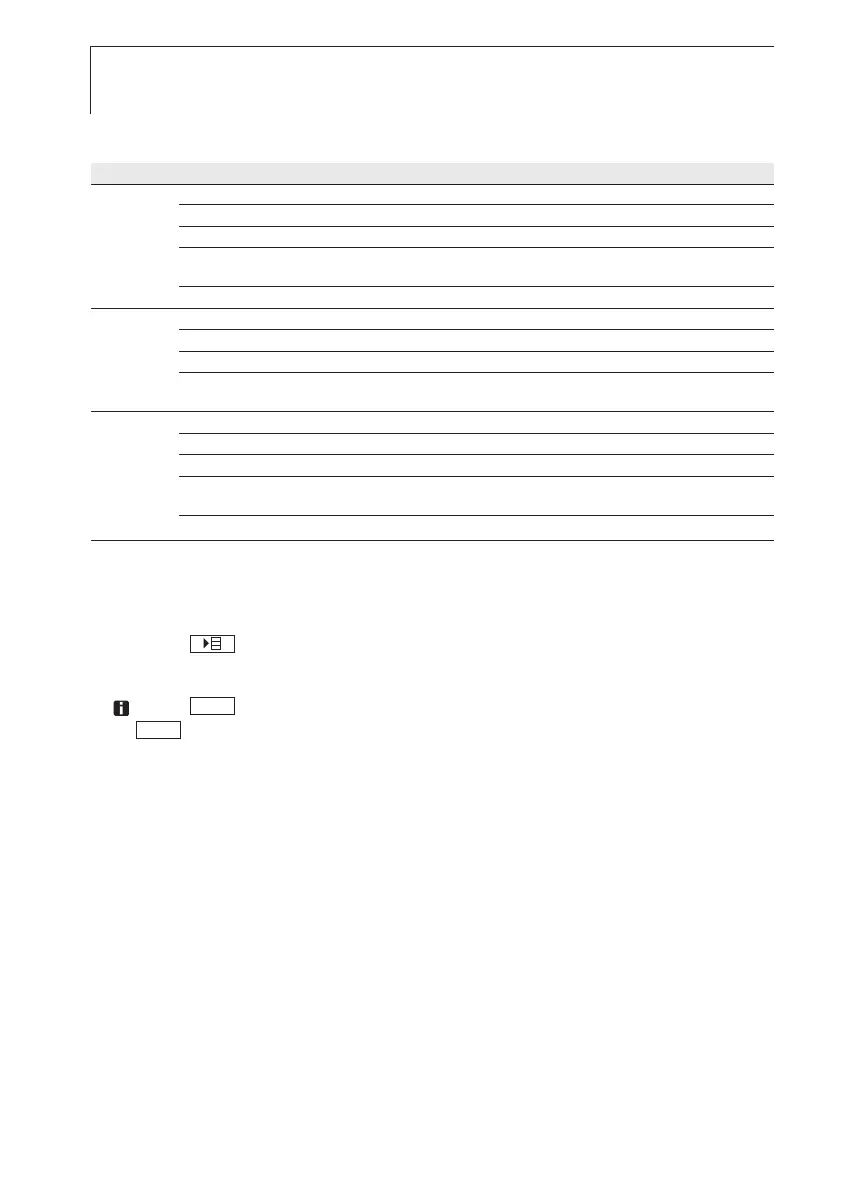
Menu overview testo 635-2
Profile menu items Function
Standard Memory Activate/set measurement locality, print report, delete store
Meas Prog. Set/ de/activate measurement program
Mean Time/point mean calculation
Calc. Calculate water content , dew point, psychrometric temperature,
De/activate differential temperature, set “Alpha” parameter
Material Activate material characteristic curves
Material Memory Messort aktivieren/anlegen, Protokolle drucken, Speicher löschen
Meas Prog. Set/ de/activate measurement program
Mean Time/point mean calculation
Calc. Calculate water content , dew point, psychrometric temperature,
De/activate differential temperature, set “Alpha” parameter
RadioC Memory Activate/set measurement locality, print report, delete store
Meas Prog. Set/ de/activate measurement program
Mean Time/point mean calculation
Calc. Calculate water content , dew point, psychrometric temperature,
De/activate differential temperature, set “Alpha” parameter
Material Activate material characteristic curves
²
Opening tthe mmain mmenu:
The instrument is in measurement view.
i Press .
- Menu is displayed.
Press to go one menu level back. To leave the main menu, press
several times until the instrument changes to measurement view.
6.2.1 Memory (635-2 only)
Info
The free memory space is displayed
Location
The active location can be changed. Up to 99 locations can be created. The
numerical location designations (01-99) can be changed into any text (max.
10 characters) using the PC software.
ESC
ESC
6. Setting the instrument



 To Next Page