testo P2A Software - Specifications 17
Parameterizing/adjusting/analyzing the
instrument
The analog outputs can be scaled in the following ranges, beyond the
measurement range of the measurement transmitter: -50…100°C /
-58…212°F, -50…100%RH.
The instrument is parameterized, adjusted and analyzed using the P2A
Software, see “Part 2: testo P2A Software”.
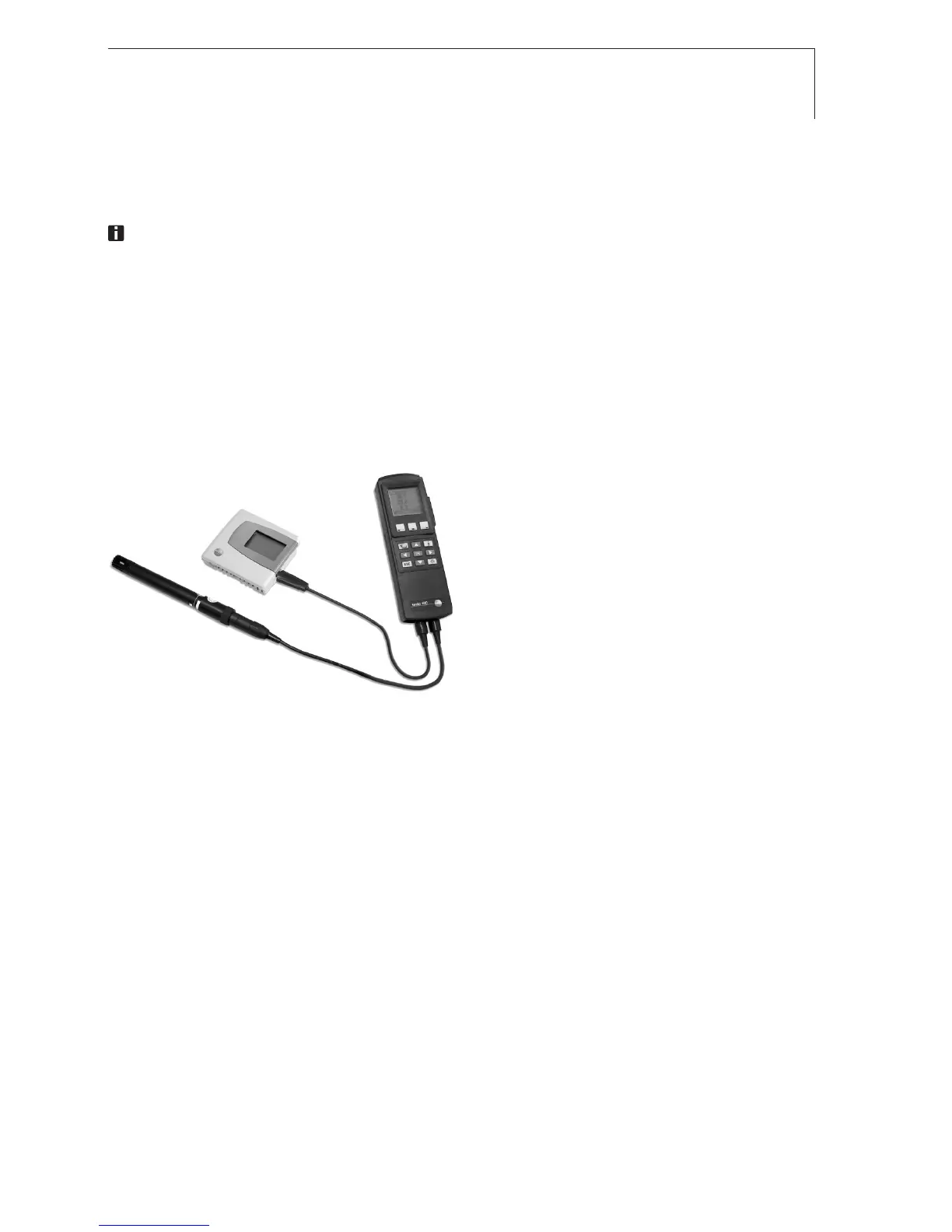
Alternatively, the 1-point adjustment can be carried out using the adapter
(accessory, 0554 6022) and a testo 400/650 with reference humidity probe.
1-point adjustment with adapter
1 Connect testo 400/650, with
reference humidity probe
(0636 9741) connected, to the
interface of the testo 6621 via the
adapter (connected to probe socket
1 of the testo 400/650).
2 Expose the testo 6621 and the
reference humidity probe to the
same reference conditions (e.g. in
the humidity generator) and allow
climatic conditions to equalize.
3 Switch on the testo 400/650. The values of the testo 6621 and reference
humidity probe are displayed on the left and right-hand sides of the two-
part display of the testo 400/650 respectively.
4 Adjust the humidity and temperature values on the reference humidity
probe using the Probe > Probe Adjustment menu item on the testo 400/650.
5 Disconnect the adapter from the interface of the testo 6621.
defresitptsvnl????



 To Next Page