testo P2A Software - Using the product22
Product description
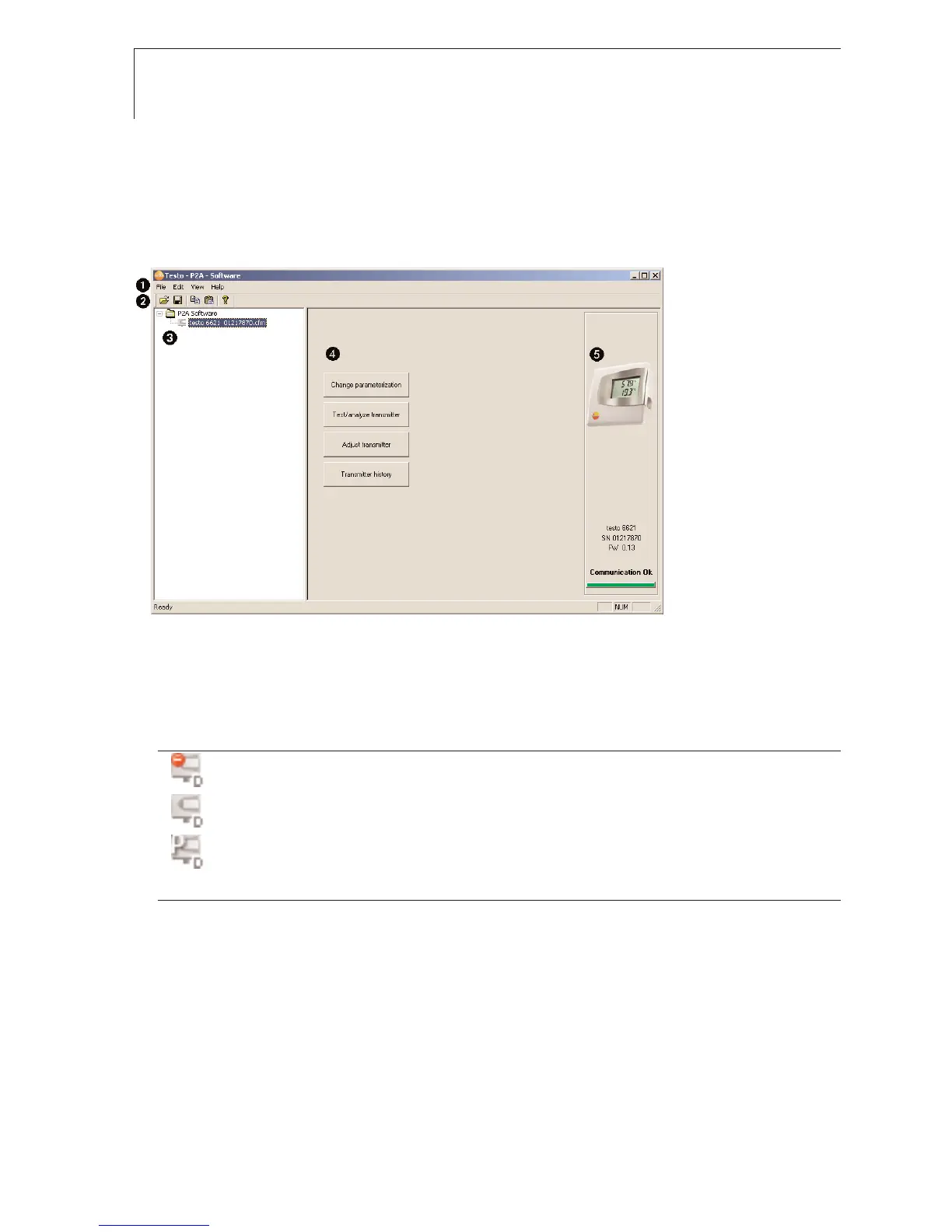
User interface
Menu bar.
Toolbar.
File list: List of all instrument/parameter files.
File symbols
· : Instrument file, connection to the unit has not been established.
· : Instrument file, connection to the unit has been established.
· : Parameter file.
File identifications
· Instrument files: “[Type] [serial number].cfm”; file identifications cannot be changed.
Instrument files contain all the data relating to a particular instrument. These are the parameter data and
represent the parameterization and adjustment history of the instrument.
· Parameter files: “[Type] [serial number] [date] [time].cfp”; file identifications can be changed.
Parameter files only contain parameter data. These can be copied to another instrument or parameter file for
the same type of instrument so that several instruments have the same parameter settings.
List of functions.



 To Next Page