7
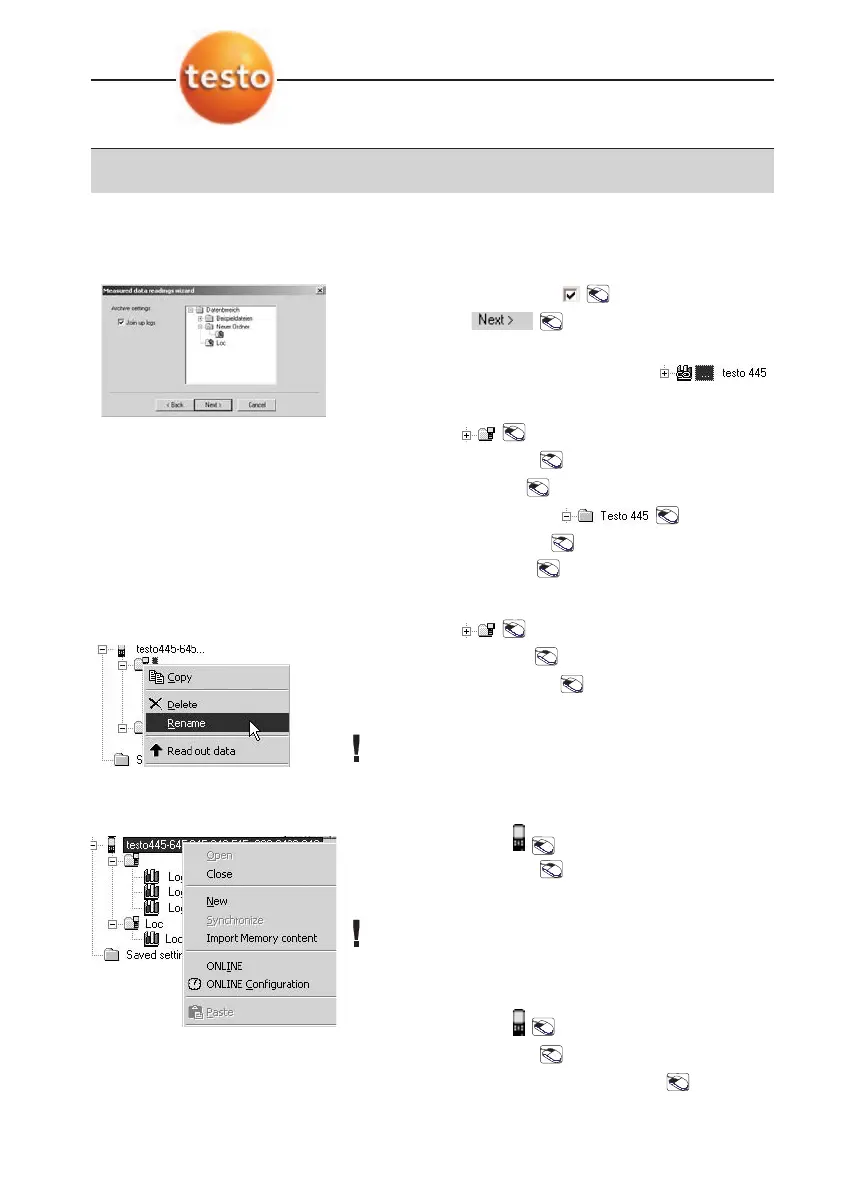
Select
Join uup llogs
: .
8
Confirm: .
The logs appear in the selected target folder.
Joined logs are identified by a knot.
Copy
1
Mark site: .
2
Open context menu: .
3
Select
Copy
:
Copy
.
4
Select folder in archive: .
5
Open context window .
6
Select
Paste
:
Paste
.
Renaming sites
1
Mark site: .
2
Open context menu .
3
Rename sites:
Rename
.
4
Enter required name.
The data has to be synchronised with the
measuring instrument in order for the names to be
valid.
New site
1
Mark instrument: .
2
Open context menu: .
3
Select
New
->
Location
:
The data has to be synchronised with the
measuring instrument in order for the names to be
valid.
Synchronizing
1
Mark instrument: .
2
Open context menu: .
3
Synchronize instrument:
Synchronize
.
6. Measurement data
36



 To Next Page