SEASIDE
15
EN
ADJUSTING THE BLOWER AIR FLOW
(DURING WATERLIGHT)
Display indicating
Waterlight + Blower
in progress
3 0 3 6 ° C 2 0 : 3 0
W A T E R L I G H T B L
With the WATERLIGHT+BLOWER in operation, the user can:
- Change the duration of the Waterlight session
- Adjust the BLOWER air flow
The Waterlight and Blower functions can be used together.
WATERLIGHT + BLOWER
Display indicating
Waterlight + Blower
in progress
3 0 3 6 ° C 2 0 : 3 0
W A T E R L I G H T B L
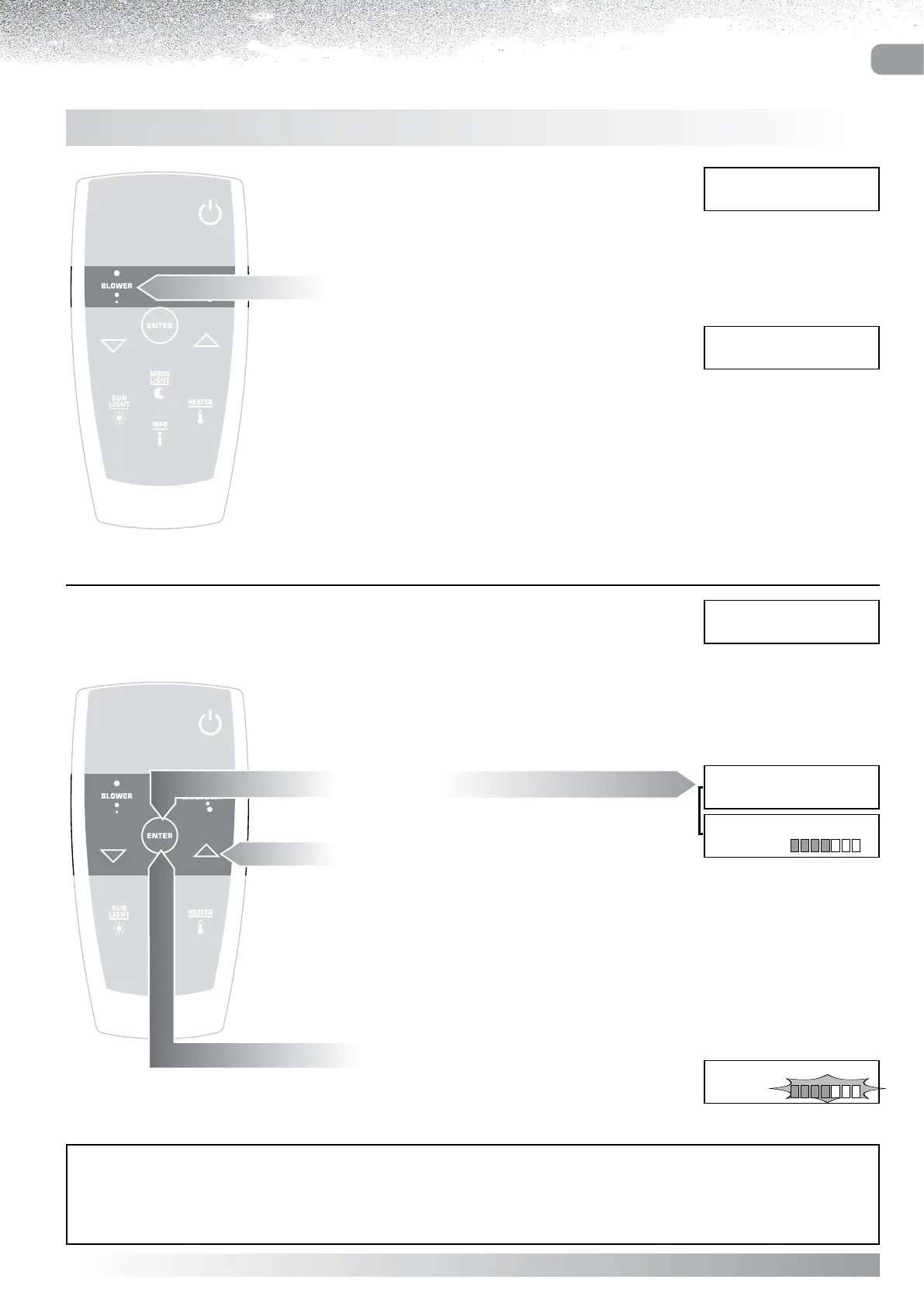
Press the “BLOWER” button to activate the function.
The letters BL are displayed alongside the selected massage.
The TIMER setting that controls the Blower cannot be altered,
whereas the Waterlight TIMER remains adjustable (see
WATERLIGHT - CHANGING THE DURATION OF THE
WATERLIGHT SESSION)
AIR adjustment display
B l o w e r
A I R
AUTOCONFIRM:
If no button is pressed for 5 seconds while the Air menu remains active, the current setting AUTOCONFIRMS and the
display reverts to the massage currently selected.
Press “ENTER”
the display will show the Whirlpool+Blower menu
Select the setting to be changed
using the “” and “” buttons.
Press “ENTER”
the display will show the Air adjustment scale
(see BLOWER: Adjusting the Air Flow).
Display indicating
Waterlight in progress
3 0 3 6 ° C 2 0 : 3 0
W A T E R L I G H T
W a t e r l i g h t
T I M E R 3 0 m
t
B l o w e r
A I R
Waterlight + Blower menu



 To Next Page