18
SEASIDE
EN
CLOCK
Info menu
I N F O 2 0 : 3 0
C l o c k
Info menu
I N F O 2 0 : 3 0
C l o c k A
Display showing Clock
I N F O 2 0 : 3 0
C h a n g e m i n u t e s
AUTOCONFIRM:
If no button is pressed for 5 seconds while the Clock menu remains active, the current setting AUTOCONFIRMS and
the display reverts to the Info menu.
Display showing Clock
I n f o 2 0 : 3 0
C h a n g e m i n u t e s
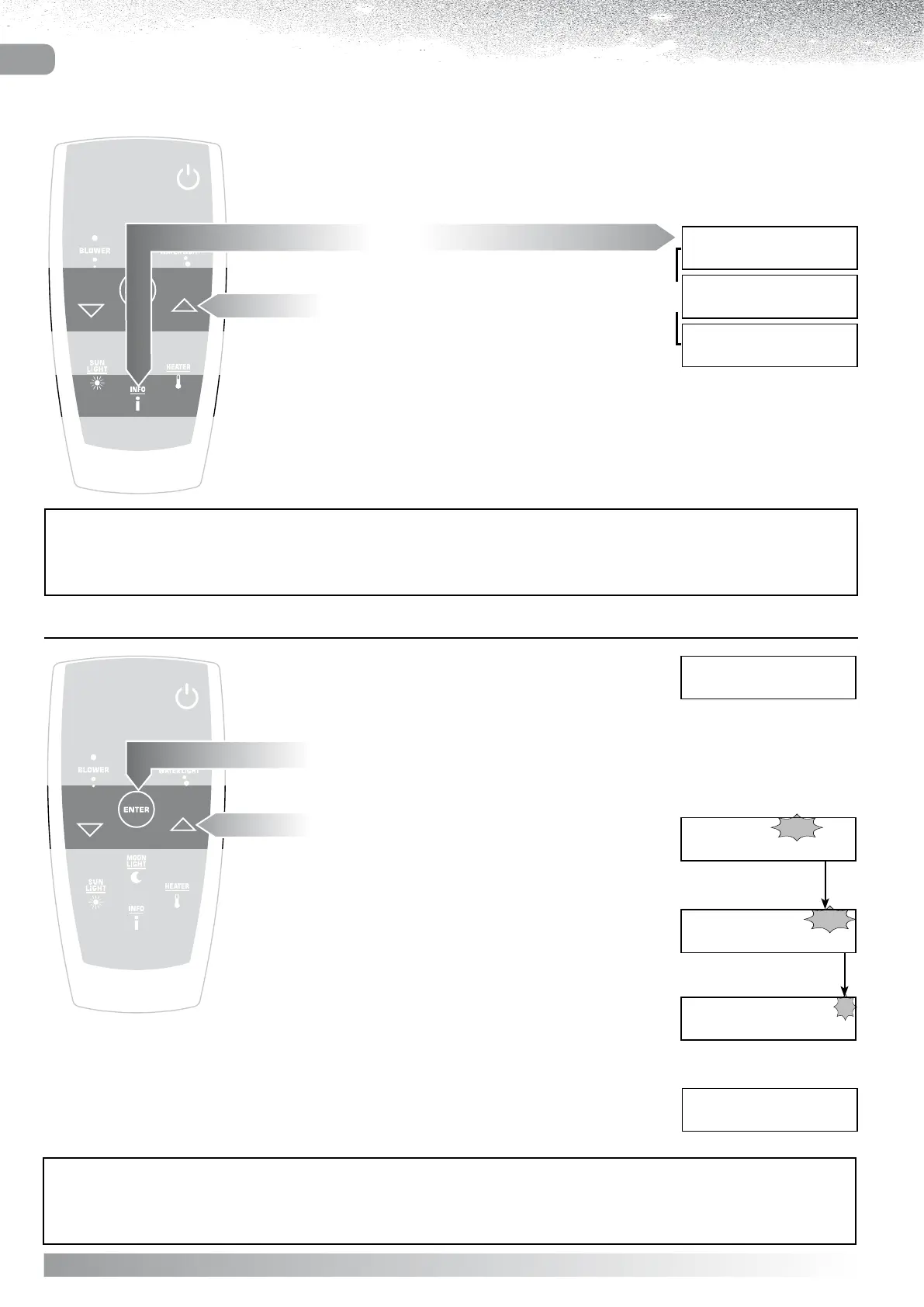
Select TIME from the Info menu.
Press “ENTER”
the display will show SET HOURS.
Use the “ and ” buttons to change the Hours displayed.
Confirm by pressing “ENTER”
the display shows SET MINUTES.
Use the “ and ” buttons to change
the Minutes displayed.
Confirm by pressing “ENTER”
the display shows SELECT Clock MODE.
Use the “ and ” buttons to change
the Clock display MODE.
Confirm by pressing “ENTER”.
The display will revert to the Info menu.
Display showing Clock
I N F O 0 8 : 3 0 P
C h a n g e m o d e
Whenever a function is activated, or the system is ready
(Display showing READY) the user can:
- set the CLOCK
- Change the Language of the display
I N F O 2 0 : 3 0
C l o c k
I N F O 2 0 : 3 0
L a n g u a g e E N
I N F O 2 0 : 3 0
¬
Info menu
AUTOCONFIRM:
If no button is pressed for 5 seconds while the Info menu remains active, the display reverts to the previous item.
Display settings - INFO
Press the “INFO” button
the display will show the Info menu.
Select the setting to be changed
using the “” and “” buttons.



 To Next Page