SEASIDE
17
EN
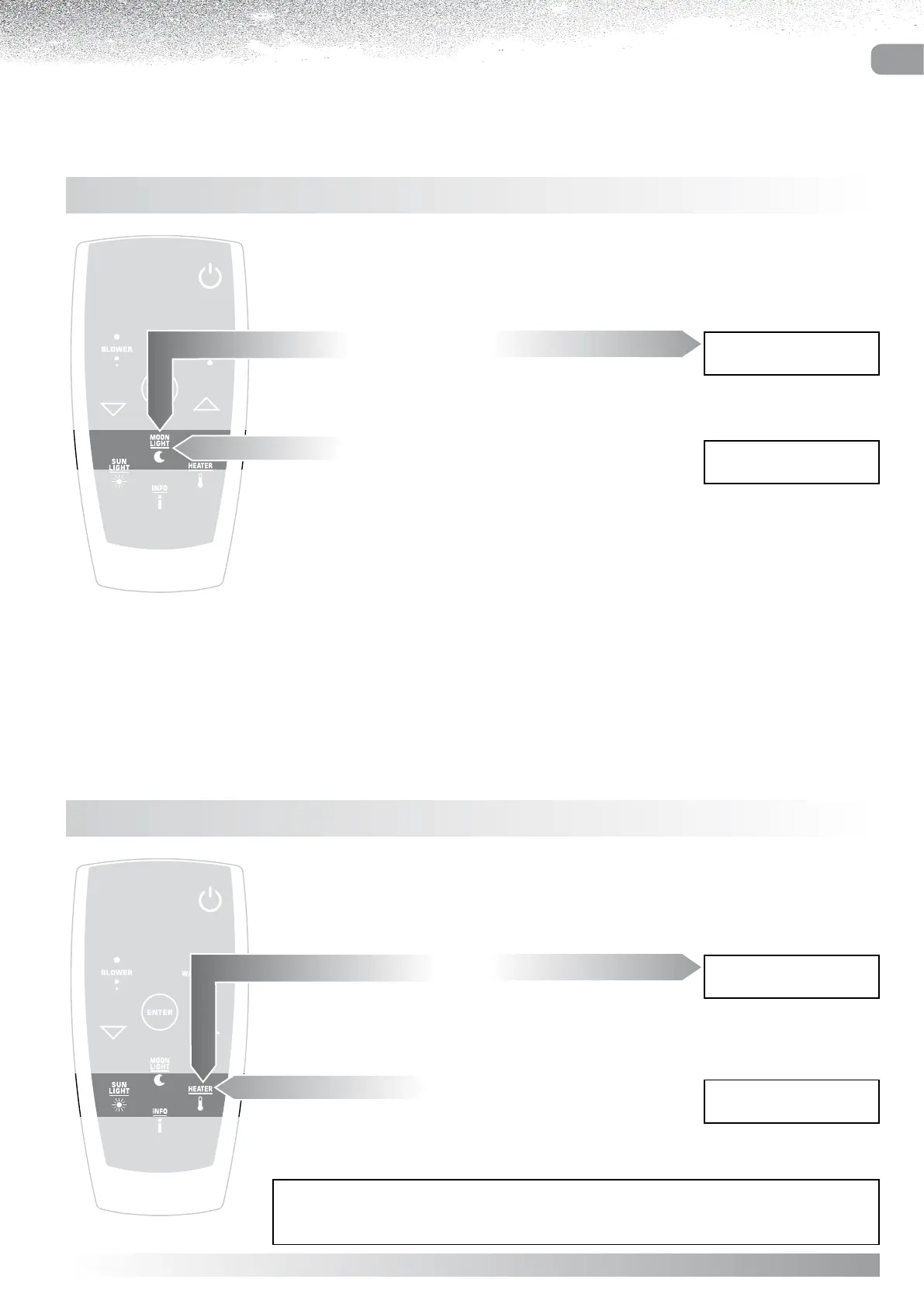
HEATER
Whenever the WATERLIGHT function is activated, the user
can switch on the heater to keep the water in the bathtub at a
steady temperature.
Display indicating
Heater ON
1 5 3 6 ° C # 2 0 : 3 0
H E A T E R O N
Display indicating
Heater OFF
1 5 3 6 ° C 2 0 : 3 0
H E A T E R O F F
Press the “HEATER” button to switch on.
As the heater comes on, the display will indicate its “on” status
(#) for a few seconds, then revert to the previous item.
Press the “HEATER” button to switch off.
The heater switches off, and the display indicates the “off”
status for a few seconds before reverting to the previous item.
AUTOMATIC SHUTOFF:
When the function currently selected ceases operating, the heater will also shut off.
MOONLIGHT - RIM LIGHTING
Whenever a function is activated, or the system is ready
(Display showing READY) the user can switch on the rim light.
Display indicating
Moonlight ON
1 5 3 6 ° C 2 0 : 3 0
M O O N L I G H T O N
Display indicating
Moonlight OFF
1 5 3 6 ° C 2 0 : 3 0
M O O N L I G H T O F F
Switch on by pressing the “MOONLIGHT” button.
As the light comes on, the display will indicate its “on” status
for a few seconds, then revert to the previous item.
Switch off by pressing the “MOONLIGHT” button.
When the light goes out, the display will indicate its “off” status
for a few seconds, then revert to the previous item.



 To Next Page