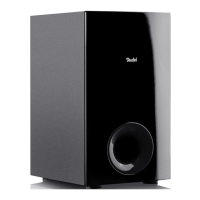
This document provides a comprehensive technical description and user manual for the Teufel Universal Subwoofer T6, an active subwoofer designed for the playback of low audio signals from an external player. The manual emphasizes proper and safe usage, outlining various features for setup, operation, and troubleshooting.
Function Description:
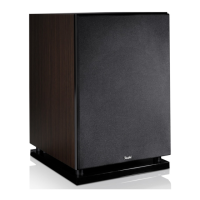
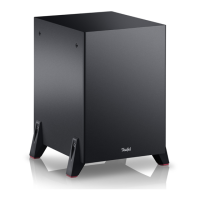
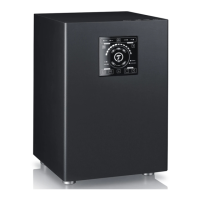
The Teufel Universal Subwoofer T6 is an active subwoofer specifically engineered to reproduce low-frequency audio signals (bass) from an external source. Its primary function is to enhance the audio experience by adding depth and richness to sound, particularly in home entertainment systems. The subwoofer operates wirelessly, allowing for flexible placement within a room without the need for direct audio cables to the main player. It features an integrated equalizer with different settings to optimize sound based on its placement, ensuring consistent and high-quality bass reproduction regardless of the room environment. The device is designed for private use and is intended to be paired with a compatible soundbar or a subconnect transmitter to establish a wireless audio connection.
Usage Features:
The subwoofer offers several user-friendly features to optimize its performance and integration into an audio setup:
-
Wireless Connection: The T6 subwoofer establishes a wireless connection with a compatible soundbar or subconnect transmitter. This eliminates the need for cumbersome audio cables, providing greater flexibility in placement. The pairing process is straightforward: users switch on the subwoofer and the compatible device, and they will automatically connect. If the connection isn't established automatically or is interrupted, a dedicated PAIRING button (5) can be pressed to initiate pairing mode. The STATUS LED (4) provides visual feedback on the connection status.
-
Room Placement Optimization: A key feature is the ROOM PLACEMENT switch (6), which allows users to select an ideal equalizer setting based on the subwoofer's physical location. There are three recommended placement options:
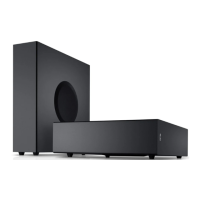
- Free-standing: With the diaphragm facing sideways or downwards (downfire). This position (pos. 1) is ideal for precise and crisp bass as sound reaches the ear via the shortest path.
- Corner Placement: Upright in a corner, with the diaphragm at approximately a 45° angle to the wall. This setting (pos. 2) helps prevent uncontrollable frequency rises that can occur with corner placement.
- Under Furniture (Downfire): Lying under a piece of furniture with the diaphragm facing downwards. This position (pos. 3) projects sound waves directly towards the ground, which are then reflected to produce a uniform signal throughout the room.
The manual advises sticking isolation pads (2) to the bottom or diaphragm side of the subwoofer depending on the chosen setup to prevent discolouration on sensitive surfaces.
-
Volume Control: The SUB VOLUME LEVEL control (7) allows users to adjust the subwoofer's output volume. The STATUS LED (4) indicates the set volume level through varying brightness, from 20% brightness at -10 dB to 100% brightness at +10 dB. The goal is to achieve "easily heard" bass without it becoming overbearing or "droning."
-
Automatic Standby and Activation: The subwoofer features an automatic standby function to conserve energy. It switches to standby if the connected soundbar is turned off or enters standby mode, or if the subwoofer was manually activated but no connection to a soundbar is established within 10 minutes. Conversely, the subwoofer automatically activates when the connected soundbar is switched on or when any operational control on the subwoofer is actuated.
-
Factory Reset: Pushing and holding the PAIRING button (5) for an extended period resets the subwoofer to its factory default settings and re-enters pairing mode, indicated by the STATUS LED (4) alternating between red and white flashes.
Maintenance Features:
The manual emphasizes several aspects related to the maintenance and longevity of the device, primarily focusing on safety and proper handling:
-
Regular Damage Checks: Users are advised to regularly check the device for any damage. If the housing or mains cord is defective or shows visible damage, the mains plug should be immediately disconnected, and the device should not be operated further. Damaged mains cords should be replaced with an equivalent one.
-
Professional Repair Only: The device housing should never be opened by the user. All repairs must be carried out by an authorized specialist workshop using only parts that match the original specifications. Unauthorized modifications can affect safety and functionality.
-
Proper Power Connection: Ensure the correct voltage is supplied when connecting the device, as specified on the rating plate. The mains plug should always be easily accessible to allow for complete disconnection from the grid.
-
Environmental Protection: The subwoofer should only be used indoors and protected from wet environments, dripping, and splashing water. No liquid-filled objects should be placed on or near the device to prevent liquid penetration. If water or foreign objects enter the housing, the mains plug must be disconnected, and the device sent to a service address.
-
Packaging Retention: Users are strongly advised to keep the original packaging for the duration of the warranty period. This is crucial for exercising the eight-week right of return, as returns are only accepted with the original packaging.
-
Isolation Pads: The isolation pads (2) provided with the subwoofer are not just for stability but also serve as a maintenance feature to prevent discolouration on sensitive surfaces like parquet, varnished wood, and similar flooring. Users should stick felt gliders to the rubber feet or place blankets/small carpets under the subwoofer to prevent long-term floor discolouration.
-
Troubleshooting Guidance: The manual includes a troubleshooting section to help users resolve common issues. For instance, if the STATUS LED (4) is not illuminated, users should check the power supply and ensure the mains cord is securely seated. If transmission is disrupted, it suggests moving other wireless signal sources (cordless telephones, Wi-Fi stations, microwaves) that might be causing interference. For more extensive issues, the online manual is recommended.


 To Next Page

 General