EasyManua.ls Logo

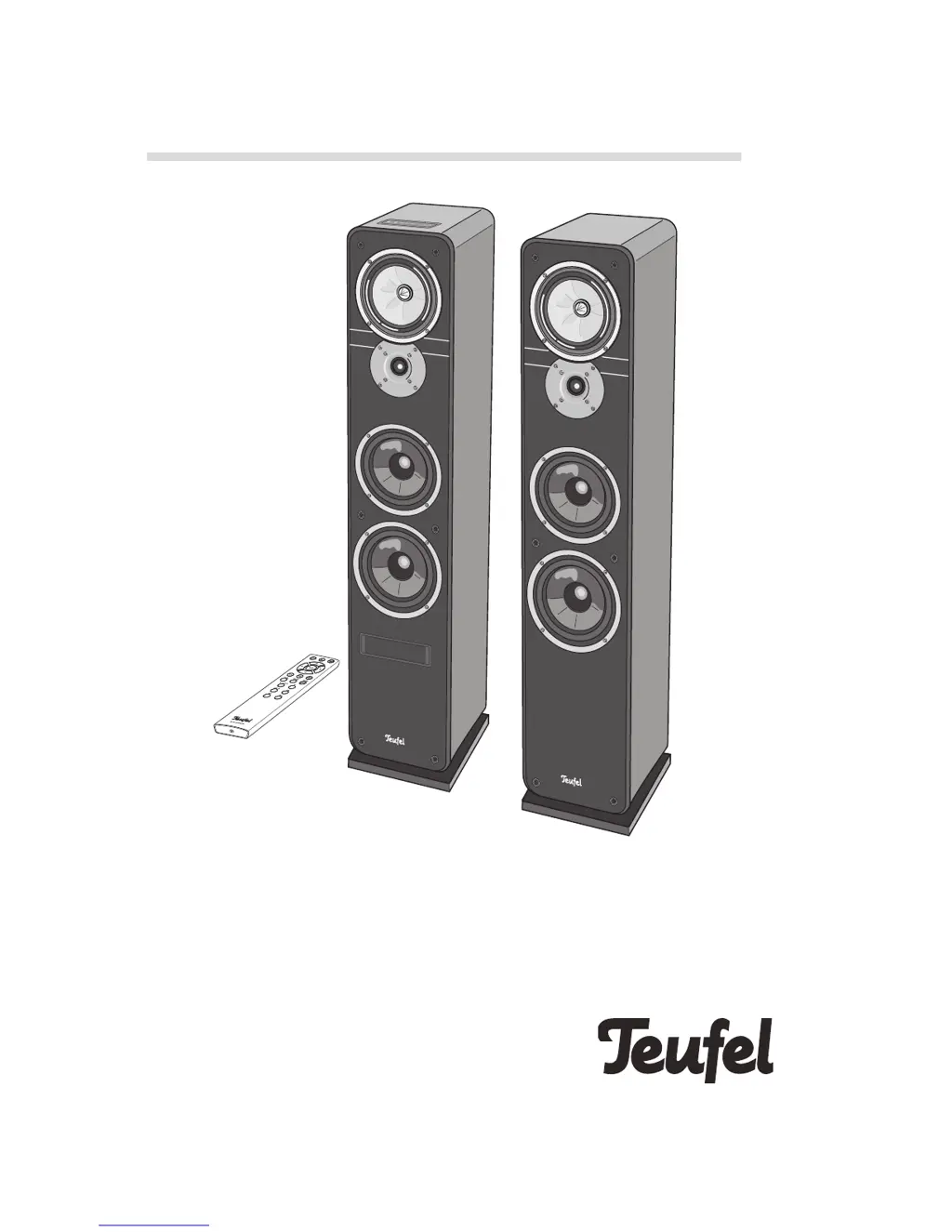
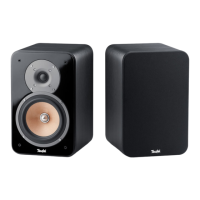
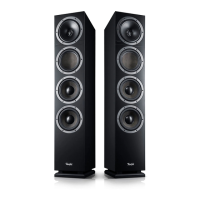
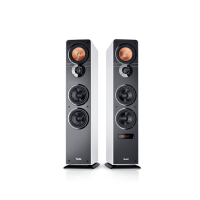
Teufel ULTIMA 40 ACTIVE NG - User Manual

Teufel ULTIMA 40 ACTIVE NG
24 pages
Print Icon
To Next Page IconTo Next Page
Loading...
Technical Description And User Manual
Active speaker set with integrated AV receiver,
Bluetooth and HDMI
ULTIMA 40 ACTIVE NG
ULTIMA
ULTIMA
Teufel

Questions and Answers

Summary

General Notes And Information

Notice

General disclaimer regarding information changes and manual reproduction.

Trademarks

Lists all trademarks and their owners, including Dolby, HDMI, and Bluetooth.

Original packaging

Instructions regarding retaining original packaging for returns and exchanges.

Complaints

Details required information for processing customer complaints, like invoice and serial numbers.

Contact

Provides contact information for Lautsprecher Teufel GmbH customer service.

For Your Safety

Proper use

Describes the intended use of the ULTIMA 40 ACTIVE NG for audio playback.

Signal terms

Explains the meaning of warning symbols used throughout the manual.

Safety notes

General safety instructions covering electrical hazards, device handling, and environmental conditions.

Explanation of symbols

Protection class and insulation symbols

Explains symbols related to electrical safety and device protection classification.

Electrical shock hazard warning

Explains the symbol indicating a risk of electrical shock and the need to avoid opening the housing.

Waste disposal symbols

Explains symbols for proper disposal of electrical equipment and batteries to prevent environmental harm.

Overview

Unpacking and package contents

Guide for unpacking the speaker set and lists included items.

Checking the package contents

Instructions for verifying all items are delivered and undamaged.

Optional accessories

Information on expanding the system with wireless subwoofers and rear speakers.

Controls And Connections

Active speaker front controls

Details the controls and display panel located on the front of the active speaker.

Active speaker top controls

Identifies the buttons on the top side of the active speaker used for source selection and playback.

Active speaker rear connections

Illustrates and describes the various input and output connections on the back of the active speaker.

Remote control overview

Brief overview of the remote control and its primary functions.

Remote Control

Inserting and changing batteries

Step-by-step guide for opening the battery compartment and inserting batteries.

Setup

Isolation pads and protective grids

Instructions for using isolation pads and handling protective speaker grids.

Setup location and placement

Recommendations for choosing an optimal and safe location for the speakers.

Ideal stereo triangle setup

Guidance on speaker placement to form an equilateral triangle with the listening position.

Connecting

Subwoofer and rear speaker positioning

Advice on optimal placement for wireless subwoofers and rear speakers.

Connecting the passive speaker

Detailed steps for connecting the passive speaker to the active speaker using the provided cable.

Subwoofer connection

Instructions for connecting an active subwoofer via RCA cable or wirelessly.

Source device inputs

Details on connecting analogue and digital audio sources to the speaker system.

TV set with HDMI ARC

Guide for connecting the TV set using HDMI ARC for audio return channel.

USB sound card setup

Information on using the integrated USB sound card for PC audio output and software updates.

Mains power connection

Instructions for connecting the device to the mains power supply.

First activation and language setup

Steps for the initial setup, including language selection and readiness confirmation.

Operation

Activating and deactivating

How to turn the ULTIMA 40 ACTIVE NG on, off, and put it into standby mode.

Selecting a source

Guide on selecting audio sources via the control panel or remote control.

Automatic activation

Explanation of the automatic activation feature based on incoming audio signals.

Adjusting the volume

Instructions on how to adjust the volume using the device controls or TV remote.

Mute function

How to mute and unmute the audio output of the speakers.

Adjusting sound settings

How to adjust Bass and Treble settings for desired sound characteristics.

Night mode

Explanation of the Night mode feature for reduced volume and adjusted mid-range tones.

Dynamore Center technology

Details the Dynamore Center technology for enhanced sound experience.

Display panel brightness

How to adjust the brightness level of the display panel.

Menu

Sound menu settings

Configuration options for Treble/Bass, Balance, and Upmix settings.

Speaker menu settings

Settings for active speaker position, level adjustment, and distance compensation.

Rear speaker settings

Settings for rear speakers including level, distance, phase, and crossover frequency.

External subwoofer configuration

Configuration options for connecting and setting up an external subwoofer.

System menu settings

Settings for display fading, brightness, and automatic activation (AutoOn).

Timer settings

Configures the auto-standby timer based on periods of inactivity.

Language selection

Allows selection of the display language between German and English.

Software settings

Access to software version information and update procedures.

Info and factory reset

Displays system parameters and options to reset device to factory defaults.

Bluetooth Mode

Bluetooth pairing procedure

Step-by-step guide to wirelessly connect external devices via Bluetooth.

Bluetooth options and behaviour

Information on Bluetooth options on external players and how behaviour may differ.

Restoring paired connection

How to re-establish a connection with a previously paired external device.

Connection interruption and recovery

Explains connection loss and automatic re-establishment.

Bluetooth playback control

How to play audio wirelessly via Bluetooth, including playback control.

Terminating Bluetooth connection

Instructions on how to end the Bluetooth connection from the external player.

USB Sound Card

PC audio playback

How to activate playback via the USB sound card for PC audio output.

Mac OS X setup

Instructions for selecting the ULTIMA 40 ACTIVE NG as the audio output device on Mac OS X.

Windows 7, 8, 10 setup

Guide for connecting and selecting the ULTIMA 40 ACTIVE NG as audio output in Windows.

Software Update

Determine software version

How to check the current software version of the ULTIMA 40 ACTIVE NG.

Installing new software

Step-by-step guide for downloading and installing new software updates for the device.

Care And Cleaning

Cleaning instructions

Guidance on how to clean the speakers using plain water or a mild soap solution.

Technical Data

Housing and weight specifications

Details on housing volume, dimensions, and speaker weights.

Electrical and radio specifications

Information on operating voltage, power consumption, and radio network parameters.

Troubleshooting

No function or no sound issues

Solutions for problems with device function and audio output.

Bluetooth and HDMI sound issues

Troubleshooting steps for sound problems via Bluetooth and HDMI connections.

Rear speaker and auto-activation issues

Solutions for problems with rear speakers and automatic HDMI activation.

Playback and sound quality problems

Troubleshooting steps for noisy playback or dull sound quality.

Summary

General Notes And Information

Notice

General disclaimer regarding information changes and manual reproduction.

Trademarks

Lists all trademarks and their owners, including Dolby, HDMI, and Bluetooth.

Original packaging

Instructions regarding retaining original packaging for returns and exchanges.

Complaints

Details required information for processing customer complaints, like invoice and serial numbers.

Contact

Provides contact information for Lautsprecher Teufel GmbH customer service.

For Your Safety

Proper use

Describes the intended use of the ULTIMA 40 ACTIVE NG for audio playback.

Signal terms

Explains the meaning of warning symbols used throughout the manual.

Safety notes

General safety instructions covering electrical hazards, device handling, and environmental conditions.

Explanation of symbols

Protection class and insulation symbols

Explains symbols related to electrical safety and device protection classification.

Electrical shock hazard warning

Explains the symbol indicating a risk of electrical shock and the need to avoid opening the housing.

Waste disposal symbols

Explains symbols for proper disposal of electrical equipment and batteries to prevent environmental harm.

Overview

Unpacking and package contents

Guide for unpacking the speaker set and lists included items.

Checking the package contents

Instructions for verifying all items are delivered and undamaged.

Optional accessories

Information on expanding the system with wireless subwoofers and rear speakers.

Controls And Connections

Active speaker front controls

Details the controls and display panel located on the front of the active speaker.

Active speaker top controls

Identifies the buttons on the top side of the active speaker used for source selection and playback.

Active speaker rear connections

Illustrates and describes the various input and output connections on the back of the active speaker.

Remote control overview

Brief overview of the remote control and its primary functions.

Remote Control

Inserting and changing batteries

Step-by-step guide for opening the battery compartment and inserting batteries.

Setup

Isolation pads and protective grids

Instructions for using isolation pads and handling protective speaker grids.

Setup location and placement

Recommendations for choosing an optimal and safe location for the speakers.

Ideal stereo triangle setup

Guidance on speaker placement to form an equilateral triangle with the listening position.

Connecting

Subwoofer and rear speaker positioning

Advice on optimal placement for wireless subwoofers and rear speakers.

Connecting the passive speaker

Detailed steps for connecting the passive speaker to the active speaker using the provided cable.

Subwoofer connection

Instructions for connecting an active subwoofer via RCA cable or wirelessly.

Source device inputs

Details on connecting analogue and digital audio sources to the speaker system.

TV set with HDMI ARC

Guide for connecting the TV set using HDMI ARC for audio return channel.

USB sound card setup

Information on using the integrated USB sound card for PC audio output and software updates.

Mains power connection

Instructions for connecting the device to the mains power supply.

First activation and language setup

Steps for the initial setup, including language selection and readiness confirmation.

Operation

Activating and deactivating

How to turn the ULTIMA 40 ACTIVE NG on, off, and put it into standby mode.

Selecting a source

Guide on selecting audio sources via the control panel or remote control.

Automatic activation

Explanation of the automatic activation feature based on incoming audio signals.

Adjusting the volume

Instructions on how to adjust the volume using the device controls or TV remote.

Mute function

How to mute and unmute the audio output of the speakers.

Adjusting sound settings

How to adjust Bass and Treble settings for desired sound characteristics.

Night mode

Explanation of the Night mode feature for reduced volume and adjusted mid-range tones.

Dynamore Center technology

Details the Dynamore Center technology for enhanced sound experience.

Display panel brightness

How to adjust the brightness level of the display panel.

Menu

Sound menu settings

Configuration options for Treble/Bass, Balance, and Upmix settings.

Speaker menu settings

Settings for active speaker position, level adjustment, and distance compensation.

Rear speaker settings

Settings for rear speakers including level, distance, phase, and crossover frequency.

External subwoofer configuration

Configuration options for connecting and setting up an external subwoofer.

System menu settings

Settings for display fading, brightness, and automatic activation (AutoOn).

Timer settings

Configures the auto-standby timer based on periods of inactivity.

Language selection

Allows selection of the display language between German and English.

Software settings

Access to software version information and update procedures.

Info and factory reset

Displays system parameters and options to reset device to factory defaults.

Bluetooth Mode

Bluetooth pairing procedure

Step-by-step guide to wirelessly connect external devices via Bluetooth.

Bluetooth options and behaviour

Information on Bluetooth options on external players and how behaviour may differ.

Restoring paired connection

How to re-establish a connection with a previously paired external device.

Connection interruption and recovery

Explains connection loss and automatic re-establishment.

Bluetooth playback control

How to play audio wirelessly via Bluetooth, including playback control.

Terminating Bluetooth connection

Instructions on how to end the Bluetooth connection from the external player.

USB Sound Card

PC audio playback

How to activate playback via the USB sound card for PC audio output.

Mac OS X setup

Instructions for selecting the ULTIMA 40 ACTIVE NG as the audio output device on Mac OS X.

Windows 7, 8, 10 setup

Guide for connecting and selecting the ULTIMA 40 ACTIVE NG as audio output in Windows.

Software Update

Determine software version

How to check the current software version of the ULTIMA 40 ACTIVE NG.

Installing new software

Step-by-step guide for downloading and installing new software updates for the device.

Care And Cleaning

Cleaning instructions

Guidance on how to clean the speakers using plain water or a mild soap solution.

Technical Data

Housing and weight specifications

Details on housing volume, dimensions, and speaker weights.

Electrical and radio specifications

Information on operating voltage, power consumption, and radio network parameters.

Troubleshooting

No function or no sound issues

Solutions for problems with device function and audio output.

Bluetooth and HDMI sound issues

Troubleshooting steps for sound problems via Bluetooth and HDMI connections.

Rear speaker and auto-activation issues

Solutions for problems with rear speakers and automatic HDMI activation.

Playback and sound quality problems

Troubleshooting steps for noisy playback or dull sound quality.

Teufel ULTIMA 40 ACTIVE NG Specifications

General IconGeneral
Configuration2-Way
Bluetooth Version5.0
TypeActive Speaker
Tweeter25 mm
ConnectivityBluetooth, Optical, AUX

Related product manuals