EasyManua.ls Logo

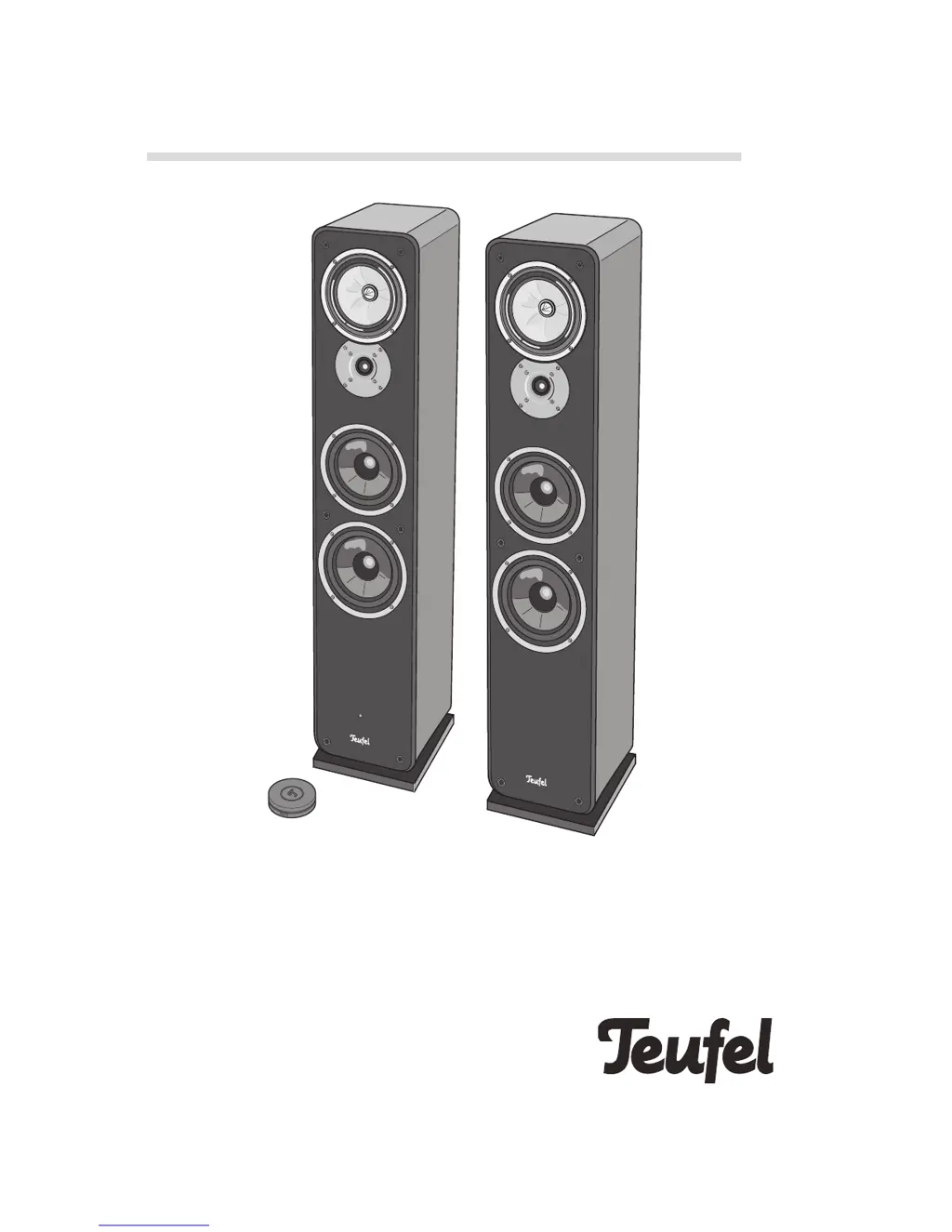
Teufel Ultima 40 Active - User Manual

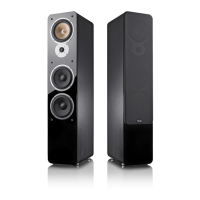
Teufel Ultima 40 Active
20 pages
Print Icon
To Next Page IconTo Next Page
Loading...
Technical Description and User Manual
Active speaker set with Bluetooth and HDMI
Ultima 40 Active

Questions and Answers

Summary

General Notes and Information

Notice and Disclaimers

Information disclaimer, copyright, and usage notices.

Trademarks and Ownership

Lists registered trademarks associated with the product and its components.

Original Packaging for Returns

Requirement to retain original packaging for product returns.

Customer Complaints Procedure

Details the information needed to process customer complaints effectively.

Contact Information and Support

Provides customer service contact details and website for inquiries.

Proper Use Guidelines

Defines the intended use of the speakers and warns against improper handling.

For Your Safety

Understanding Safety Signal Terms

Explanation of signal terms like CAUTION and NOTICE used in safety warnings.

General Safety Notes and Precautions

Crucial safety instructions for electrical installation and safe operation.

Explanation of Symbols

Safety Symbols and Disposal Guidance

Explains protective class symbols, electrical warnings, and proper disposal methods.

Product Overview

Unpacking and Component Check

Instructions for unpacking the product and verifying all delivered items are present.

Operational Controls and Connections

Active Speaker Controls

Identification of controls on the front and back sides of the active speaker.

Remote Control Overview

Details the functions and physical layout of the remote control unit.

Speaker Setup Guide

Protective Grids and Setup Location

Instructions for fitting protective grids and selecting an optimal setup location.

Ideal Listening Room Setup

Recommendations for speaker placement and room acoustics for optimal stereo sound.

Optional Active Subwoofer Placement

Guidance on positioning an active subwoofer for best sound integration.

Connecting Components

Connecting the Passive Speaker

Step-by-step instructions for connecting the passive speaker to the active unit.

Subwoofer and Crossover Connection

How to connect an active subwoofer and adjust the crossover frequency.

Connecting Source Devices

Instructions for connecting analogue, digital, and HDMI ARC audio sources.

Mains Power Connection

Remote Control Operation

Inserting and Changing Batteries

Guide on how to replace the batteries in the remote control unit.

Remote Control Functions

Details on using the remote for activation, source selection, volume, and mute.

Pairing the Remote Control

Step-by-step instructions for successfully pairing the remote with the speakers.

Basic Speaker Functions

Activating and Deactivating Speakers

How to turn the speakers on, off, and manage standby mode.

Automatic Activation Settings

Configuration options for the automatic power-on feature.

Operating Modes and Sound Adjustment

Selecting an Audio Source

How to switch between different audio inputs like Bluetooth, AUX, Optical, HDMI.

Adjusting Volume and Mute

Instructions for controlling audio volume and using the mute function.

Adjusting Sound (Bass and Treble)

Guide on modifying bass and treble settings for desired audio output.

Speaker Settings and Customization

Position Setting for Stereo Channel

Defines the stereo channel (left/right) for the active speaker.

Crossover Frequency Adjustment

Sets the crossover frequency for optimal subwoofer integration.

AUX Sensitivity Setting

Adjusts sensitivity for automatic activation via the AUX input.

LED Brightness Adjustment

Customizes the brightness of the speaker's multicolour LED indicator.

Bluetooth Mode and Pairing

Bluetooth Options and Behavior

Using Bluetooth features and understanding its behavior with external players.

Bluetooth Pairing Process

Step-by-step instructions to successfully pair external devices via Bluetooth.

Bluetooth Connection Management

Restoring and Managing Connections

Reconnecting paired devices, managing multiple connections, and handling interruptions.

Bluetooth Playback and Termination

Guidance on playing audio via Bluetooth and terminating the connection.

Care and Cleaning Instructions

Troubleshooting Common Issues

Technical Data

Summary

General Notes and Information

Notice and Disclaimers

Information disclaimer, copyright, and usage notices.

Trademarks and Ownership

Lists registered trademarks associated with the product and its components.

Original Packaging for Returns

Requirement to retain original packaging for product returns.

Customer Complaints Procedure

Details the information needed to process customer complaints effectively.

Contact Information and Support

Provides customer service contact details and website for inquiries.

Proper Use Guidelines

Defines the intended use of the speakers and warns against improper handling.

For Your Safety

Understanding Safety Signal Terms

Explanation of signal terms like CAUTION and NOTICE used in safety warnings.

General Safety Notes and Precautions

Crucial safety instructions for electrical installation and safe operation.

Explanation of Symbols

Safety Symbols and Disposal Guidance

Explains protective class symbols, electrical warnings, and proper disposal methods.

Product Overview

Unpacking and Component Check

Instructions for unpacking the product and verifying all delivered items are present.

Operational Controls and Connections

Active Speaker Controls

Identification of controls on the front and back sides of the active speaker.

Remote Control Overview

Details the functions and physical layout of the remote control unit.

Speaker Setup Guide

Protective Grids and Setup Location

Instructions for fitting protective grids and selecting an optimal setup location.

Ideal Listening Room Setup

Recommendations for speaker placement and room acoustics for optimal stereo sound.

Optional Active Subwoofer Placement

Guidance on positioning an active subwoofer for best sound integration.

Connecting Components

Connecting the Passive Speaker

Step-by-step instructions for connecting the passive speaker to the active unit.

Subwoofer and Crossover Connection

How to connect an active subwoofer and adjust the crossover frequency.

Connecting Source Devices

Instructions for connecting analogue, digital, and HDMI ARC audio sources.

Mains Power Connection

Remote Control Operation

Inserting and Changing Batteries

Guide on how to replace the batteries in the remote control unit.

Remote Control Functions

Details on using the remote for activation, source selection, volume, and mute.

Pairing the Remote Control

Step-by-step instructions for successfully pairing the remote with the speakers.

Basic Speaker Functions

Activating and Deactivating Speakers

How to turn the speakers on, off, and manage standby mode.

Automatic Activation Settings

Configuration options for the automatic power-on feature.

Operating Modes and Sound Adjustment

Selecting an Audio Source

How to switch between different audio inputs like Bluetooth, AUX, Optical, HDMI.

Adjusting Volume and Mute

Instructions for controlling audio volume and using the mute function.

Adjusting Sound (Bass and Treble)

Guide on modifying bass and treble settings for desired audio output.

Speaker Settings and Customization

Position Setting for Stereo Channel

Defines the stereo channel (left/right) for the active speaker.

Crossover Frequency Adjustment

Sets the crossover frequency for optimal subwoofer integration.

AUX Sensitivity Setting

Adjusts sensitivity for automatic activation via the AUX input.

LED Brightness Adjustment

Customizes the brightness of the speaker's multicolour LED indicator.

Bluetooth Mode and Pairing

Bluetooth Options and Behavior

Using Bluetooth features and understanding its behavior with external players.

Bluetooth Pairing Process

Step-by-step instructions to successfully pair external devices via Bluetooth.

Bluetooth Connection Management

Restoring and Managing Connections

Reconnecting paired devices, managing multiple connections, and handling interruptions.

Bluetooth Playback and Termination

Guidance on playing audio via Bluetooth and terminating the connection.

Care and Cleaning Instructions

Troubleshooting Common Issues

Technical Data

Teufel Ultima 40 Active Specifications

General IconGeneral
BrandTeufel
ModelUltima 40 Active
CategorySpeakers
LanguageEnglish

Related product manuals