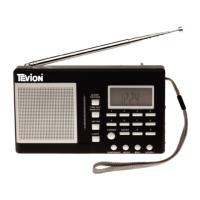
Need help?
Do you have a question about the Tevion 48451 and is the answer not in the manual?
Safety guidelines for battery usage, handling, and proper disposal.
Instructions for the environmentally sound disposal of electronic waste.
Identifies and describes controls on the top, front, and back panels of the radio.
Step-by-step guide to connecting and turning on the radio for the first time.
Instructions for scanning, storing, and recalling favorite DAB radio stations.
How to navigate and interpret various information displayed on the LCD.
Explains auto scan (LOC/FULL) and manual tuning for finding radio stations.
Instructions for setting the clock, time, and sleep timer features.
Procedures for resetting the device and switching between DAB and FM modes.
Details on FM auto scanning and display options specific to FM reception.
How to configure alarm status, tone, or radio source.
Setting alarm time, minute, and repeat schedule (Daily/Once).
Instructions on activating the snooze function after an alarm triggers.
How to use standby mode and set alarms while in standby.
Guidance on troubleshooting when no radio signal is detected.
 General
| Brand | Tevion |
|---|---|
| Model | 48451 |
| Category | Radio |
| Power Source | Battery |
| Battery Type | AA |
| Number of Batteries | 2 |
| Display Type | LCD |

 To Next Page