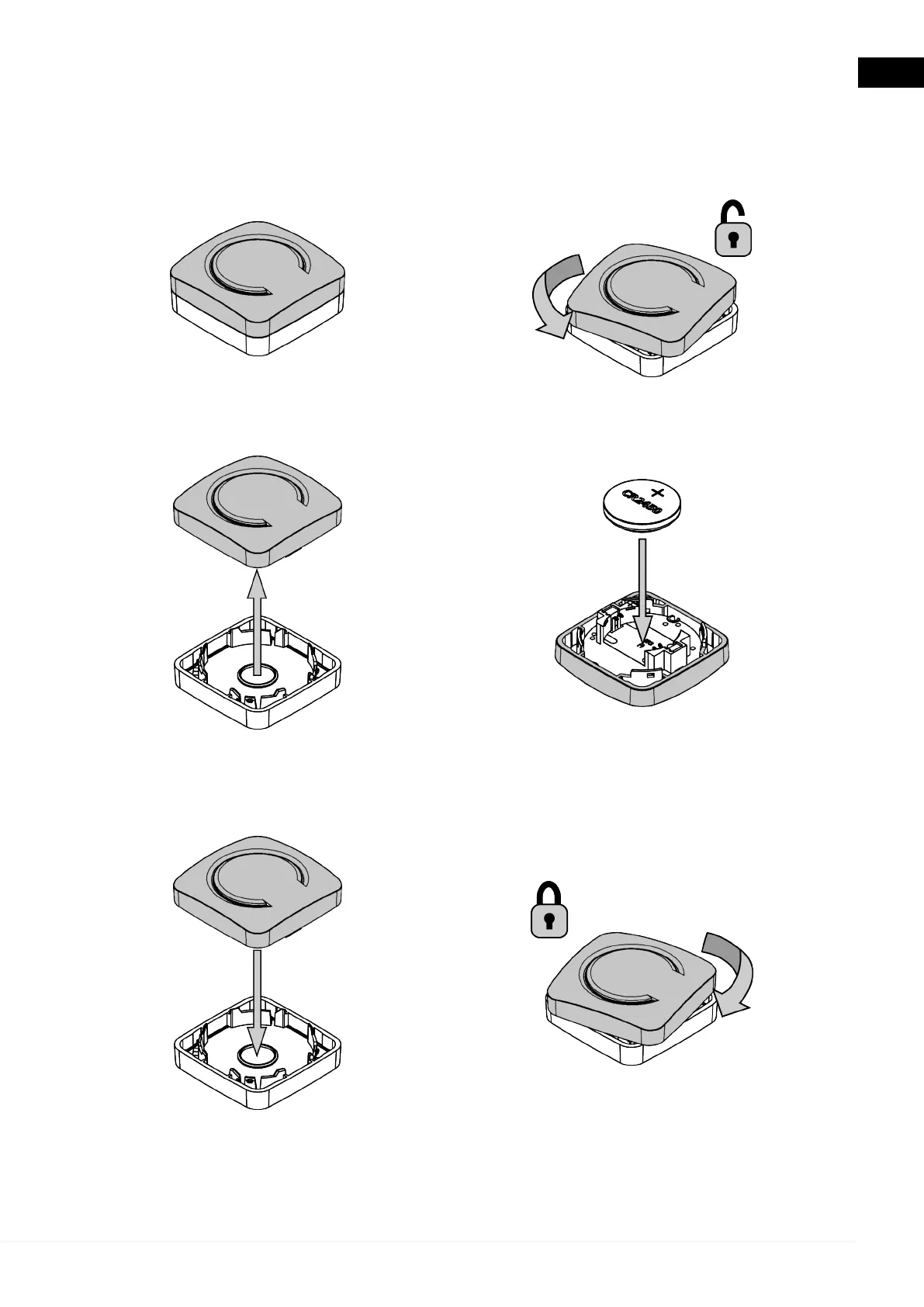
11.3 Inserting the Battery
Before using the device, you must insert its battery.
Proceed as follows:
1. Position the device with the
button facing upwards.
2. Unlock the upper case by delicately
turning it counter clockwise.
3. Lift the upper case.
4. Flip over the upper case and insert the
battery into its slot with the positive pole
facing upwards.
5. Reposition the upper case onto
the lower case.
6. Lock the upper case by delicately
turning it clockwise.
55
en



 To Next Page