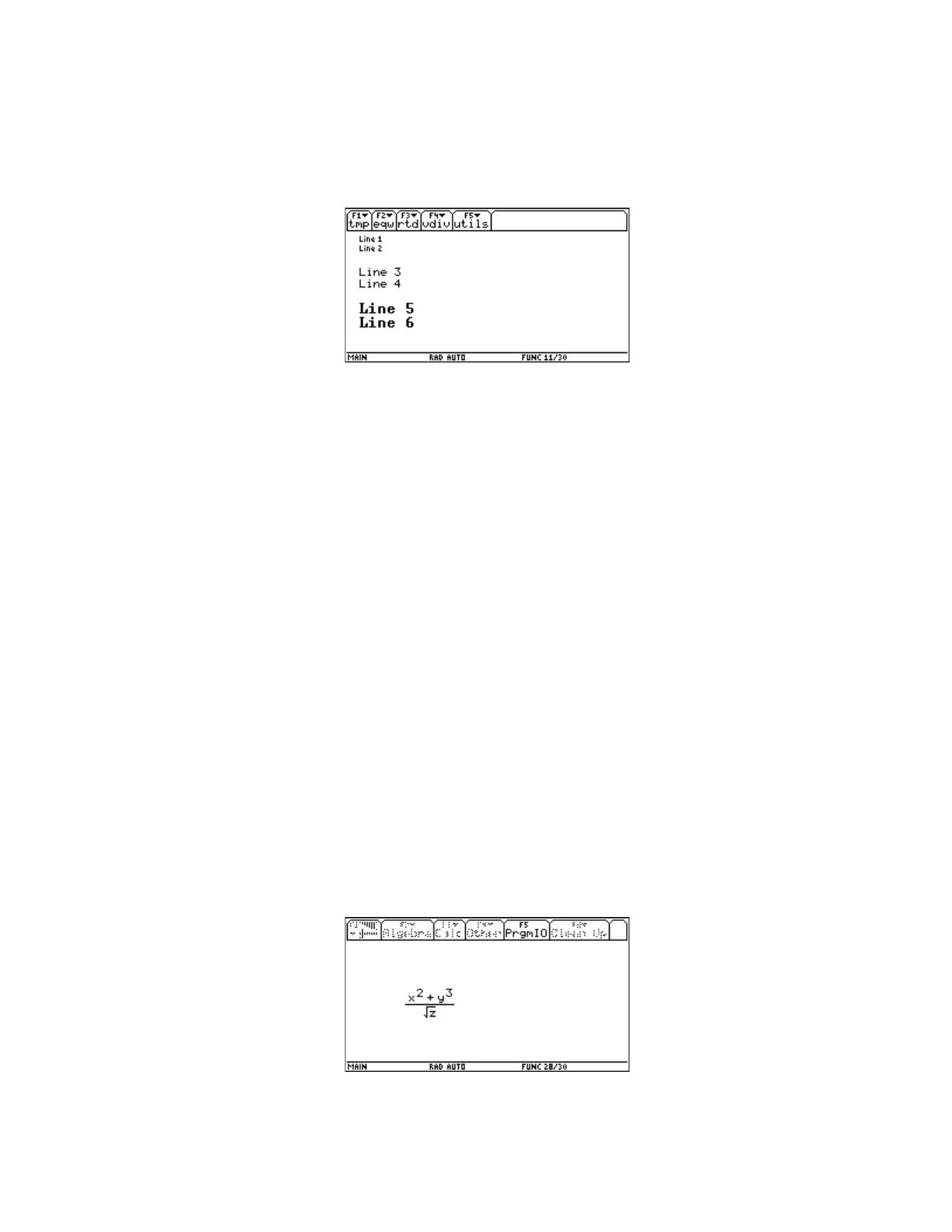
clrio
disp
util\write(10,3,{"Line 1","Line 2"},0,1)
util\write(10,30,{"Line 3","Line 4"},1,1)
util\write(10,60,{"Line 5","Line 6"},2,1)
Syntax 3 example: Pretty-print expressions
As mentioned above, this syntax is used to display expressions:
write(x, y, {format_string, "expr",...,format_string,"expr"} [,font_size] [,mode])
format_string is string which contains one or more control characters. The control character char(174)
will be replaced by the next expression expr in the list. char(174) is the circle-R character "®". This
syntax allows the display of multiple expressions on one display line, and mixing text strings and
expressions on the same line. In its simplest form, this syntax displays a single expression:
char(174)→c
util\write(50,40,{c,"(x^2+y^3)/√(z)"})
The control code is saved as the variable c for convenience, but this is not necessary. If you are coding
directly on the calculator, you can insert the "®" character with [CHAR], [3], [N]. If you are coding in
GraphLink, you cannot create the "®" character, and must instead use char(174).
expr is any valid expression, which is passed as a string.
font_size is ignored with this syntax. Expressions are always displayed with font size 1, the standard
font. The mode argument is used, however. In mode 0 (white text on black background), only the text
characters are displayed, and graphic elements such as divisor bars and root symbols may disappear.
In mode 3 (gray characters), the expression may be completely illegible.
This code segment results in the following display:
Note that the expression is passed as a string, and the default values for font_size and mode are used.
7 - 56












 To Next Page