EasyManua.ls Logo

Texecom Premier - User Manual

Texecom Premier
36 pages
Print Icon
To Next Page IconTo Next Page
Loading...
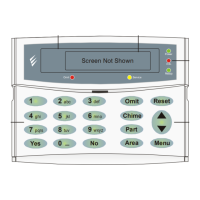
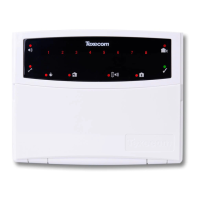
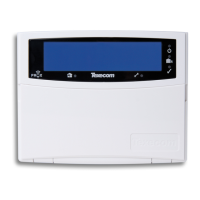
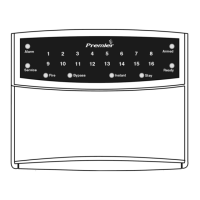
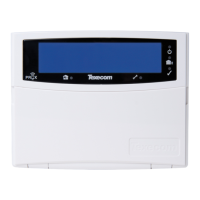
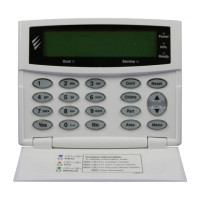
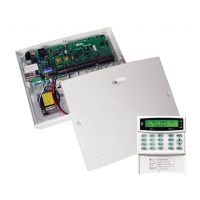
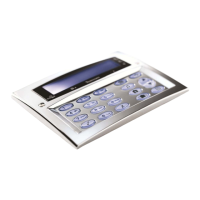
Premier LCD Keypads
INS525-2
User Guide-GB
Guide de l’Utilisateur-FR
Guía Del Usuario-ES
Guia do Utilizador-PT
Guida per l’utente-IT
Benutzeranleitung-DE
Gebruikersgids-NL
Brugsanvisning-DA
Brukermanual-NO
Användarguide-SV
Käyttöopas-FI
Uživatelská příručka-CS
Podręcznik użytkownika-PL
Užívateľská príručka-SK
Руководство пользователя-RU

Other manuals for Texecom Premier

Question and Answer IconNeed help?

Do you have a question about the Texecom Premier and is the answer not in the manual?

Summary

Introduction to Premier Keypads

General Operation of Proximity TAGs

Describes basic usage of Proximity TAGs with the keypad, including proximity and action.

Programming Proximity TAGs

Explains how TAG programming depends on panel type and software versions for system integration.

Keypad Care Instructions

Provides essential guidance on cleaning the keypad to maintain its functionality.

Operating the Premier Keypad

Determine Your Panel Type

Instructions on how to identify the control panel model and software version.

Programming Proximity TAGs

TAG Assignment for Premier 24-640

Steps for assigning a Proximity TAG to a user for Premier 24, 48, 88, 168, and 640 models.

Advanced Programming and Operation

TAG Assignment for Premier 412-832

Steps for assigning a Proximity TAG to a user for Premier 412, 816, and 832 models.

Arming with Proximity TAG (Models 24-640)

Procedure to arm the control panel using a Proximity TAG for specific Premier models.

Arming with Proximity TAG (Models 412-832)

Procedure to arm the control panel using a Proximity TAG for other Premier models.

Disarming the Control Panel

Process for disarming the control panel using a Proximity TAG after entry.

Icon Guide

LCD Keypad Icons

Explains icons displayed on the standard LCD keypad.

LCDP Keypad Icons

Explains icons displayed on the LCDP keypad.

LCDL Keypad Icons

Explains icons displayed on the LCDL keypad.

LCDLP Keypad Icons

Explains icons displayed on the LCDLP keypad.

Summary

Introduction to Premier Keypads

General Operation of Proximity TAGs

Describes basic usage of Proximity TAGs with the keypad, including proximity and action.

Programming Proximity TAGs

Explains how TAG programming depends on panel type and software versions for system integration.

Keypad Care Instructions

Provides essential guidance on cleaning the keypad to maintain its functionality.

Operating the Premier Keypad

Determine Your Panel Type

Instructions on how to identify the control panel model and software version.

Programming Proximity TAGs

TAG Assignment for Premier 24-640

Steps for assigning a Proximity TAG to a user for Premier 24, 48, 88, 168, and 640 models.

Advanced Programming and Operation

TAG Assignment for Premier 412-832

Steps for assigning a Proximity TAG to a user for Premier 412, 816, and 832 models.

Arming with Proximity TAG (Models 24-640)

Procedure to arm the control panel using a Proximity TAG for specific Premier models.

Arming with Proximity TAG (Models 412-832)

Procedure to arm the control panel using a Proximity TAG for other Premier models.

Disarming the Control Panel

Process for disarming the control panel using a Proximity TAG after entry.

Icon Guide

LCD Keypad Icons

Explains icons displayed on the standard LCD keypad.

LCDP Keypad Icons

Explains icons displayed on the LCDP keypad.

LCDL Keypad Icons

Explains icons displayed on the LCDL keypad.

LCDLP Keypad Icons

Explains icons displayed on the LCDLP keypad.

Texecom Premier Specifications

General IconGeneral
DisplayLCD
BacklightYes
CompatibilityPremier Series Control Panels
Prox ReaderOptional
Tamper ProtectionYes
CommunicationWired
Power Supply12V DC
DimensionsVaries depending on model

Videos

How To Default A Texecom Premier Elite Security System

How To Reset A Texecom Premier Elite Security System After An Alarm

How to reset Texecom Premier alarm after power cut

How to change Texecom Premier alarm code

How To Add A New User On A Texecom Premier Elite

How To Arm & Disarm A Texecom Premier Elite Security System

Related product manuals