— E7 —
Operation
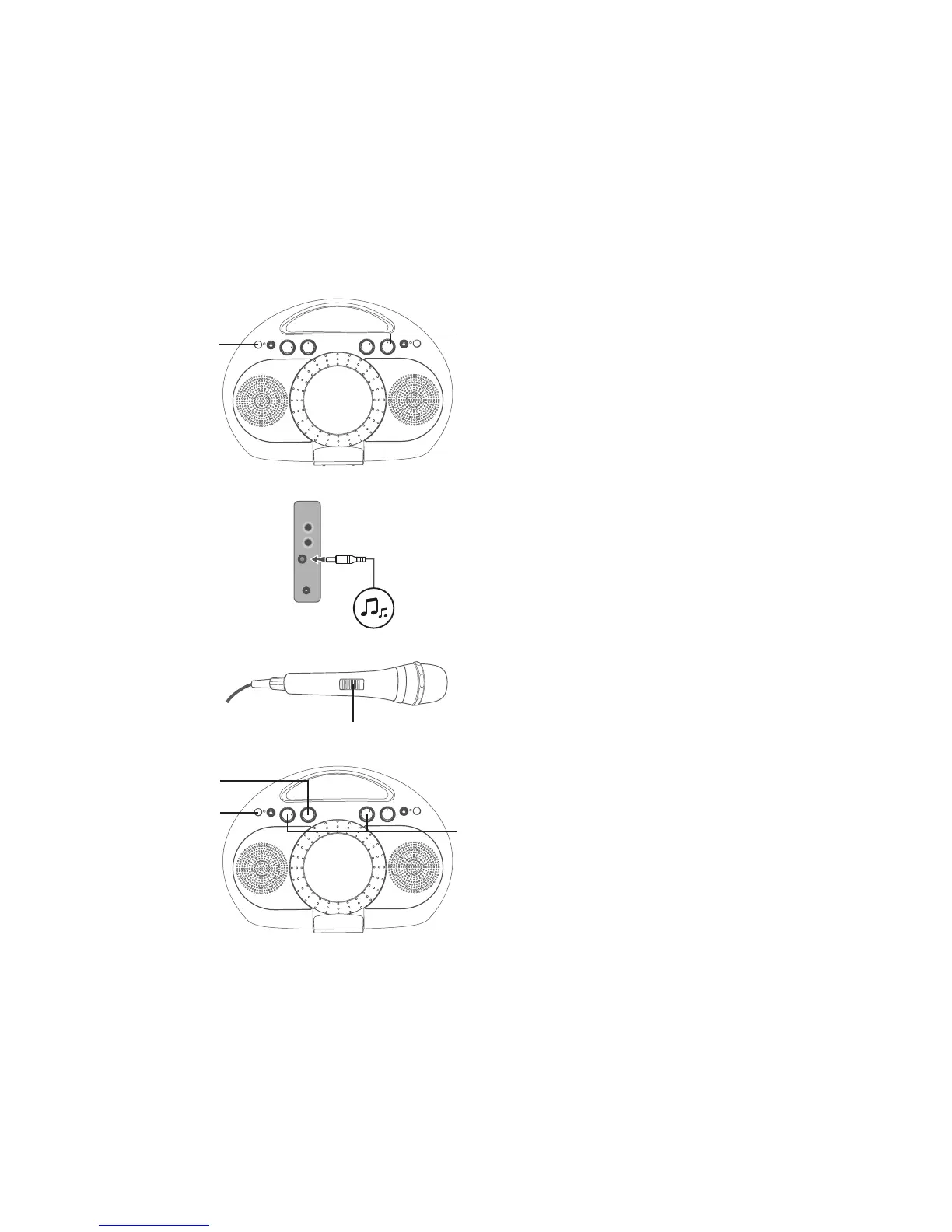
Using the AUX IN Jack
1
Connect the unit as described
previously. Press the Power ON/
OFF button to turn the unit on; the
Power indicator will light.
2
Connect the external unit to the
AUX IN jack. When connected,
the Aux function is automatically
selected.
Note: It is highly recommended to set the
volume on the auxillary unit to 1/3 or lower
to avoid distortion.
3
Adjust the volume to a comfortable
level using the MASTER VOLUME
control.
4
Connect microphone(s) and slide
the ON/OFF switch to the ON
position.
5
Adjust the MIC VOLUME control
as desired. Increasing this control
will increase the volume of the
respective microphone.
6
Adjust the ECHO and BALANCE
effects as shown on page E6.
7
Press the Power ON/OFF button
to turn the unit off; the Power
indicator will turn off.
u
v
U
y
V
x
w




 To Next Page