— 14 —
Operation
Playing Songs from the USB (Continued)
4
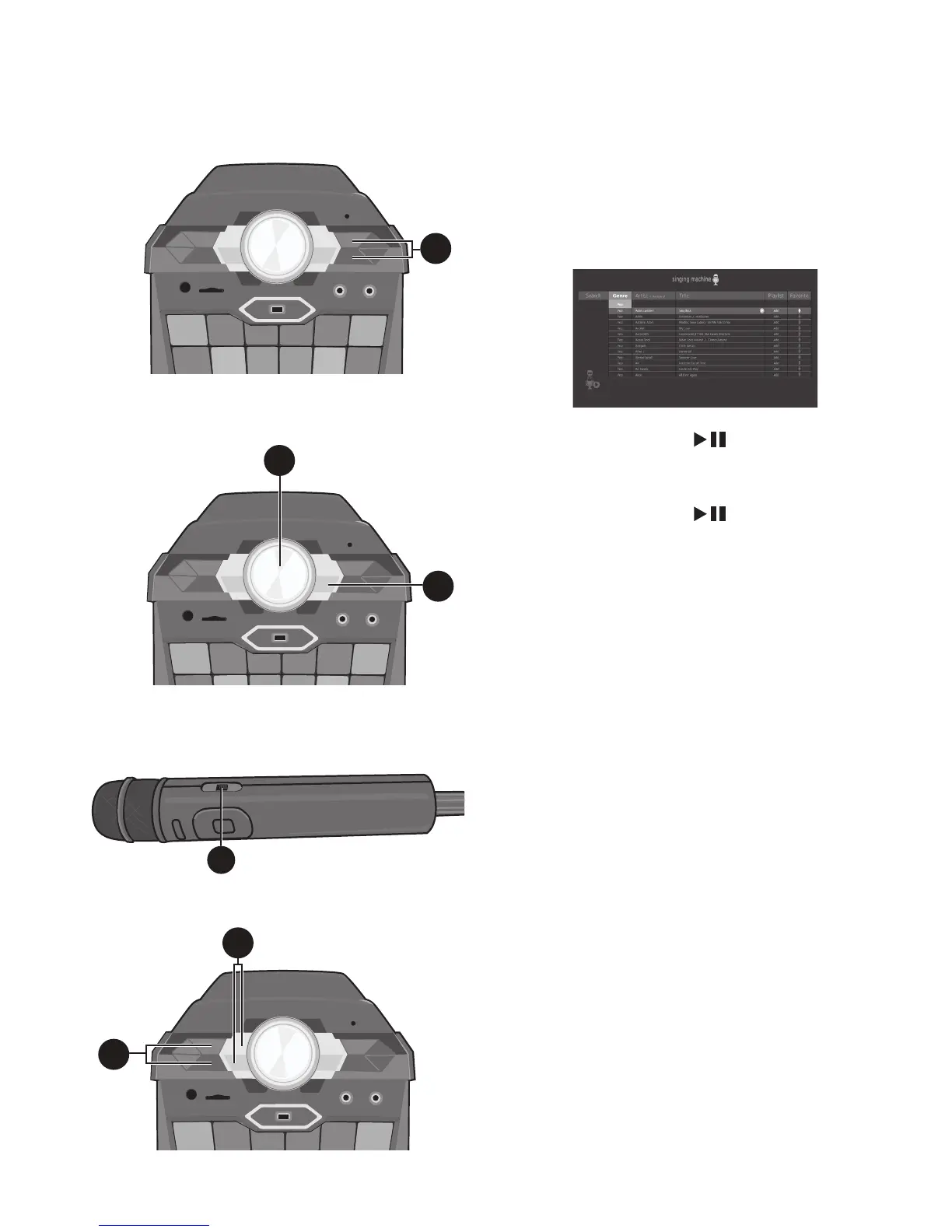
Use the Navigation 5 Up and
Down buttons to navigate through
the list of songs that you have
previously downloaded on your USB.
5
Press the ENTER button to start
the playback. The HD karaoke video
will play on the external screen.
Press the ENTER button during
playback to pause the song.
6
Adjust the volume to a comfortable
level using the MASTER VOLUME
control.
Note:
If connected to a TV, also control the
volume with the TV’s volume control.
7
Connect the microphone(s) as shown
on page 6. Slide the Remote/Mic’s
ON/OFF switch to the ON position.
8
Adjust the MIC VOLUME control
as desired. Increasing this will
increase the volume of connected
microphone(s).
9
Press ECHO +/- buttons to add an
echo effect to your voice. The higher
the number, the more echo effect.
4
5
6
8
9
7











 To Next Page