PROGRAM
PLAYBACK CONTROL (PBC)
TITLE
The user can control the playback order as desired by
using this function. This unit is equipped with 20
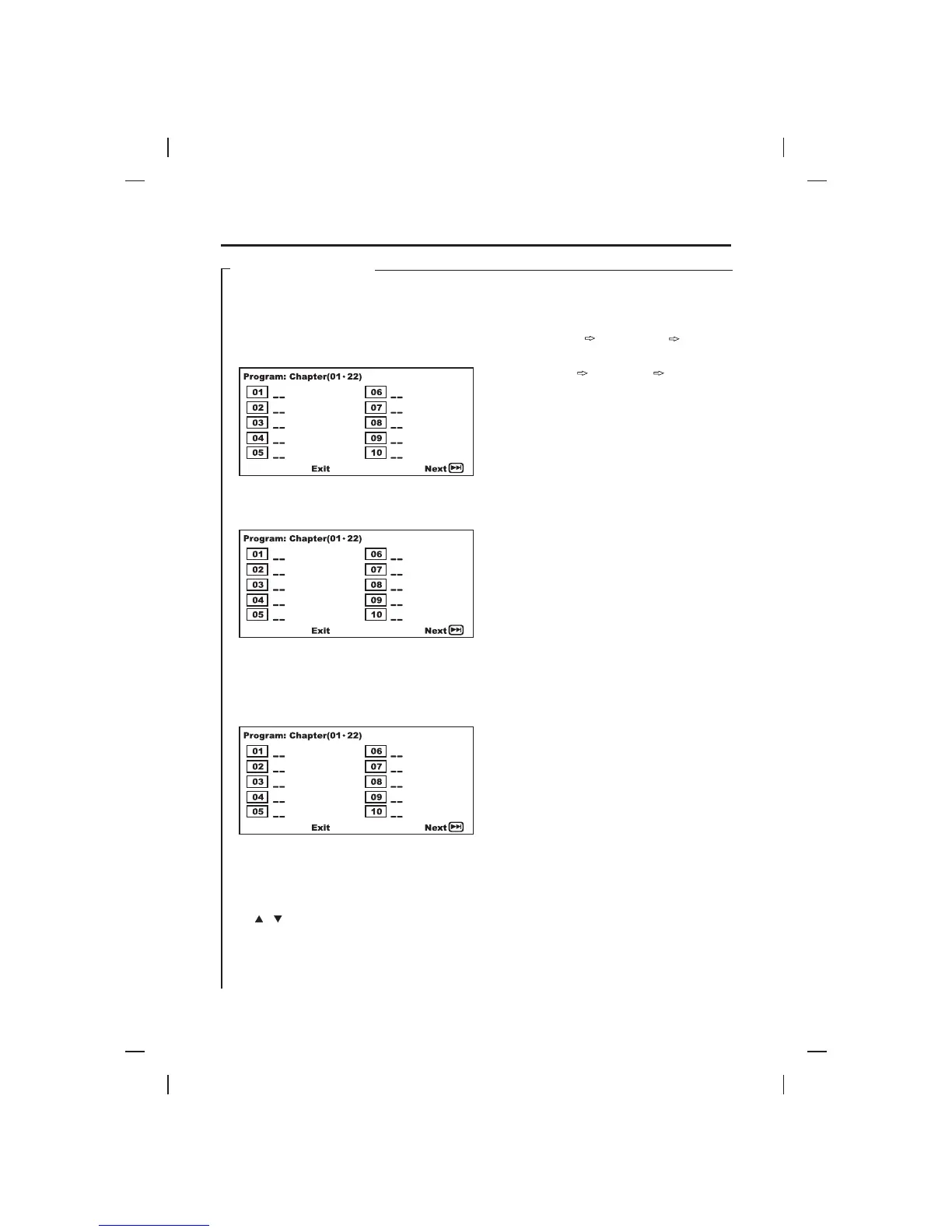
programs. After pressing the PROGRAM button on
the remote control or on the unit, the TV screen will
display as follows:
Use the cursor to select the first entry (i.e. 01), press
the number buttons such as “0” and “5”. Then it will go
to the next entry (i.e. 02) automatically.
Programming can only be performed before choosing
“Start” option. If “Start” option is chosen, “program
play” will start and the order of playback in the
programming can not be edited. Pressing PROGRAM
button during “program play”, the following picture will
appear.
Choosing “Stop” option or pressing STOP button can
cancel the programming immediately and normal
playback will continue.
:
1. To clear the program one by one, press the cursor
or button to select the chapter/track number.
Then press the CLEAR button.
2. Using this function, the unit must be connected
with a TV or other display equipment.
3. This function is not available for MP3 and Kodak
picture CD discs.
4. Pressing DISPLAY button during “Program Play”,
the following will display.
For DVD disc:
For CDG and CD discs:
Single Elapsed Single Remain Display Off.
5. GO TO function is not available in “Program Play”
mode.
6. The programming interface of the program
function of CDG and CD are similar to the DVD.
The main difference is the input parameter of DVD
is the index of title/chapter, the input parameter of
CD is the index of track.
This function only works for video discs. User can
access a specific chapter by entering the chapter
number through the number buttons (0-9, +10) on the
remote control.
This function is only available for the disc that are
recorded with the title menu such as DVD. Pressing
TITLE button on the remote control can go back to the
title menu directly. “ROOT” will display on LCD
display. The content of the title menu is different from
disc to disc. Using the CURSOR and ENTER buttons
to select the operation as you desired.
NOTE
**
Chapter Elapsed Chapter Remain DisplayOff.
OTHER FUNCTIONS
BASIC OPERATIONS
22
05
20
18
16
07
Start
05
20
18
16
07
Stop
Chapter Elapsed Chapter Remain DisplayOff.









 To Next Page