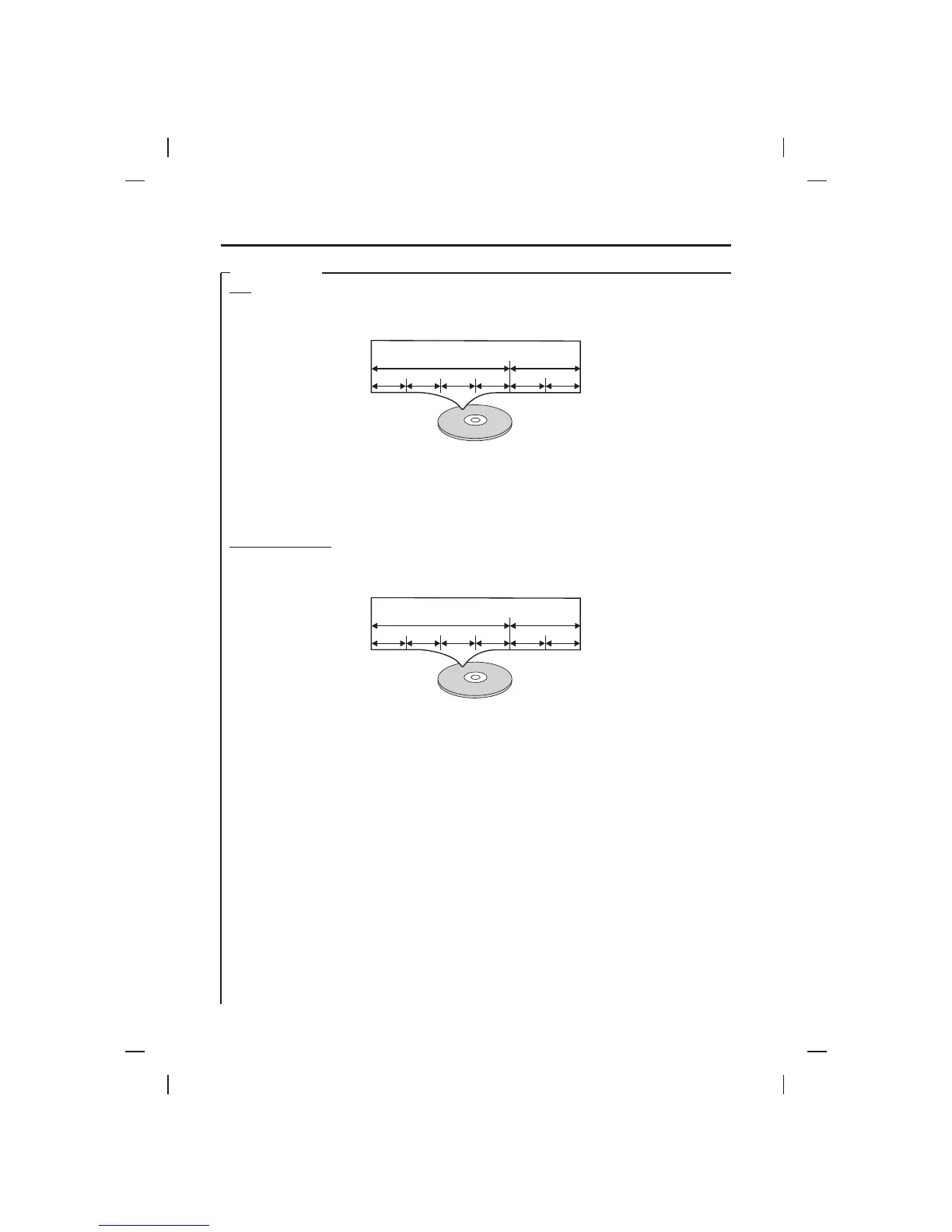
Example
Album 1Album 1 Album 2Album 2
Picture 1Picture 1 Picture 2Picture 2 Picture 3Picture 3 Picture 4Picture 4 Picture 1Picture 1 Picture 2Picture 2
Example
Album 1Album 1 Album 2Album 2
Track 1Track 1 Track 2Track 2 Track 3Track 3 Track 4Track 4 Track 1Track 1 Track 2Track 2
DISC TYPES
MP3
KODAK PICTURE CD
Data on a MP3 is divided into sections called "albums", and then into subsections called "tracks", each of which is
given an album or track number. When you make MP3 data, you refer to the manual accompanying the disc.
COMPATIBILITY INFORMATION
The CD-R or CD-RW must be ISO 9660 level 1 compatible.
Files should be MPEG1 Audio Layer 3 format, 32 kHz, 44.1 kHz (recommended) or 48 kHz, 32 kbps - 320 kbps
(128 kbps recommended). Incompatible files will not play.
This system only plays tracks that are named with the file extension “.mp3” or “.MP3”.
Use CD-R or CD-RW media for recording your MP3 files. The disc must be finalized in order to play.
Kodak picture CD stores images in a digital format, it can record on different media such as CD-R, hard disk etc. In
order to be compatible with our machine, recording on CD-R/CD-RW disc is recommended. Data on CD-R or CD-
RW is divided file by file.
!
!
!
!
NOTES ON DISCS
7











 To Next Page