EasyManua.ls Logo

The Singing Machine SML392 - Audio Connection

The Singing Machine SML392
40 pages
Print Icon
To Next Page IconTo Next Page
To Previous Page IconTo Previous Page
Loading...
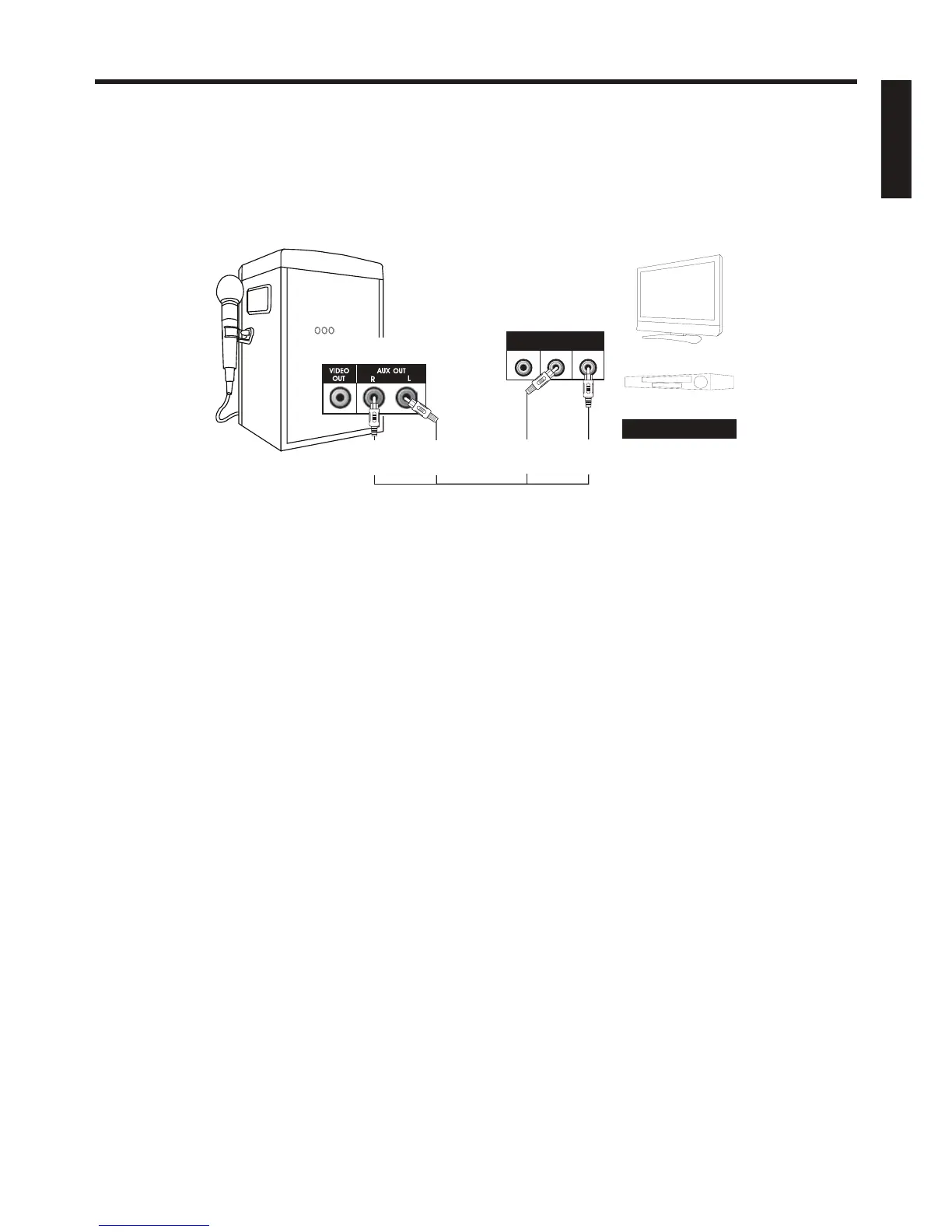
AUDIO CONNECTION
Please follow the steps below to connect the unit to your TV or home stereo system:
(1) Locate the multicolored patch cords.
(2)Connect audio xcables (White and Red) to the Audio Out ( White-Left and Red-Right) of the back of
the Singing Machine.
(3) Connect the other end of the audio cables to the audio/auxiliary input on your TV or home
stereo system.
MAKING THE CONNECTIONS
E6
Home Stereo System
AUX OUTPUT
R
(Red Jack)
REAR VIEW OF
SINGING MACHINE
VIDEO
INPUT
AUDIO
INPUT
R L
REAR VIEW OF TV
OR HOME STEREO SYSTEM
AUX OUTPUT
L
(White Jack)
AUX INPUT
R
(Red Jack)
AUX INPUT
L
(White Jack)
ENGLISH

Related product manuals