EasyManua.ls Logo

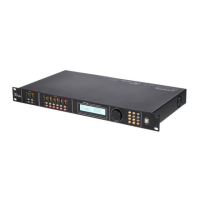
The t.racks DSP 408 - User Manual

Default Icon
36 pages
Print Icon
To Next Page IconTo Next Page
Loading...
DSP 204, DSP 206, DSP 306, DSP 408
Digital speaker management system
user manual
Question and Answer IconNeed help?

Do you have a question about the The t.racks DSP 408 and is the answer not in the manual?

Summary

Safety Instructions

Intended Use

Specifies the device's intended application for amplification and mixing, and conditions for proper use.

Installation and Starting Up

Connections and Controls

Operating on the Unit

Starting the Device

Explains how to connect the device to the power grid and initiate its operation, including startup sequence.

Default Settings

Guides on accessing and modifying default device parameters like ID selection, IP settings, and password.

Input Settings

Details parameters for input channels including PEQ, GEQ, INLINK, DELAY, X-OVER, and GATE settings.

Output Settings

Explains parameters for output channels such as PEQ, INLINK, DELAY, X-OVER, MATRIX, and MATRIX Output level adjustments.

Control on the Computer

Installing and Starting the Software

Provides step-by-step instructions for installing the control software and connecting the device via USB.

Gain Tab

Details the software interface for adjusting input and output gain levels, including faders and mute controls.

Technical Specifications

Plug and Connection Assignment

Summary

Safety Instructions

Intended Use

Specifies the device's intended application for amplification and mixing, and conditions for proper use.

Installation and Starting Up

Connections and Controls

Operating on the Unit

Starting the Device

Explains how to connect the device to the power grid and initiate its operation, including startup sequence.

Default Settings

Guides on accessing and modifying default device parameters like ID selection, IP settings, and password.

Input Settings

Details parameters for input channels including PEQ, GEQ, INLINK, DELAY, X-OVER, and GATE settings.

Output Settings

Explains parameters for output channels such as PEQ, INLINK, DELAY, X-OVER, MATRIX, and MATRIX Output level adjustments.

Control on the Computer

Installing and Starting the Software

Provides step-by-step instructions for installing the control software and connecting the device via USB.

Gain Tab

Details the software interface for adjusting input and output gain levels, including faders and mute controls.

Technical Specifications

Plug and Connection Assignment

The t.racks DSP 408 Specifications

General IconGeneral
Outputs8x XLR
Dynamic Range> 110 dB
Sampling Rate48 kHz
PC ConnectionUSB
Output Impedance100 Ω
Frequency Response20 Hz - 20 kHz
Bit Depth24-bit
CrossoverYes
DelayYes
LimiterYes
Inputs4x XLR
Input Impedance10 kΩ
Processing Delay1.5 ms

Related product manuals