EasyManua.ls Logo

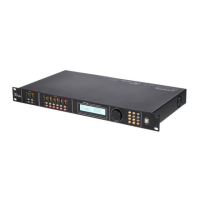
The t.racks DSP 306 - User Manual

Default Icon
36 pages
Print Icon
To Next Page IconTo Next Page
Loading...
DSP 204, DSP 206, DSP 306, DSP 408
Digital speaker management system
user manual
Question and Answer IconNeed help?

Do you have a question about the The t.racks DSP 306 and is the answer not in the manual?

Summary

Safety Instructions

Safety Warnings

Lists critical safety alerts for children, fire risks, and operating environment.

Features

Installation and Starting Up

Connections and Controls

Front Panel

Explains the function of buttons, displays, and ports on the device's front.

Rear Panel

Details the connectors and switches found on the device's rear panel.

Operating on the Unit

Input Channel Settings

Detailed configuration options for input channels (PEQ, GEQ, Delay, X-OVER).

Output Channel Settings

Detailed configuration options for output channels (PEQ, LINK, Delay, X-OVER, MATRIX).

Control on the Computer

Software Installation and Operation

Steps to install the control software and establish a USB connection with the device.

Gain Parameter Control

Adjusting gain levels and associated parameters within the software.

Gate Parameter Control

Configuring noise gate settings like threshold, hold, attack, and release.

Comp Parameter Control

Setting compressor parameters including threshold, ratio, attack, and release.

Technical Specifications

Summary

Safety Instructions

Safety Warnings

Lists critical safety alerts for children, fire risks, and operating environment.

Features

Installation and Starting Up

Connections and Controls

Front Panel

Explains the function of buttons, displays, and ports on the device's front.

Rear Panel

Details the connectors and switches found on the device's rear panel.

Operating on the Unit

Input Channel Settings

Detailed configuration options for input channels (PEQ, GEQ, Delay, X-OVER).

Output Channel Settings

Detailed configuration options for output channels (PEQ, LINK, Delay, X-OVER, MATRIX).

Control on the Computer

Software Installation and Operation

Steps to install the control software and establish a USB connection with the device.

Gain Parameter Control

Adjusting gain levels and associated parameters within the software.

Gate Parameter Control

Configuring noise gate settings like threshold, hold, attack, and release.

Comp Parameter Control

Setting compressor parameters including threshold, ratio, attack, and release.

Technical Specifications

The t.racks DSP 306 Specifications

General IconGeneral
Frequency Response20 Hz - 20 kHz
Dynamic Range>110 dB
Crossover FiltersButterworth, Linkwitz-Riley, Bessel
PC ConnectionUSB
Outputs6 x XLR
Input Impedance>10 kOhm
Output Impedance100 Ω
THD+N<0.01%
Crossover Slopes12/18/24/48 dB/octave
LimiterYes
PolarityYes (Invert)
DisplayLCD
DriversN/A (Processor)
Bit Depth24-bit
Power Supply100-240 V, 50/60 Hz

Related product manuals