13
3-5 RS-232 interface
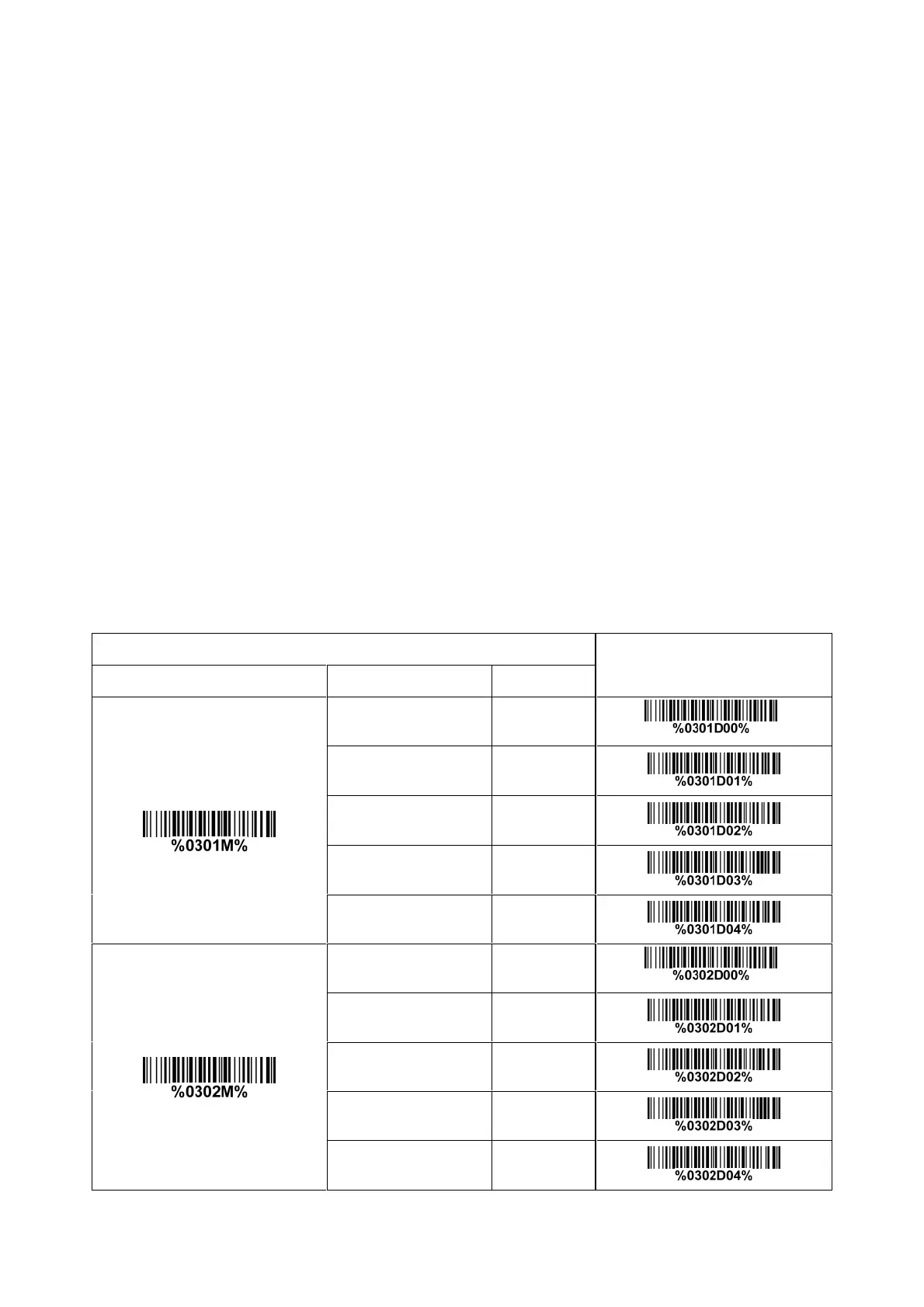
Flow control:
None-The communication only uses TxD and RxD signals without any hardware or software
handshaking protocol.
RTS/CTS- If the imager wants to send the barcode data to host computer, it will issue the RTS signal
first, wait for the CTS signal from the host computer, and then perform the normal data communication.
If there is no replied CTS signal from the host computer after the timeout duration, the imager will
issue an error indication. By setting (Host idle: Low RTS) or (Host idle: High RTS), the imager can be
set to match the Serial Host RTS line.
XON/XOFF- An XOFF character turns the imager transmission off until the imager receives an XON
character.
ACK/NAK- After transmitting data, the imager expects either an ACK (acknowledge) or NAK (not
acknowledge) response from the host. When a NAK is received, the imager transmits the same data
again and waits for either an ACK or NAK. After three unsuccessful attempts to send data when
NAKs are received, the imager issues an error indication and discards the data.
Inter-character delay: This delay is inserted after each data character transmitted.
Response delay: This delay is used for serial communication of the imager when it waits for a
handshaking acknowledgment from the host.
Multiple-scan setting
Single-scan setting
Option barcode Option Alpha. entry
Flow control
None 00*
*
RTS/CTS
(Host idle: Low RTS)
01
RTS/CTS
(Host idle: High RTS)
02
XON/XOFF 03
ACK/NAK 04
Inter-character delay
0 ms 00*
*
5 ms 01
10 ms 02
20 ms 03
40 ms 04



 To Next Page