-2-
-3-
EN EN
1. Features and Specifications
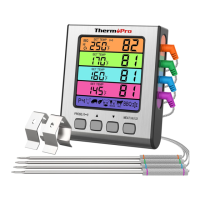
1 Temperature displays for all 4 probes on the LCD screen. .
2 4 different color coated probes eliminate confusion when
monitoring multiple different types of meat.
.
3 Programmable alert with preset temperatures recommended
by USDA for specific foods.
.
4 Heat-resistant stainless-steel probes with steel mesh cable..
5 BBQ Hi/Low Temperature monitor and alert to ensure your BBQ
/OVEN/Grill temperature is always within your set range.
.
6 Quickly set the target temperature. .
7 Temperature range of probes: 14˚F to 572˚F (-10˚C to 300˚C)..
8 Temperature tolerance of internal food reading:+/-1.8˚F
(+/-1.0˚C).
.
9 Temperature readings in ˚F or ˚C..
10 Multiple Placement Options: Flip-out countertop stand,
magnetic back and hanging wall hole.
.
11. Touch Backlight button. Backlight stays active for 10 seconds.
12 Uses one AAA battery (included)..
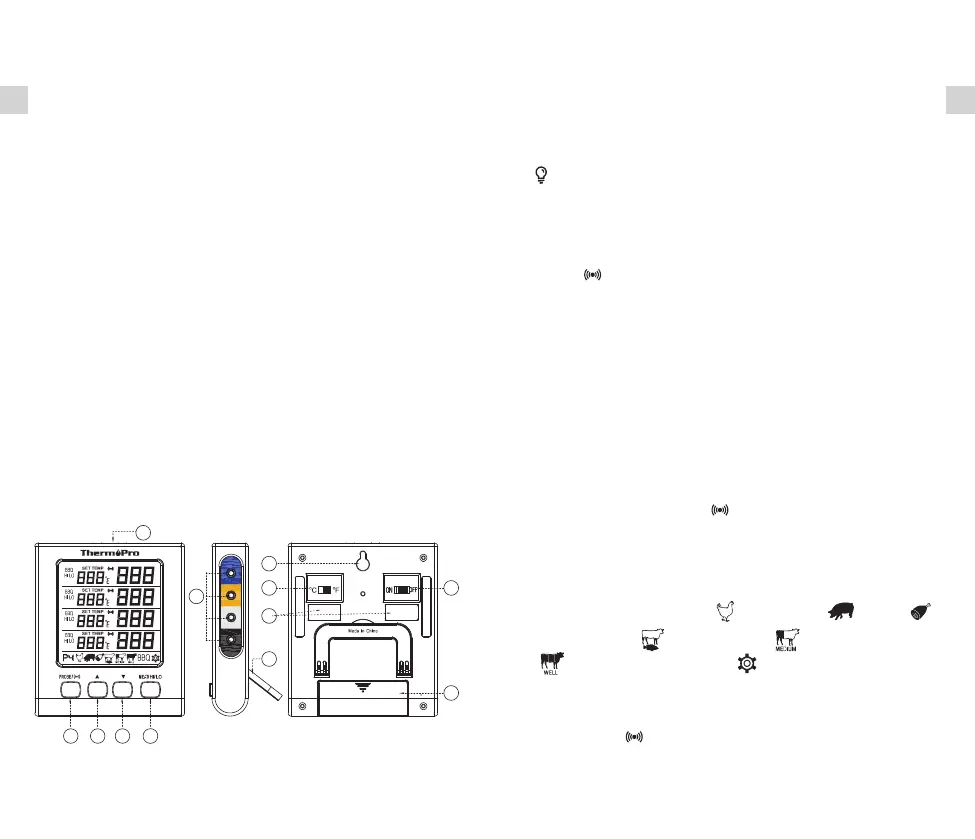
2. Product Diagram
1. Backlight Button
2 PROBE Selection/Alarm Button.
3 Button. ▲
4 Button. ▼
5 MEAT Selection/HI&LO Convert Button.
6 Probe 1/2/3/4 Sockets.
7. Hanging Wall Hole
8. ˚C/˚F Selector
9. Magnets
10. Flip-out Countertop Stand
11. ON/OFF Selector
12. Battery Compartment
1
2
3
4
5
6
8
9
11
7
12
10
3. Key Definitions
1. Button: Touch once to turn ON/OFF the backlight of the
display. If there is no button presses for 10 seconds, the
backlight will automatically turn off. When the temperature
alarm is triggered, the backlight will turn on and flash.
2. PROPE/ : Press to rotate through the temperature probes.
When a probe is selected, the current temperature will be
flashing. To disable/enable the alarm function, press and hold
for 3 seconds.
3. ▲Button: Press ▲ button to increase your desired cooking
temperature while in User-Defined /BBQ HI&LO temperature
setting.
4. ▼Button: Press ▼button to decrease your desired cooking
temperature while in User-Defined /BBQ HI&LO temperature
setting.
5. Press and hold the PROBE/ and MEAT/HI/LO keys at
the same time for 3 seconds to quickly set all probes’ target
temperature to the current probe set target temperature.
6. MEAT/HI/LO Button: Press to rotate through temperature
selection settings: Poultry ( ), Pork/Veal ( ), Ham ( ),
Beef Rare/Fish ( ), Beef Medium( ), Beef Well Done
( ),BBQ and User-Defined ( ). The pre-programmed
doneness temperature setting for each meat type is
recommended by USDA (U.S. Department of Agriculture).
Press PROPE/ to confirm selection. When in BBQ HI/LO
temperature setting, press MEAT/HI/LO Button to switch
between the HI or LO temperature setting.


 To Next Page