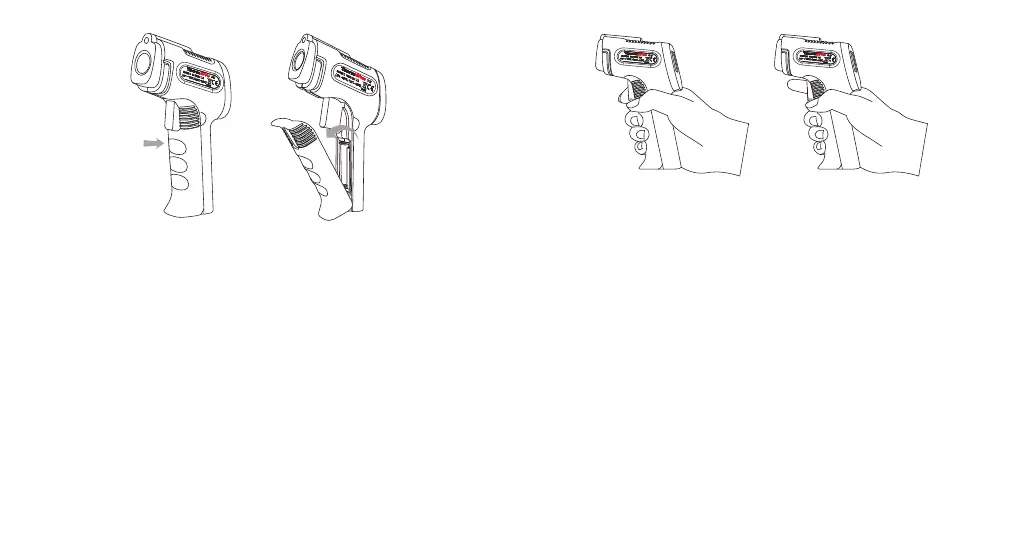
HOLD for continuous
temperature reading
RELEASE to lock
the temperature result
6. Press the Measurement Trigger once again to make another
measurement.
To take accurate temperature measurement of reflective surfaces
with low emissivity, place a strip of masking tape over the surface
and allow for it to adjust to the temperature of the surface for
approximately 30 minutes. Measure the surface, scanning the taped
section, eliminating the issue of inaccuracy.
The emissivity of a material is its efficiency in emitting thermal
energy. Non-reflective surfaces have a higher emissivity (closer to
1) than reflective surfaces (closer to 0). Inaccurate results may
occur when measuring reflective surfaces such as glass, polished
wood, and granite.
5. Once the laser is pointed to the desired point of measurement,
release the Measurement Trigger and the Upper Display will show
the last measured temperature.
4. Keep holding the Measurement Trigger as you move the TP30 if
you wish to continually take a measurement of the surface.
Emissivity
2. Point the TP30 thermometer towards the surface you wish to
measure.
3. Press and hold the Measurement Trigger and the laser will
activate for aiming guidance. (Laser will only appear if enabled.
Laser is turned on by default.)
-6- -7-


 To Next Page