-16-
-17-
ENEN
NOTE: If you have additional remote sensors, when you
synchronizing remote sensors with the base station, the
unit will keep changing from channel to channel in the first
three minutes, after that you can select any channel you
like or auto-scroll mode.
are
2. The remote sensor (transmitter) can be placed on a flat
surface indoor or outdoor. Make sure the sensor is within
the transmission distance from the base station and with
minimal obstructions.
Place the Base Station and Remote Sensor
1. The indoor base station (receiver) should always be
placed in a well ventilated indoor area and located away
from vents, heating or cooling elements, direct sunlight,
windows, doors, or any other openings.
3. The base station and remote sensor can both be wall
NOTE: Although the remote sensor is designed to be
proof, the remote sensor must be always placed upwards
so that rain won't get inside the sensor through the vent
holes on the bottom of the senor which functions to let the
rain-
mounted.
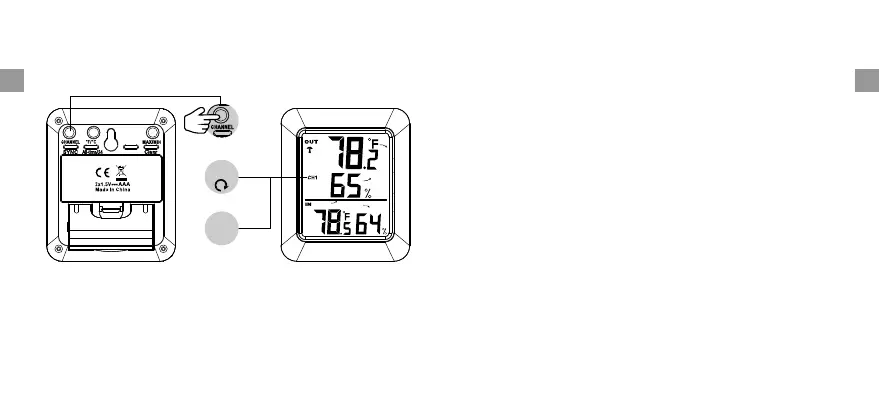
changing from channel to channel every 5 seconds. Press
CHANNEL/SYNC button until you observe the circular
arrow disappear. The unit will stop cycling.
CHANNEL CYCLE
STOP CYCLE
CYCLE CONTROL
Ch1
Ch1


 To Next Page