EasyManua.ls Logo

THERM PRO TP-60S - User Manual

THERM PRO TP-60S
28 pages
Print Icon
To Next Page IconTo Next Page
Loading...
English................. 2 Fraais............... 26
Model No.: TP-60S
V20190225 EN FR
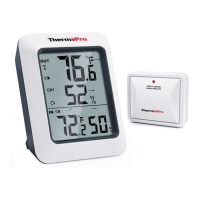
Wireless Indoor/outdoor Humidity And Temperature
Monitor Instruction Manual
Question and Answer IconNeed help?

Do you have a question about the THERM PRO TP-60S and is the answer not in the manual?

Summary

Introduction to the Wireless Monitor

General Safety Warnings

Device Cleaning and Maintenance

Troubleshooting and Tips

Important Product Warnings

Product Components Overview

Base Station Buttons Explained

CHANNEL;SYNC Button Functionality

Explains the CHANNEL/SYNC button function for sensor selection and synchronization.

MAX;MIN;CLEAR Button Functionality

Explains the MAX/MIN/CLEAR button function for viewing and resetting historical data.

°F;°C;ALL-TIME;24 Button Functionality

Explains the °F/°C/ALL-TIME/24 button for unit selection and time interval setting.

Temperature and Humidity Trend Indicators

Outdoor Remote Sensor Features

Remote Sensor Controls

Battery Installation and Setup Guide

Synchronizing Remote Sensors with Base Station

Optimal Placement of Devices

Viewing Max & Min Temperature;Humidity

Purchasing Additional Remote Sensors

Product Specifications

FCC Compliance Statement

Proper Disposal of Electronic Equipment

Product Warranty Information

ThermoPro Customer Service Contact

THERM PRO TP-60S Specifications

General IconGeneral
BrandTHERM PRO
ModelTP-60S
CategoryWeather Station
LanguageEnglish

Related product manuals