Owner’s Manual — Phoenix Dry Max LGR Dehumidifier
Installation, Operation & Service Instructions
1
www.UsePhoenix.com • sales@UsePhoenix.comToll-Free 1-800-533-7533
Read and Save These Instructions
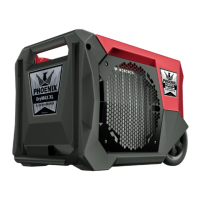
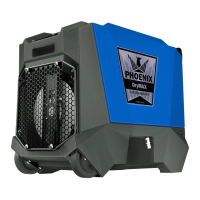
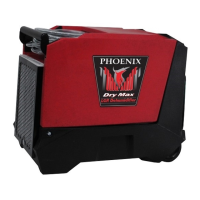
The Phoenix Dry Max LGR Dehumidifier
• LGR Capacity - Removes moisture even in dry
conditions for deep drying.
• Energy Efciency - Removes 80 pints at AHAM while
drawing only 5.7 amps.
• Smallest Footprint Large Category Dehumidier.
• Slide Out Handle with Recessed Wheels for Easy
Maneuverability and Compact Storage.
• Integrated Cord and Hose Management for
Transportation and Storage.
• Bright, 4 Line Control Panel – Displays the Most
Common Readings without the Need for Scrolling.
• Status Light Indicator – Tell at a Glance What
Operating Mode the Unit is in.
• Integrated, Superior Stacking for Transportation and
Storage.
• 170 CFM - Optimized process air speeds drying and
provides static pressures for ducting.
• Plastic Housing - Rugged roto-molded housing resists
dents and scratches
• Outlet Ducting - 10” lay at exhaust.
• Pleated Media Air Filter – MERV 10
• Lighted cord - Easy to determine power to the unit.
Specifications subject to change without notice.
TS-943
06/16
4201 Lien Rd. • Madison, WI 53704
Phoenix Dry Max
Part No. 4036000
Patent Pending
The Phoenix Dry Max is 6% smaller than the closest
dehumidier and yet it still has an integrated handle and
wheels as well as onboard storage for the power cord and
condensate hose! The all-new Phoenix Micro-Channel
condenser allows us to pack so much performance into such a
small dehumidier.
The feedback on the stacking of the AirMax was so positive we
made sure to build it into the Phoenix Dry Max.
We’ve also added a new four line display which provides you
with all the information you need to take readings directly from
the home screen.
A new Status Bar is located at the top of the new control panel
to give you instant feedback about the dehumidier from
across the room.
Remove only four fasteners and you have easy access to
service the unit.
www.youtube.com/user/usephoenix

 Need help?
 General




 To Next Page