Need help?
Do you have a question about the Thermalright Macho X2 and is the answer not in the manual?
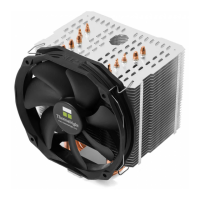
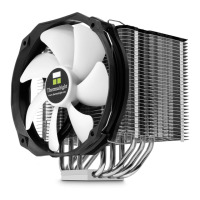
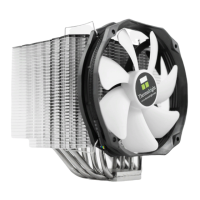
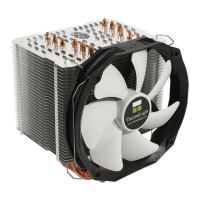
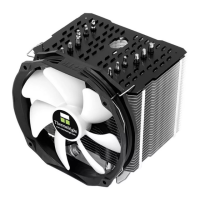
The main cooling unit composed of fins and heat pipes.
Component for securing the heatsink to the motherboard mounting system.
Support plate positioned behind the motherboard.
Thin film likely for insulation or alignment during installation.
Plate used in the mounting mechanism to attach the heatsink.
Fasteners used to secure components, typically with screws.
Threaded pillars for LGA2011 socket compatibility.
M3 size screws with a length of 10mm for assembly.
M3 size screws with a length of 6mm for assembly.
Small washers for Intel CPU socket mounting procedures.
Larger washers for AMD CPU socket mounting procedures.
Pads designed to absorb vibrations and reduce operational noise.
Cap for specific backplate configurations, ensuring socket compatibility.
Cable to connect multiple PWM fans to a single motherboard header.
Clips used to attach the fan securely to the heatsink body.
Substance applied between CPU and heatsink for optimal heat transfer.
Provided tool for tightening screws during the installation process.
Model designation for the fan included with the CPU cooler.
Initial setup: Unboxing the cooler and preparing the heatsink body.
Installing the backplate system onto the motherboard.
Specific cap installation for the Intel LGA 775 socket.
Positioning the motherboard and securing it with nuts and washers.
Attaching the anchoring mount to the screw pillars.
Applying thermal paste to the CPU and heatsink base.
Securing the heatsink body to the mounting plate.
Utilizing the central hole for easier screw access during mounting.
Attaching the TY-142 fan securely to the heatsink body.
Connecting fans and completing the final installation steps.
Detailed dimensions, weight, heat pipes, fins, and base material of the heatsink.
Specifications for the included TY-142 fan, including size, speed, and noise.
 General
| Type | CPU Air Cooler |
|---|---|
| Fan Size | 140 mm |
| Fan Speed | 300 - 1300 RPM |
| Heatsink Material | Aluminum Fins, Copper Heatpipes |
| Heatpipe Count | 6 |
| Fan Connector | 4-pin PWM |
| Fan Dimensions | 140 x 140 x 25 mm |
| TDP | 240W |
| Socket Compatibility | Intel LGA 1150/1151/1155/1156/1366/2011/2011-3/2066, AMD AM4/AM3+/AM3/AM2+/AM2/FM2+/FM2/FM1 |
| Weight | 1100g |

 To Next Page