EasyManua.ls Logo

Thermalright Silver Arrow T8 User Manual

Thermalright Silver Arrow T8
2 pages
To Next Page IconTo Next Page
Page #1 background imageLoading...
Page #1 background image
Silver Arrow T8 Installation Manual
Part List
A
G
M N O P Q R
H I J K L
B
C D E F
Nylon Tube x5
Anchoring Mount x1
TF4 x1g
M3L6 Screw x3 Mounting Plate x1
6#32 L17 Screw x5
Outside of mounting
fan clips x2
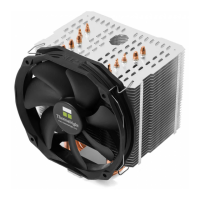
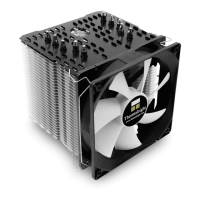
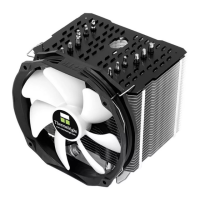
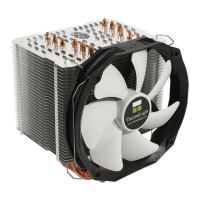
Silver Arrow T8 x1
Outside of mounting
fan clips x2
Inside of mounting fan clips x2
TY-143B x1
Anti-Vibration Pad x12
Metal Back Plate x1
LGA2011 Double Head Screw x4
Screw Nut x4
LGA 115x Screw Pillars x4
Mylar x1
AMD AM4/AM5 Platform
1
2
5
6
7 8
4
3
A
154
32 40
104
158
44
32
41 53 60
103
B
C
D
M
E
N
N
O
F
Motherboard Front
www.thermalright.com
Tel: +886-2-2915-5005
Fax: +886-2-2915-5123
Email: support@thermalright.com
Please follow the Installation Guide before installing this product.
Please do NOT modify or disassemble this product.
Please keep this product AWAY from children.
Please do NOT use this product for the non-PC environment.
Please do NOT apply too much thermal paste will lower heat conductivity and cooling performance!
beginning the installation.
(L)
(
white)
(
red)
(R)
LGA1700 Screw Pillars x4
Question and Answer IconNeed help?

Do you have a question about the Thermalright Silver Arrow T8 and is the answer not in the manual?

Thermalright Silver Arrow T8 Specifications

General IconGeneral
DimensionsL155 mm x W102 mm x H163 mm
Weight830 g (Excluding Fan)
Fan Size140mm
Airflow82 CFM (MAX)
Noise Level19~25 dBA (MAX)
Heatsink MaterialAluminum Fins, Copper Heatpipes
Number of Heat Pipes8
TypeCPU Cooler
Socket CompatibilityAMD AM4/AM3+/AM3/AM2+/AM2/FM2+/FM2/FM1
CPU SocketLGA 1150/1151/1155/1156/1366/2011/2011-3/2066

Summary

AMD AM4 AM5 Platform Installation

Motherboard Front Preparation

Initial step for AMD AM4/AM5 platform showing motherboard front and component placement.

Install Mounting Brackets

Attaching mounting brackets to the motherboard for the Silver Arrow T8 cooler.

Apply Thermal Paste

Applying thermal paste to the CPU before heatsink installation.

Mount Heatsink

Securing the Silver Arrow T8 heatsink onto the CPU and motherboard.

Attach Fan Clips

Installing the fan clips onto the heatsink for fan attachment.

Install Fans

Attaching the fans to the heatsink using the installed clips.

Intel LGA 115x 1200 1700 Platform Installation

Motherboard Front Setup

Preparation of the motherboard front for LGA 115x/1200/1700 socket installation.

Install Backplate and Standoffs

Attaching the backplate and standoffs to the motherboard rear.

Attach Mounting Hardware

Securing the mounting hardware to the motherboard front.

Mount Heatsink

Installing the Silver Arrow T8 heatsink onto the CPU.

Install Fan Clips and Fans

Attaching fan clips and then the fans to the heatsink.

Intel LGA 2011 2011-3 2066 Platform Installation

Motherboard Front Preparation

Initial motherboard front setup for LGA 2011/2011-3/2066 socket.

Install Mounting Brackets

Attaching specific mounting brackets for LGA 2011 sockets.

Mount Heatsink and Fans

Securing the heatsink and installing fans for the LGA 2011 platform.

Extra Fan Mounting Instructions

Fan Clip Orientation

Guidance on correct orientation of right (red) and left (white) fan clips.

Related product manuals