3
2
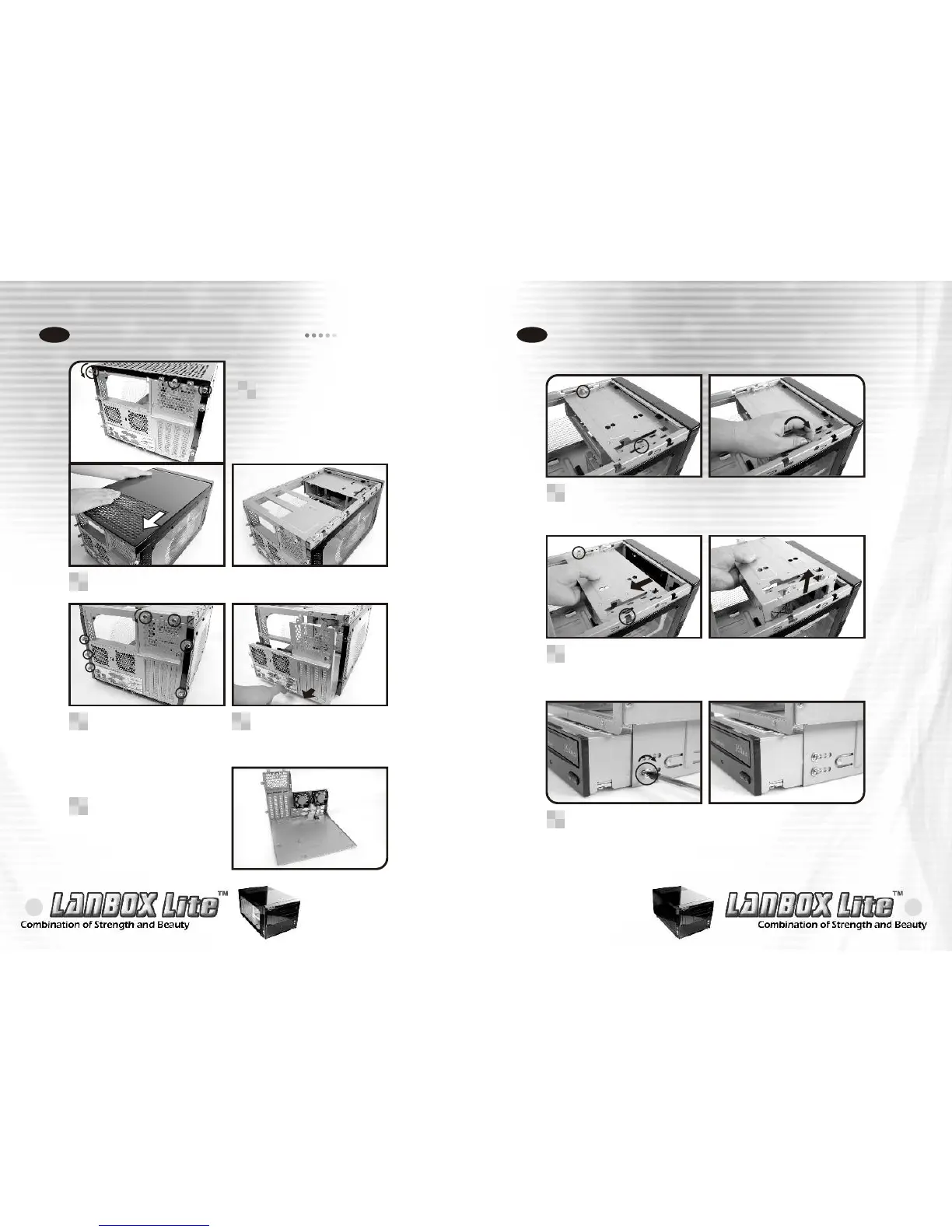
How to open the top panel
Chapter 2. Case Mechanical Operation
2-1
Unscrew the 3 screws shown
to open the top panel.
1
Pull back the top panel as shown to loosen the panel.
2
Unscrew the 7 screws
shown to unlock the
motherboard tray.
3
Tug on the ring and pull
back as shown to remove
the motherboard tray.
4
The motherboard tray
5
5.25" device installation
2-2
Unscrew the 2 screws as shown to slide back the
optical drive tray.
1
Pull back, then pull up to remove the optical drive tray.
2
When installing optical drives, it is recommended to screw
into the No.4 hole as shown for a flush installation.
3
2-2-1 CD-ROM installation


 To Next Page