1110
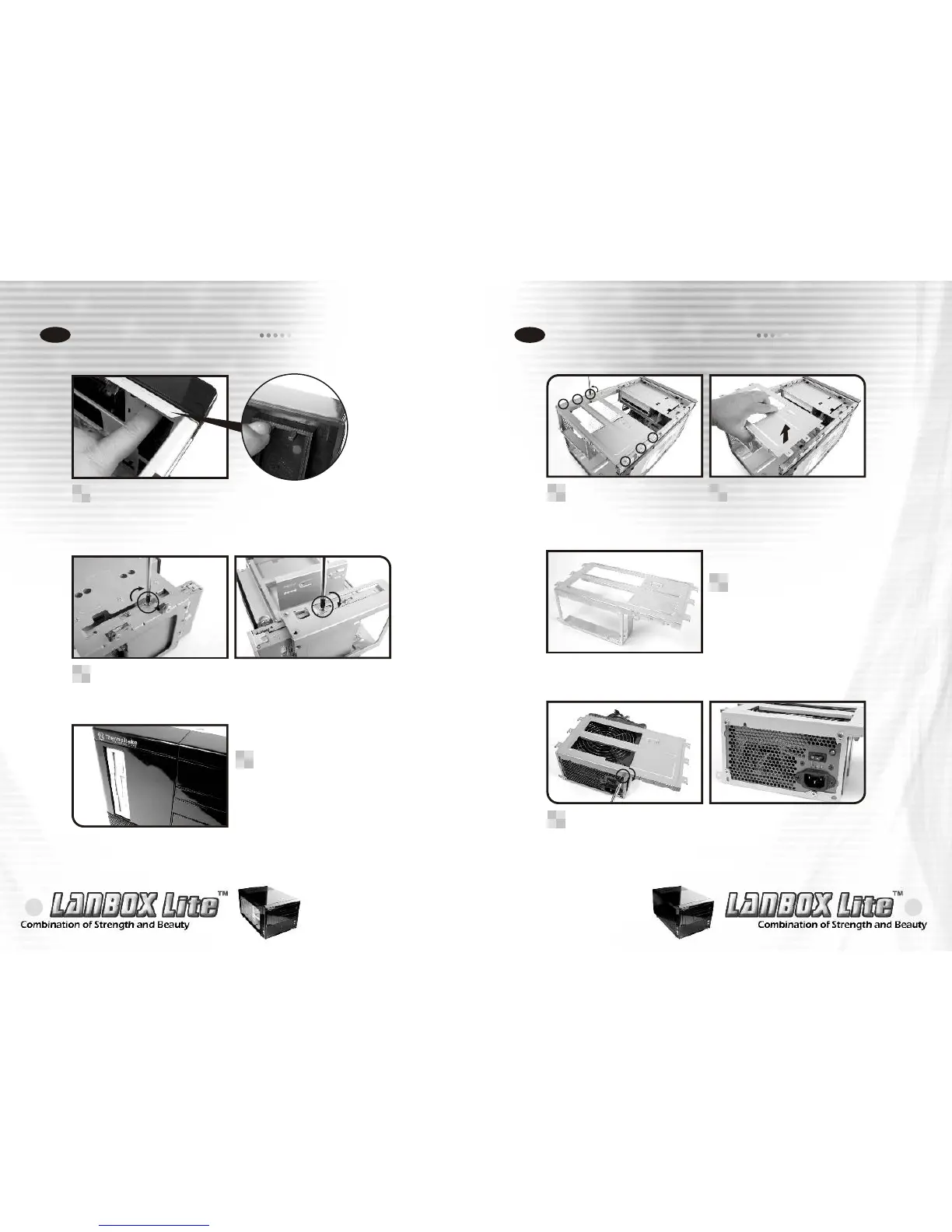
Installing 3.5" device
2-4
Please make sure the
floppy drive is flush
with the front panel.
3
If a floppy drive is to be
installed, please remove
the bay cover first.
1
Secure the floppy drive using screws then screw the
opposing side as shown.
2
Installing power supply
2-5
Unscrew the 6 screws
holding in the top power
supply tray.
1
The power supply tray.
3
Install the power supply unit onto the power supply tray
as shown. If using a power supply with a 120mm fan,
please make sure the fan is exposed on the top side.
4
Lift out the power supply
tray as shown.
2




 To Next Page