13
12
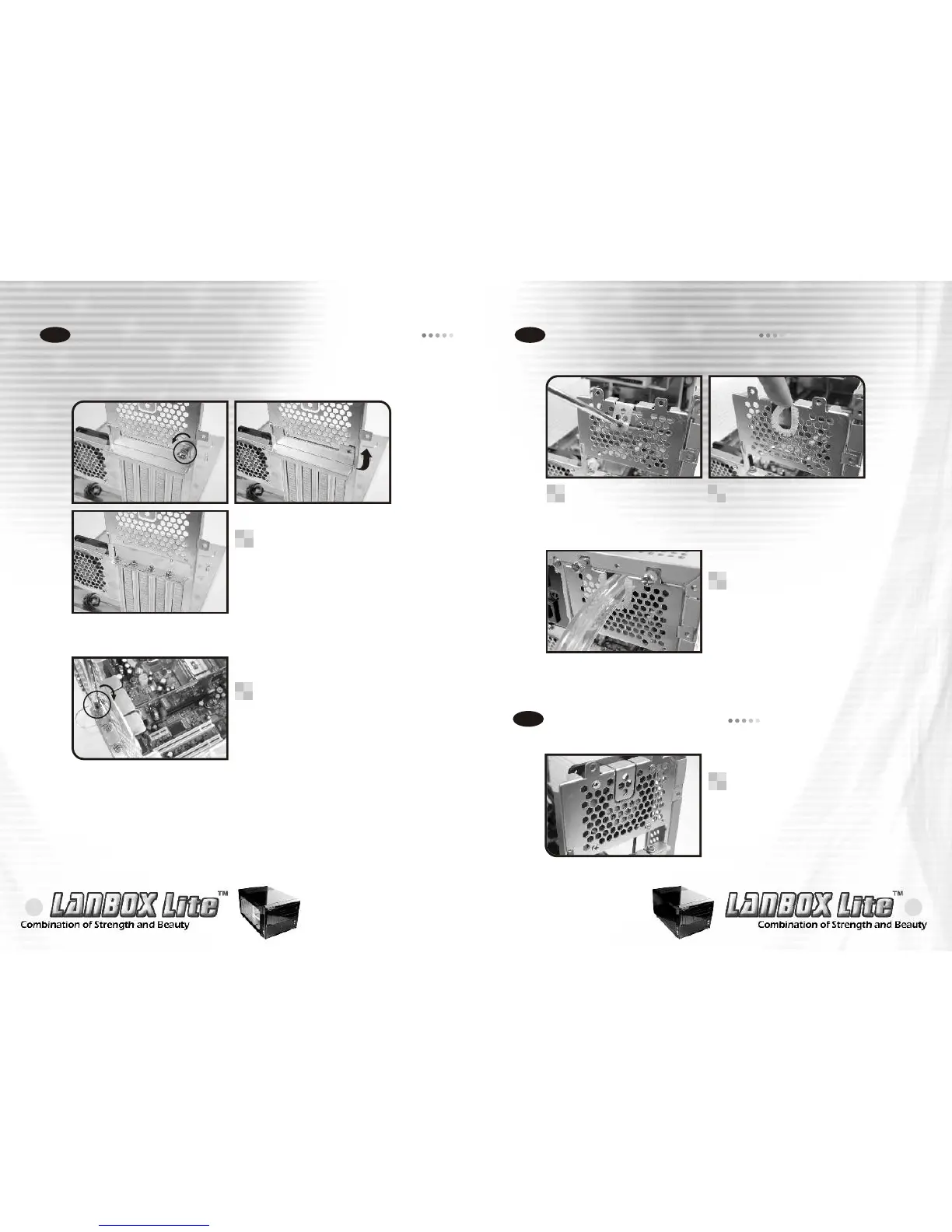
Installing graphics and PCI expansion cards
2-6
Remove the screw as
shown to install graphics
and PCI expansion cards.
1
When installing a graphic or
PCI expansion card, please
screw on the card as shown.
2
Installing coolant tubes
2-7
Installing 60mm fan
2-8
An optional 60mm fan can
be purchased and installed
on the motherboard tray
as shown.
1
If a liquid cooling system
is to be installed, please
pry off the top tab of the
motherboard tray as shown.
1
Please install the rubber
tube protector as shown.
2
Coolant tubes may be
installed as shown when
using a liquid cooling
system (optional).
3


 To Next Page