7
6
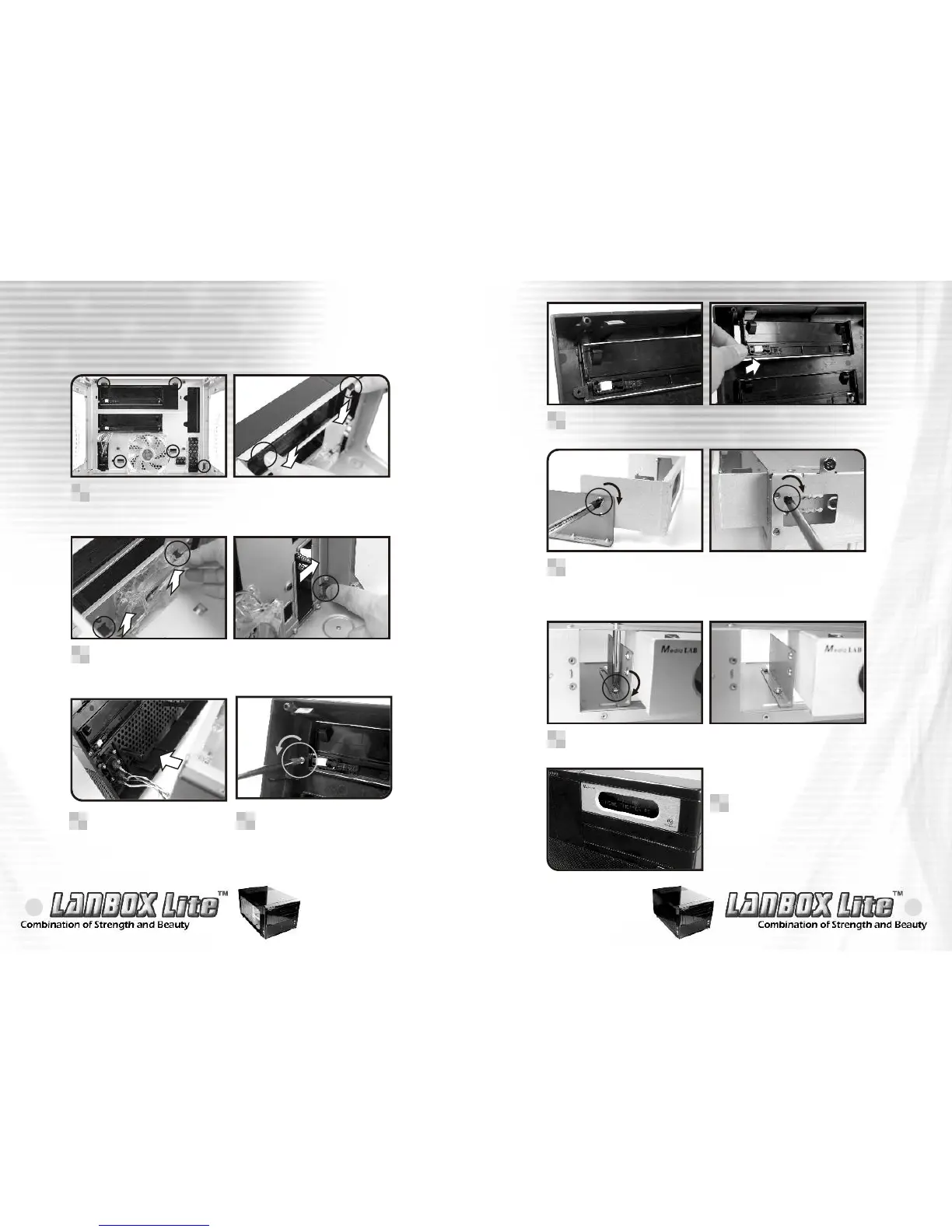
There are five springs in the front panel, push to release it.
1
Push and release the five springs of front panel.
2
2-2-2 5.25" accessory drive installation
When installing a 5.25" accessory drive on the top bay,
please install the metal adaptor first as shown. Screw in the
5.25" accessory drive on the opposing side of the No.5 hole.
6
Screw the top optical drive bay as shown.
7
Please make sure the 5.25"
accessory drive is flush with
the front panel.
8
After loosing the spring of
front panel, pull out it as
arrow shows.
3
Remove the 5.25" bay cover as arrow shows.
5
Unscrew the 5.25" bay
cover screw as shown.
4


 To Next Page