
 Need help?
Do you have a question about the Thermaltake UX100 and is the answer not in the manual?
Install Intel mounting brackets and necessary hardware for CPU cooler installation.
Attach the cooler base plate and secure it using screws onto the mounting brackets.
Apply thermal paste to the CPU surface before mounting the cooler.
Place the CPU cooler onto the CPU and secure it to the mounting brackets.
Connect the CPU cooler fan cable to the motherboard's CPU_FAN header.
Ensure the cooler is firmly seated and all connections are secure.
Diagram showing the 3-pin CPU fan connector pinout (A).
Prepare the AMD mounting system components before installation.
Mount the CPU cooler onto the AMD CPU socket.
Secure the CPU cooler using the provided mechanism for AMD platforms.
Diagram showing the 3-pin CPU fan connector pinout (A).
Connect to ASUS Aura Addressable Strip Header(s) for RGB synchronization.
Connect to MSI JRGB-strip Header(S) for RGB synchronization.
Connect to ASROCK Addressable RGB LED Header(s) for RGB synchronization.
Connect to GIGABYTE AORUS RGB Fusion with Digital LEDs.
Power off PC and check connector ends (Positive/Negative) before connecting to motherboard.
This document describes the Twelve South AirFly Duo and AirFly Pro, two Bluetooth wireless audio transmitters designed to enhance your audio experience across various devices and environments. Both products offer a convenient way to share audio wirelessly, but the AirFly Pro expands on these capabilities with additional features, including a receiver function and broader compatibility.
The primary function of the AirFly Duo is to act as a Bluetooth wireless audio transmitter. It allows you to wirelessly send audio from devices that typically use a 3.5 mm audio jack to up to two pairs of AirPods or other wireless headphones. This is particularly useful in situations where Bluetooth connectivity is not natively available or is restricted. For instance, you can use the AirFly Duo to listen to in-flight entertainment on airplanes with your wireless headphones, connect to gym equipment that has an audio jack, or enjoy audio from iPads and tablets without being tethered by wires. The ability to share audio with a second pair of wireless headphones makes it ideal for shared listening experiences, such as watching a movie with a travel companion or listening to music with a friend during a workout.
The AirFly Pro builds upon the functionality of the AirFly Duo by adding a receiver mode, making it a versatile Bluetooth wireless audio transmitter/receiver. In its transmitter mode, it performs the same function as the AirFly Duo, allowing you to send audio from a 3.5 mm audio jack to up to two pairs of AirPods or wireless headphones. This is beneficial for the same use cases as the AirFly Duo, including airplanes, gym equipment, and iPads/tablets. However, the AirFly Pro's receiver function significantly expands its utility. In receiver mode, it can receive Bluetooth audio from your smartphone or other Bluetooth-enabled devices and output it through a 3.5 mm audio jack to non-Bluetooth devices. This means you can stream music wirelessly from your phone to older car stereos, home entertainment systems, or any device with an auxiliary input, effectively upgrading them with Bluetooth capabilities. This dual functionality makes the AirFly Pro a more comprehensive solution for both transmitting and receiving wireless audio.
Both devices are designed for ease of use, featuring a simple plug-and-play operation. You connect the device to a 3.5 mm audio jack, pair your wireless headphones, and you're ready to enjoy wireless audio. The compact and portable design of both the AirFly Duo and AirFly Pro makes them ideal travel companions, easily fitting into a pocket or bag. They eliminate the need for tangled wires and provide the freedom of wireless listening in environments where it was previously impossible or inconvenient. The ability to connect two pairs of headphones simultaneously is a key feature, promoting shared experiences and convenience for multiple users.
While the provided document focuses on the functional aspects and usage scenarios, it implicitly suggests a low-maintenance design. These types of devices typically require minimal maintenance, primarily involving keeping them clean and ensuring they are charged. The absence of complex moving parts or intricate software suggests that user interaction is limited to pairing and connecting, reducing the likelihood of common technical issues. The emphasis on portability also implies a robust build quality, designed to withstand the rigors of travel and daily use. Charging is typically done via a standard USB connection, making it convenient to power up using common chargers or power banks.
In summary, the AirFly Duo and AirFly Pro are innovative solutions for bridging the gap between wired audio sources and wireless headphones. The AirFly Duo focuses on transmitting audio from 3.5 mm jacks to two pairs of wireless headphones, perfect for shared listening on planes or at the gym. The AirFly Pro expands on this by adding a receiver mode, allowing it to also receive Bluetooth audio and output it to wired systems, making it a versatile tool for both transmitting and receiving wireless sound in a wider array of scenarios, including cars and home entertainment setups. Both devices prioritize user convenience, portability, and the freedom of wireless audio, offering a straightforward way to enhance your listening experience across various devices and environments. Their design suggests a focus on reliability and ease of use, requiring minimal maintenance beyond regular charging.
 General
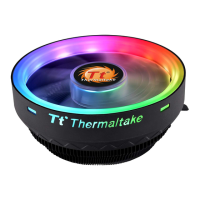
| Fan Speed | 1800 RPM |
|---|---|
| Connector | 4-Pin PWM |
| Dimensions | 122.3 x 122.3 x 66.1 mm |
| Heatsink Material | Aluminum |
| Bearing Type | Hydraulic Bearing |
| Rated Voltage | 12 V |
| Type | CPU Cooler |
| Compatibility | Intel LGA 1156/1155/1151/1150/775, AMD AM4/FM2/FM1/AM3+/AM3/AM2+/AM2 |
| LED Lighting | RGB |
| Noise Level | 26.92 dBA |


 To Next Page