EasyManua.ls Logo

Thermaltake Pacific PR12-D5 Plus - User Manual

Thermaltake Pacific PR12-D5 Plus
2 pages
Print Icon
To Next Page IconTo Next Page
Loading...
This product is intended for installation only by expert users. Please consult with a qualified technician for installation.
Improper installation may result in damage to your equipment.
1. Please carefully read the manual before beginning the installation process !
2. It is strongly recommended to use market proven pre-mix coolant, such as Thermaltake Coolant.
3. DO NOT USE any kind of alcohol or alcohol derivatives with this reservoir or the acrylic tube may crack and fail ! Do not clean it using alcohol either !
Installation Guide
Parts List
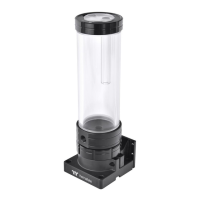
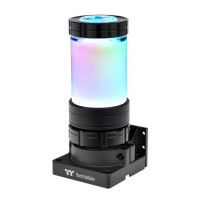
Pump & Reservoir
Bracket
G1/4 Stop Plug
Wrench
Clip
Nuts
Long Screws
Short Screws
A x 1
B x 1
C x 1 G x 1
H x 1
L x 1 M x 1 N x 1I x 1
J x 1
K x 4
F
F
There are two types of mounting kits, please choose
the mounting kit you want to use.
Install your fittings and
tubes, remember to use
the bottom as an outlet
and top as an inlet.
To control the lighting
effect by TT RGB PLUS
Software, please use
cable L to connect the
Pump & Reservoir
1 2
3
A
B
B
D
E
E
Support
16.8 Million Colors
Pump+Reservoir
L
Controller Power Cable
Velcro
Controller Cable Conversion cable
Bridge Cable
Pacific PR12-D5 Plus
E x 4 F x 4D x 4
or
D
C
CL-W338-PL00SW-A
1 0 5 G X X
2
(g/m )
CHECK DESIGN
210 mm
297 mm
C L - W 3 3 8 - P L 0 0 S W - A P a c i f i c P R 1 2 - D 5 P l u s 2 1/06 /0 7 A
稿
Peipei
(21/06/07)
Leon
(21/06/07)
Question and Answer IconNeed help?

Do you have a question about the Thermaltake Pacific PR12-D5 Plus and is the answer not in the manual?

Summary

Parts List Overview

Included Components

Lists and identifies all components included in the package, such as the pump, reservoir, controller, cables, and mounting hardware.

Installation Guide

Mounting Kit Selection

Guidance on selecting the appropriate mounting kit for installation, noting the availability of two types.

Fittings and Tubing Installation

Instructions for installing fittings and tubes, emphasizing the correct orientation for inlet and outlet.

Lighting Control Setup

Instructions for connecting the pump and reservoir to the controller via cable L for TT RGB PLUS software control.

Controller Setup and Configuration

Reservoir Cable Connection

Connects the reservoir cable to the controller unit, a crucial step for system integration.

Mainboard and Controller Cable Connection

Connects the controller cable to the mainboard's USB 2.0 header and the controller itself.

Power Cable Connection

Connects the power cable from the 4-pin Molex connector to the controller for power supply.

DIP Switch Configuration

Details on setting the DIP switches on the controller's back to assign a unique number to the controller.

Connecting Multiple Controllers

Guidance on using a bridge cable to connect two or more controllers together for expanded functionality.

Pump Power Connection

Connects the pump's power cable to the 4-pin Molex connector for direct power.

Final Installation Precautions

Reservoir Filling and Cap

Cautionary advice on keeping the reservoir cap dry and filling the reservoir to 80% for optimal loop pressure.

Thermaltake Pacific PR12-D5 Plus Specifications

General IconGeneral
Fan connector4-pin
Product colorBlack, Transparent
TypeWater cooling reservoir
Fan diameter- mm
Number of speeds5
Quantity per pack1 pc(s)
Suitable locationGraphics card
Rotational speed (max)4800 RPM
Rotational speed (min)1800 RPM
Compatible processor series-
Voltage12/5 V
Weight and Dimensions IconWeight and Dimensions
Width79 mm
Height196.7 mm

Related product manuals