EasyManua.ls Logo

Thermaltake Pacific RL360 - User Manual

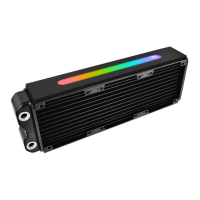
Thermaltake Pacific RL360
2 pages
Print Icon
To Next Page IconTo Next Page
Loading...
3
2
Cautions:
Make sure there's enough space when you start to set up your LCS products.
It requires a hard tube bending kit to bend and install the tube, ex. Pacific Hard Tube Bending Kit.
This product is intended for installation only by expert users. Please consult with a qualified technician for installation.
Improper installation may result in damage to your equipment.
1. Please carefully read the manual before beginning the installation process !
2. It is strongly recommended to use market proven pre-mix coolant, such as Thermaltake Coolant 1000.
3. DO NOT USE any kind of alcohol or alcohol derivatives with this reservoir or the acrylic tube may crack and fail !
Do not clean it using alcohol either !
Pacific
RL360
Before Installation
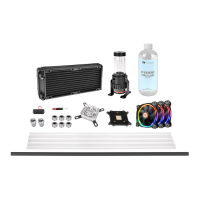
Water Cooling Kit
Cautions: Make sure there's enough space when you start set up the LCS product
To ensure a clean loop, flush and rinse your radiators
and water blocks with distilled water before using.
Make sure the fittings are screwed securely when
placing them onto the radiator.
Attach the fans to the radiator
Choose the proper way to mount the pump and reservoir
by referring to the manual (suggest vertical palcement)
Attach fittings onto the pump and reservoir
Attach the fittings to the inlet and outlet of the
waterblock.
Attach the waterblock onto the motherboard by
referring to the enclosed manual.
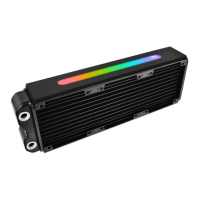
Radiators
Case Fan
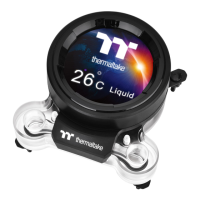
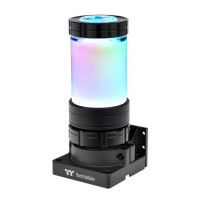
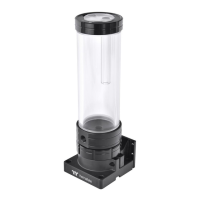
Pump and Reservoir
Water Blocks
or
Installation Walkthrough (Example: Core V51)
Place the motherboard into the case. Position the radiator.
Attach the pump and reservoir into
the chosen locations.
1
Hard Tube RGB
Question and Answer IconNeed help?

Do you have a question about the Thermaltake Pacific RL360 and is the answer not in the manual?

Summary

General Cautions and Preparation

LCS Setup Space and Tools

Ensure sufficient space for LCS products and use a hard tube bending kit.

Installation Expertise Required

Intended for expert users; consult a technician for proper installation.

Coolant and Material Safety

Use recommended coolant and avoid alcohol with acrylic tubes.

Component Pre-Installation

Radiator Flushing and Fitting

Flush radiators with distilled water and screw fittings securely.

Pump and Reservoir Mounting

Choose proper mounting for pump and reservoir, suggesting vertical placement.

Case Fan Attachment

Attach the fans to the radiator.

Water Block Fitting and Mounting

Attach fittings to water block and mount block to motherboard.

Installation Walkthrough Example

Motherboard Placement in Case

Place the motherboard into the computer case.

Radiator Positioning

Position the radiator within the case.

Pump and Reservoir Installation

Attach the pump and reservoir into the chosen locations.

Tubing and System Filling

Tubing Attachment and Sealing

Secure tubing onto fittings with caps for a tight seal.

Loop Order Connections

Connect tubing sequentially: Pump Outlet > Radiator > Water block > Reservoir Inlet.

Leak Prevention Before Filling

Ensure all fittings and unused ports are completely sealed before filling.

Coolant Refill Process

Fill reservoir with coolant, then power on PSU to circulate and fill the loop.

Post-Setup Recommendations

Coolant Selection and Performance

Use pre-mix coolant for performance and corrosion prevention.

System Cycling and Air Bleeding

Cycle power to bleed air, prevent pump dry run, and tilt to aid bleeding.

Leak Testing Procedure

Place paper towels under fittings and run loop with fill port open for 24 hours.

Thermaltake Pacific RL360 Specifications

General IconGeneral
TypeLiquid Cooling Radiator
Size360mm
MaterialAluminum
PortsG 1/4"
Fans IncludedNo

Related product manuals