EasyManua.ls Logo

Thermaltake Pacific RL360 Plus - User Manual

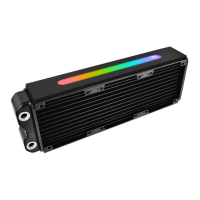
Thermaltake Pacific RL360 Plus
2 pages
Print Icon
To Next Page IconTo Next Page
Loading...
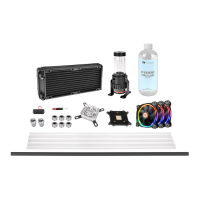
Parts List
Bridge Cable
Power Cable Controller Cable
A x 1
C x 1
B x 1
E x 1
F x D x
J x G x
H x 8 I x 8
Installation Guide
1
3
2
C
B
E
Install the LED Module on the radiator.
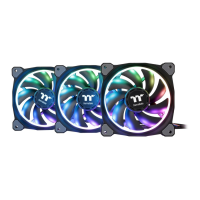
Connect the fan cable onto the controller.
11 112
Set the DIP switch on the back side of the controller to assign the
number of the controller
NO.1
ON
1 2 3 4
NO.3
ON
1 2 3 4
NO.2
ON
1 2 3 4
NO.4
ON
1 2 3 4
NO.9
ON
1 2 3 4
NO.11
ON
1 2 3 4
NO.10
ON
1 2 3 4
NO.12
ON
1 2 3 4
NO.5
ON
1 2 3 4
NO.7
ON
1 2 3 4
NO.6
ON
1 2 3 4
NO.8
ON
1 2 3 4
4
A
B
C
C
More Language (Deutsch, Español, Français, Italiano, Português,
Русский, Türkçe, 中文, 正文, 日語, )
Please visit www.thermaltake.com
123
45
ON
1 2 3 4
Support
16.8 Million Color
Pacific Plus
RL360
E
NO.13
ON
1 2 3 4
NO.15
ON
1 2 3 4
NO.14
ON
1 2 3 4
NO.16
ON
1 2 3 4
Connect the controller cable onto the mainboard (USB 2.0 9 pin) and
controller.
65
If you want to connect two or more connectors, you can use the bridge
cable to connect the controllers.
Connect the power cable to the 4pin Molex connecter and controller.
D D
F F
Question and Answer IconNeed help?

Do you have a question about the Thermaltake Pacific RL360 Plus and is the answer not in the manual?

Summary

Parts List and Installation Guide

Parts Identification

Lists and identifies all components included in the Pacific RL360 Plus RGB kit.

Install LED Module

Instructions for installing the LED module onto the radiator.

Connect Fan and Controller Cables

Guide for connecting fan cables to the controller and the controller cable to the mainboard.

Configure Controller Number and Power

Steps for setting the controller number via DIP switch and connecting the power cable.

Connect Multiple Controllers

How to use bridge cables to connect two or more controllers.

Riing Plus RGB Software Control Interface

Software User Interface Overview

Details the software's main window, profile settings, LED modes, and product selection options.

Riing Plus RGB Software Profile Setup

Guide on setting up and saving LED lighting profiles and controller assignments within the software.

LED Lighting Mode Configuration

Explains how to customize LED lighting effects, colors, speed, and brightness.

Mobile App Connection Password Setup

Procedure for setting a password to connect the Riing Plus RGB mobile application to the software.

Thermaltake Pacific RL360 Plus Specifications

General IconGeneral
BrandThermaltake
ModelPacific RL360 Plus
CategoryHeater
LanguageEnglish

Related product manuals