
 Need help?
Do you have a question about the Thermaltake Pacific MX2 Ultra and is the answer not in the manual?
Attaching the mounting bracket to the motherboard for LGA1200/115X.
Securing the water block onto the CPU for LGA1200/115X.
Tightening the water block for proper CPU contact.
Final installation of the water block onto the CPU.
Mounting the initial bracket for AMD AM4/AM5.
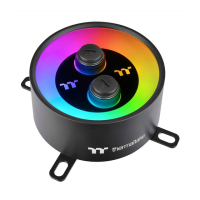
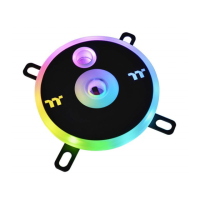
The Thermaltake Pacific MX2 Ultra is a high-performance CPU water block designed for advanced liquid cooling systems. It is intended for expert users and requires careful installation to prevent damage to equipment. The product is compatible with various Intel and AMD CPU sockets, offering versatile application for different PC builds.
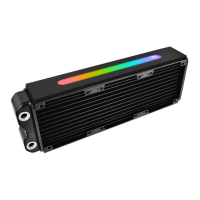
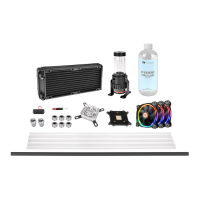
The primary function of the Pacific MX2 Ultra is to efficiently dissipate heat from the CPU, maintaining optimal operating temperatures for enhanced performance and stability. It achieves this through a sophisticated water block design that maximizes contact with the CPU and facilitates rapid heat transfer to the liquid coolant. The water block is an integral part of a custom liquid cooling loop, working in conjunction with a pump, radiator, and reservoir to circulate coolant and release heat into the environment.
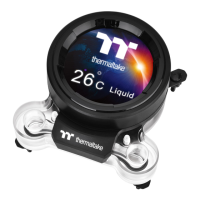
A key feature of the Pacific MX2 Ultra is its integrated LCD display, which provides real-time monitoring of various system parameters. This display can show CPU temperature, CPU frequency, CPU load, GPU temperature, GPU frequency, GPU load, and liquid temperature. This allows users to keep a close eye on their system's health and performance at a glance. The LCD display is highly customizable through the TT RGB PLUS software, enabling users to personalize the displayed information, background, text colors, and visual effects.
The water block also incorporates RGB lighting, which can be synchronized with other Thermaltake RGB components for a cohesive aesthetic. This lighting can be controlled via the TT RGB PLUS software, offering a wide range of colors and lighting effects to match the user's preferences and system theme.
The installation process varies slightly depending on the CPU socket type (Intel LGA 1700, Intel LGA 1200/115X, or AMD AM4/AM5). For Intel sockets, the installation typically involves attaching a backplate to the motherboard, securing the water block with screws and brackets, and applying thermal grease to the CPU. For AMD sockets, the stock AMD mounting bracket needs to be removed, and an AMD backplate and brackets are used to secure the water block. It is crucial to follow the provided instructions carefully, paying attention to details such as screw types and orientation of components like the AMD clip and backplate. The manual emphasizes the importance of removing the graphics card from the motherboard during installation to ensure safety and prevent damage.
The Pacific MX2 Ultra is designed to be integrated into a custom liquid cooling loop. It features designated inlet and outlet ports for the liquid coolant. Circle 1 on the water block is designed for the liquid outlet, while Circle 2 is for the liquid inlet/fill. Proper connection of these ports to the rest of the cooling loop (pump, radiator, reservoir) is essential for effective coolant circulation.
The full potential of the Pacific MX2 Ultra is unlocked through the Thermaltake TT RGB PLUS software, which can be downloaded from Thermaltake's official website. This software is compatible with Windows 10 and Windows 11.
The manual strongly recommends using market-proven pre-mix coolant, such as Thermaltake Coolant Series. This is crucial for maintaining the longevity and efficiency of the liquid cooling system. Using appropriate coolant helps prevent corrosion, algae growth, and other issues that can degrade performance and damage components.
The software interface may vary with feature updates. Users are advised to download the latest user manual from the Thermaltake website to stay informed about new features and functionalities. Regular software updates can also improve performance and address any potential bugs.
While not explicitly detailed as maintenance features, the initial guidelines emphasize careful handling and installation to prevent damage. This implies that proper initial setup contributes significantly to the long-term reliability and performance of the device, reducing the need for extensive maintenance. Regular checks of the cooling loop for leaks or blockages, although not covered in this specific manual, are standard practice for liquid cooling systems and would contribute to the overall maintenance of the Pacific MX2 Ultra.
 General
| Type | Water block |
|---|---|
| Suitable for | Processor |
| Product color | Black, Stainless steel |
| Connecting thread | 1/4 \ |
| Supported processor sockets | LGA 1150 (Socket H3), LGA 1151 (Socket H4), LGA 1155 (Socket H2), LGA 1156 (Socket H), LGA 1200 (Socket H5), LGA 1700, Socket AM2, Socket AM2+, Socket AM3, Socket AM3+, Socket AM4, Socket AM5, Socket FM1, Socket FM2 |
| Quantity per pack | 1 pc(s) |
 Weight and Dimensions
| Depth | 92 mm |
|---|---|
| Width | 92.5 mm |
| Height | 64 mm |


 To Next Page