
 Need help?
Do you have a question about the Thermaltake Pacific Series and is the answer not in the manual?
Dismantle fittings using the wrench and identify parts like nut, O-ring, packing, and base.
Flush radiators with distilled water and ensure fittings are securely screwed onto the radiator.
Attach fittings to the waterblock and mount it onto the motherboard per enclosed manual.
Choose the proper way to mount the pump and reservoir, suggesting vertical placement.
Attach the fans to the radiator.
The Thermaltake Pacific Series M240 is a liquid cooling system designed for expert users, intended to enhance the thermal performance of computer systems. This product requires careful installation and adherence to specific guidelines to ensure proper function and longevity.
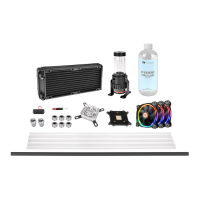
The Pacific Series M240 is a comprehensive liquid cooling solution that includes a radiator, water block, pump and reservoir combination, fittings, and tubing. Its primary function is to dissipate heat generated by the computer's components, particularly the CPU and GPU, more efficiently than traditional air cooling methods. The system circulates a liquid coolant through a closed loop, absorbing heat from the components via the water block and then releasing it into the ambient air through the radiator. This continuous cycle maintains optimal operating temperatures, which can lead to improved system stability and performance, especially during demanding tasks or overclocking.
The system is designed to be modular, allowing users to customize the loop order and component placement within their PC case. The water block makes direct contact with the heat-generating components, transferring heat to the circulating coolant. The pump, integrated with the reservoir, drives the coolant through the entire loop. The reservoir provides a buffer for the coolant, ensuring a consistent supply to the pump and facilitating the initial filling and bleeding process. The radiator, often paired with case fans, is responsible for transferring heat from the coolant to the surrounding air. The fittings and tubing connect all these components, forming a sealed pathway for the coolant.
The installation process for the Pacific Series M240 is detailed, emphasizing precision and careful handling. Before starting, users are advised to ensure sufficient space within their PC case for the LCS product and to use the provided wrench for installing and uninstalling base parts.
The fitting components, including the nut, O-ring, packing, and base, must be properly dismantled and reassembled using the wrench. This ensures a secure and leak-proof connection.
For radiators, it is crucial to flush and rinse them with distilled water prior to use to ensure a clean loop and prevent contamination. Fittings must be screwed securely onto the radiator.
Water blocks are attached to the inlet and outlet of the water block, and then the water block itself is mounted onto the motherboard following the enclosed manual.
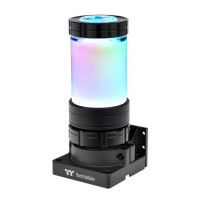
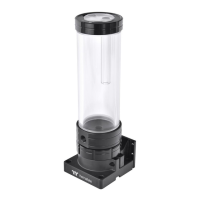
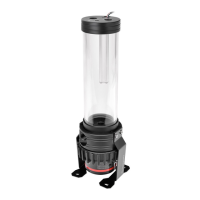
The pump and reservoir unit requires proper mounting, with a vertical placement often suggested for optimal performance and ease of bleeding. Fittings are then attached to the pump and reservoir.
Case fans are attached to the radiator to enhance heat dissipation.
The tubing cutting and attaching process is critical. Users must measure the tube length based on the base part of the fitting and carefully bend the tubes to fit the desired loop order. A typical loop order might be: Pump Outlet > Water Block > Radiator > Reservoir Inlet. The C-Pro fittings are designed to be securely fitted to the tubes, and the fitting caps must be tightened to ensure a leak-free seal. A crucial detail for the C-Pro fittings is the correct placement of the O-ring and packing with a groove, which must always be installed towards the top of the compression nut.
Filling the system requires careful attention to prevent leaks and ensure proper operation. Before filling, all fittings and unused ports must be completely sealed. The PSU power cord and product cables are connected after switching off the power supply. A refill bottle is used to fill coolant into the reservoir. The PSU is placed outside the case and connected to the pumps via a 4-pin Molex connector to power the system and initiate the filling process.
Thermaltake strongly recommends using market-proven pre-mix coolants, such as Thermaltake Coolant 1000, which offers performance benefits and protects the entire cooling system from corrosion. The filling process involves cycling the power on and off several times to allow the pump to push coolant into the loop. It is vital not to let the pump run dry; if no liquid is entering the pump, power must be turned off immediately. The reservoir should be filled to the top to prevent air from entering the pump. Tilting the system slightly from side to side can help bleed air out of the loop. Paper towels should be placed under fittings and joining points to test for leaks. Finally, the loop should be run with the fill port open for approximately 24 hours to completely bleed any remaining air.
Proper maintenance is essential for the longevity and performance of the Pacific Series M240.
One of the most critical maintenance aspects is the choice of coolant. The manual explicitly states that users should DO NOT USE any kind of alcohol or alcohol derivatives with this reservoir, as it may cause the acrylic tube to crack and fail. Similarly, cleaning the system with alcohol is prohibited. This highlights the importance of using only compatible, pre-mixed coolants designed for liquid cooling systems, which often contain anti-corrosion and anti-algae agents.
During the initial filling and subsequent operation, users are advised to monitor for leaks. If any leakage occurs, the power must be immediately turned off, and the leak cleaned. If electronic parts are stained by liquid coolant, they must be thoroughly cleaned and dried before resuming operation to prevent damage.
Regular inspection of the fittings and tubing for any signs of wear, cracking, or loosening is recommended. Over time, O-rings and packing materials can degrade, potentially leading to leaks. Replacing these components as needed is part of routine maintenance.
The recommendation to run the loop with the fill port open for 24 hours after initial setup is a crucial step for bleeding air, which, if trapped, can reduce cooling efficiency and potentially cause pump noise or damage. This bleeding process ensures that the system operates at its peak performance.
While not explicitly detailed as a maintenance feature, the modular design of the system implies that individual components, such as the radiator or water block, can be cleaned or replaced if necessary, provided the user follows proper disassembly and reassembly procedures. Flushing the radiators with distilled water before initial use also serves as a preventative maintenance step to ensure a clean internal environment.
In summary, the Thermaltake Pacific Series M240 is a high-performance liquid cooling system that demands careful installation and ongoing attention to coolant compatibility and leak prevention to deliver its full potential in maintaining optimal system temperatures.
 General
| Series | Pacific Series |
|---|---|
| Radiator Material | Aluminum |
| Tubing Material | PETG |
| Pump Type | D5 |
| Reservoir Type | Cylinder |
| Fittings | G1/4" Thread |
| Coolant | Not Included |


 To Next Page