
 Need help?
Do you have a question about the Thermaltake Pacific MX1 Plus and is the answer not in the manual?
Diagram illustrating installation steps for Intel LGA1366, LGA1200, and LGA115x sockets.
Diagram showing installation procedures for Intel LGA2066, LGA2011-3, and LGA2011 sockets.
Diagram detailing the installation process for AMD CPU sockets.
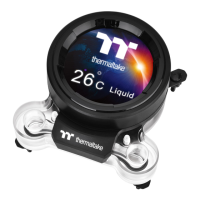
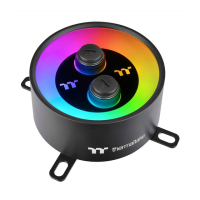
Instructions for installing the water block and connecting its cable to the conversion cable.
Guide to setting the DIP switch on the controller for number assignment.
Steps for connecting the controller cable to the mainboard's USB 2.0 header.
Instructions for connecting the power cable to the Molex connector and controller.
Guidance on connecting addressable LED products like Temp Controller, Plus Controller, or Quad/Trio Controller.
 General
| Type | Water block |
|---|---|
| Fan diameter | No mm |
| Quantity per pack | 1 pc(s) |
| Suitable location | Processor |
| Compatible processor series | - |
| Supported processor sockets | LGA 1150 (Socket H3), LGA 1151 (Socket H4), LGA 1155 (Socket H2), LGA 1156 (Socket H), LGA 1200 (Socket H5), LGA 1366 (Socket B), LGA 2011 (Socket R), LGA 2011-v3 (Socket R), LGA 2066, Socket AM2, Socket AM2+, Socket AM3, Socket AM3+, Socket AM4, Socket FM1, Socket FM2 |
| Power supply | 2.4 W |
| Rated voltage | 5 V |
| Material | Cooper, Polyphenylene sulfide (PPS) |
| Product color | Black |
| Illumination LED | Yes |
 Weight and Dimensions
| Width | 93.4 mm |
|---|---|
| Height | 52.2 mm |
| Weight | 670 g |



 To Next Page