
 Need help?
Do you have a question about the Thermaltake Pacific PR32-D5 Plus and is the answer not in the manual?
Install fittings and tubes, ensuring bottom is outlet and top is inlet.
Connect the reservoir's cable to the conversion cable.
Connect the reservoir's cable to the designated port on the controller.
Connect the controller cable to the motherboard's USB 2.0 header.
Connect the power cable to the 4-pin Molex connector and the controller.
Set the DIP switch on the controller's back to assign its number.
Keep the reservoir cap dry; do not let coolant touch wires or LED module. Fill to 80%.
 General
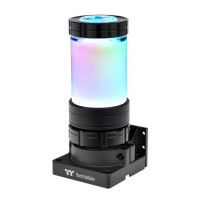
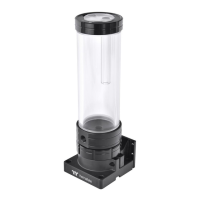
| Type | Water cooling reservoir |
|---|---|
| Fan diameter | No mm |
| Suitable location | Universal |
| Maximum air pressure | 35155 mmH2O |
| Supported processor sockets | - |
| Material | Polymethyl methacrylate (PMMA), Polyoxymethylene (POM) |
| Product color | Black, Transparent |
| Illumination LED | Yes |
| Power supply | 37 W |
 Weight and Dimensions
| Width | 74.8 mm |
|---|---|
| Height | 267 mm |


 To Next Page