Remote Control Panel Features
44
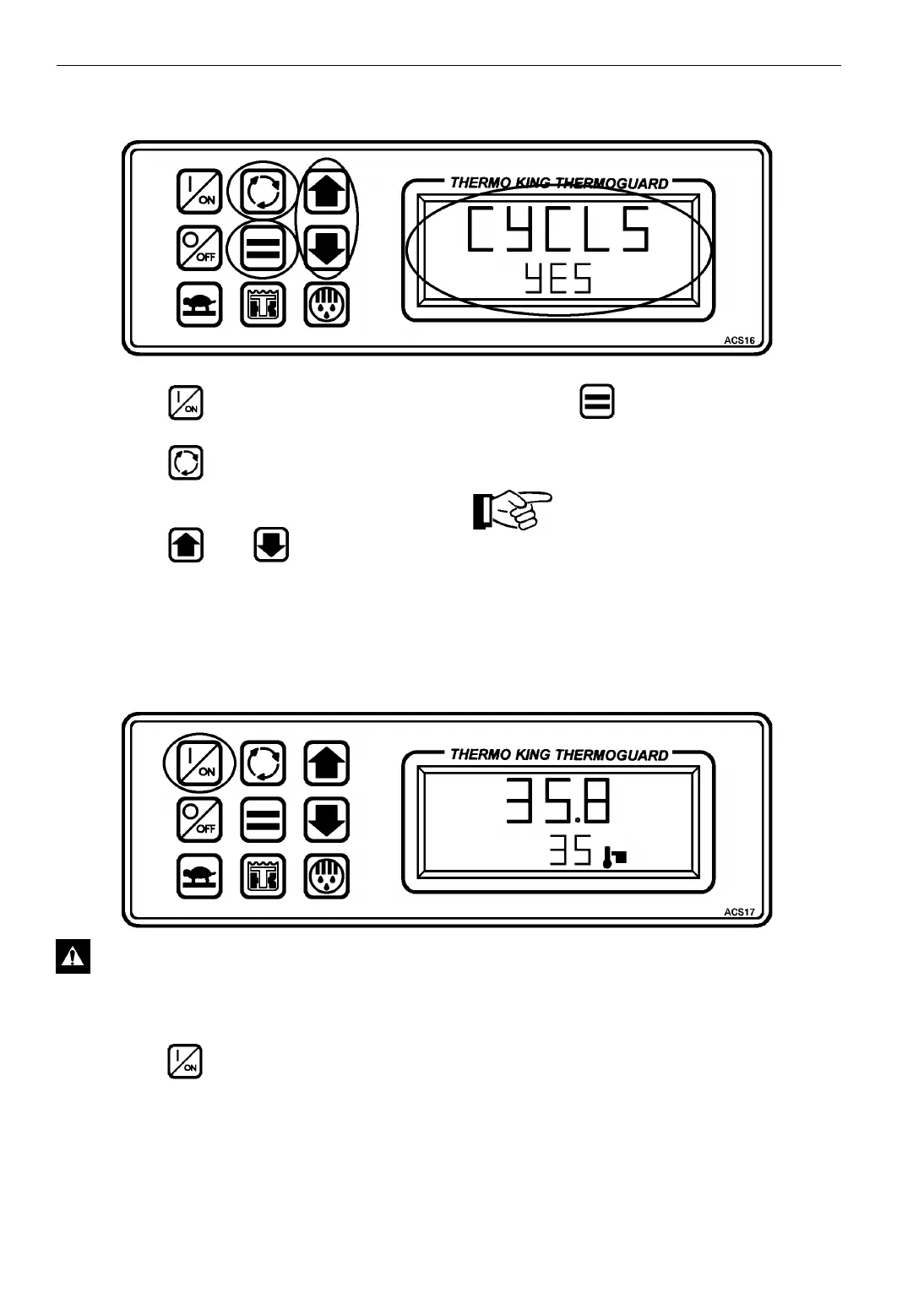
SELECTING CYCLE-SENTRY or CONTINUOUS MODE
1. Press the ON key to turn the unit ON.
2. Press the Select key to display
[CYCLS] and [YES] or [no].
3. Press the or Arrow keys to
select the desired mode[YES] = CYCLE
SENTRY mode
[no] = Continuous mode.
4. Press the Enter key to load the new
operating mode selection into the
microprocessor.
IMPORTANT: The Enter key must
be pressed or the setpoint will not be
changed. The display will return to
the Standard Display and the
setpoint will return to the old
setpoint in about 10 seconds if the
Enter key is not pressed.
STARTING THE ENGINE
CAUTION: This unit will start
automatically in either CYCLE SENTRY
or CONTINUOUS mode after the ON key
is pressed.
1. Press the ON key to turn the unit ON.
If no other key is pressed, the engine will
automatically preheat and start in about 10
seconds in either CYCLE SENTRY or
CONTINUOUS mode. If other keys are
pressed (for example: to change the setpoint or
view display screens), the engine will
automatically preheat and start about 10
seconds after the last key is pressed.



 To Next Page