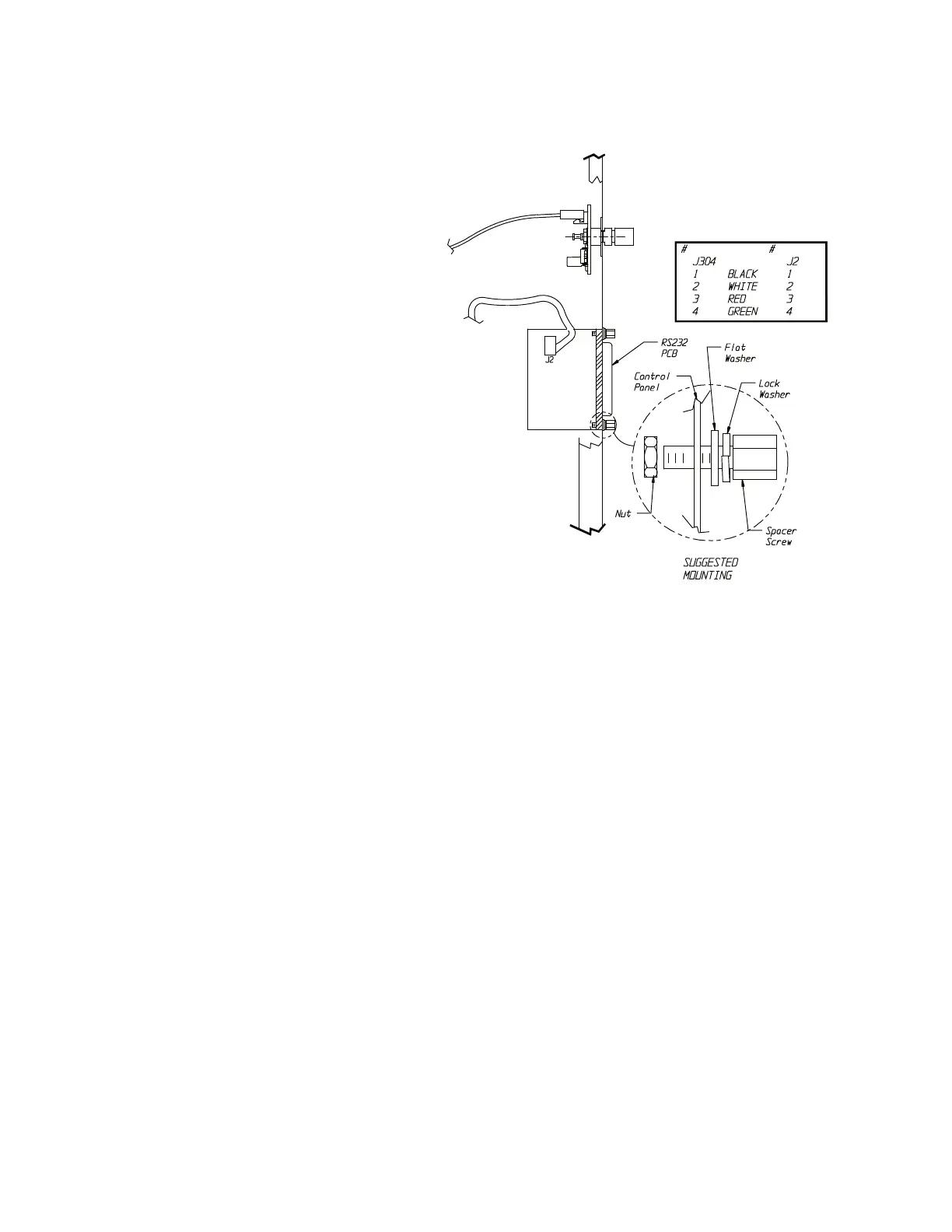
Your incubator requires the selection of 3 parameters for communications:
A) Baud Rate - This is the speed of communication between the incubator
and computer. Whatever is selected for the incubator must also be
selected in the communication software selected to be used.
B) Status Update Time Interval - This is the time between information
being sent from the incubator until it is received by the computer.
C) Status Display Type - Selection of the format of data to be sent to your
computer.
Please read the following steps before performing any of them. It will allow
you to familiarize yourself with the procedure and to determine the values
you want beforehand.
Note In the following setup mode, there is a five (5) second time-out
feature that is active following each entry. If the five (5) seconds is
exceeded, the unit will return to the normal operation mode. If the time-
out occurs before the value was entered, start over.
▲
6-2 Low Temp Incubator Thermo Scientific
Section 6
Factory Options
Setting Up the Incubator
for Communication





 To Next Page