EasyManua.ls Logo

Thermo Scientific Dionex UltiMate 3000 Series - User Manual

Thermo Scientific Dionex UltiMate 3000 Series
270 pages
Print Icon
To Next Page IconTo Next Page
Loading...
Thermo Scientific Dionex
UltiMate 3000 Series
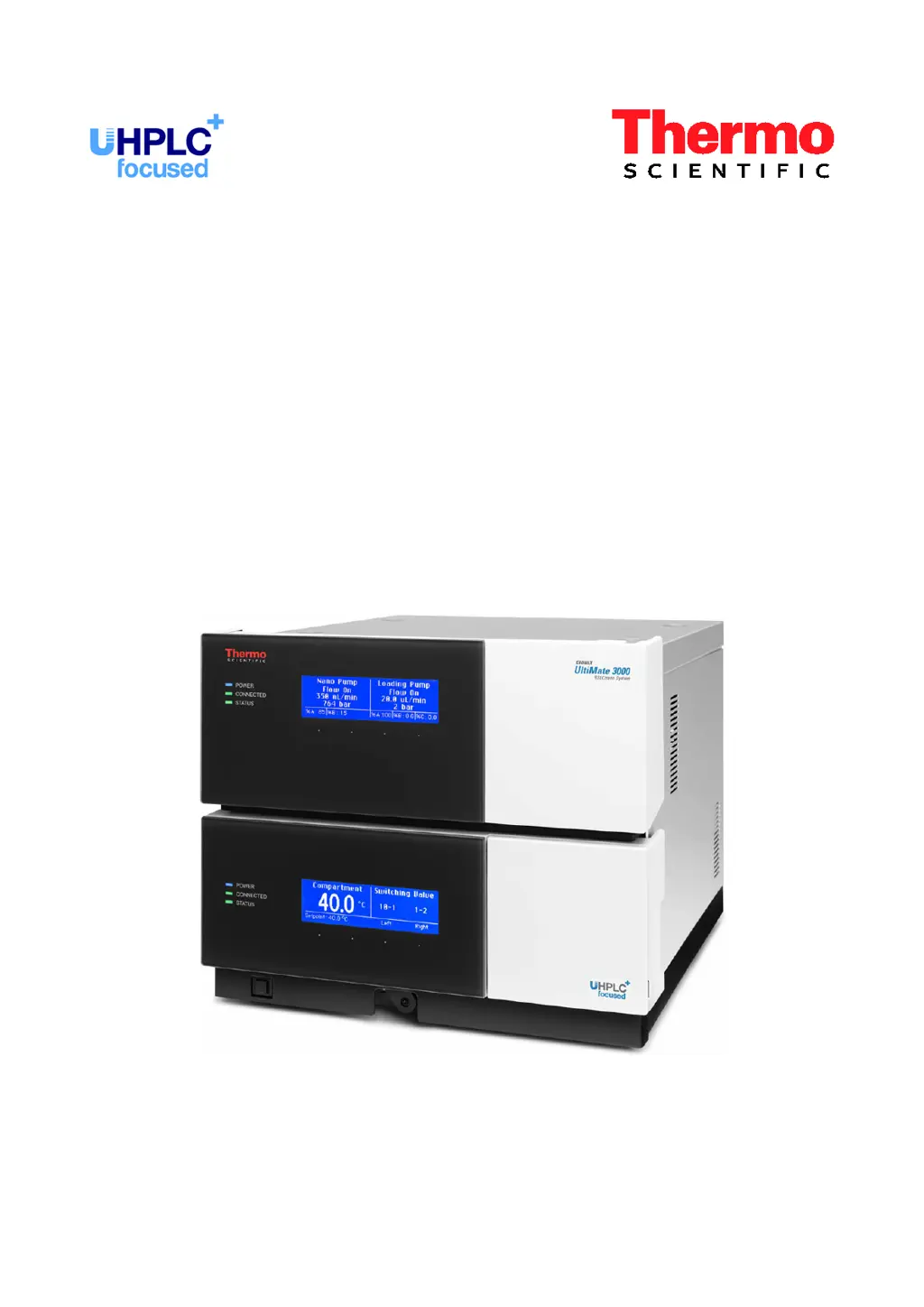
Nano/Cap System NCS-3500RS
Nano/Cap Pump NCP-3200RS
Operating Instructions
(Original Operating Instructions)
Revision: 2.0
Date: January 2016
© 2016 Thermo Fisher Scientific Inc.
Doc No. 4820.4101

Table of Contents

Questions and Answers

  • J
    James WardSep 1, 2025
    What to do if Thermo Scientific Laboratory Equipment displays 'Flow meter recently changed'?
    • N
      nguyencoreySep 1, 2025
      If the Zero Balance Test and the CalibrateWP command have not been performed after installing the ProFlow flow meter: 1. Perform the Zero Balance Test. 2. From Chromeleon, perform the CalibrateWP command for both pump heads.
  • J
    James DeleonAug 25, 2025
    Why Thermo Scientific Laboratory Equipment cannot regulate flow?
    • L
      Lisa CarlsonAug 25, 2025
      If the NC pump cannot build up sufficient pressure to deliver the selected flow rate, consider these potential causes and solutions: * Ensure the solvent reservoir is full. * Purge the pump to remove any trapped air. * Check for leaks in the system; find and eliminate any sources of leakage, tightening connections as needed. * Replace the frit in the solvent supply line filter if it's clogged. * Replace the inlet valve cartridge if it is blocked.
  • K
    Karen EstradaSep 23, 2025
    How to resolve signal overflow in Thermo Scientific Security Sensors?
    • J
      Julie StoneSep 23, 2025
      If Thermo Scientific Security Sensors display 'Signal overflow in channel xxx', the reference signal is too low. Check if the flow cell is contaminated, consider cleaning or replacing it. Also, check if the eluent concentration is too high, or the lamp may be too old and need replacement.
  • P
    Patrick KingSep 6, 2025
    Why is there high noise level, non- periodic baseline fluctuation in Thermo Scientific Dionex UltiMate 3000 Laboratory Equipment?
    • M
      marilyn94Sep 6, 2025
      A high noise level with non-periodic baseline fluctuation can be due to degraded or poor quality/purity eluent. Use fresh solvents, and ensure they are HPLC grade (MS grade if the SRD is operated with an NCS-3500RS or NCP-3200RS).
  • A
    alyssa35Sep 12, 2025
    Why Thermo Scientific Security Sensors analysis run takes long time?
    • M
      mathissharonSep 12, 2025
      If your Thermo Scientific Security Sensors analysis run takes a long time to start, check the set flow cell temperature. If the flow cell can't reach the desired temperature at high flow rates, select a lower temperature.
  • J
    John DorseySep 3, 2025
    What to do if Thermo Scientific Laboratory Equipment displays 'Zero position not found during the last 3 revolutions'?
    • N
      Nathan BowenSep 3, 2025
      Turn the module off and on again by pressing the power switch on the rear of the module.
  • Y
    Yesenia RiveraAug 29, 2025
    What to do if Thermo Scientific Dionex UltiMate 3000 displays 'Flow meter missing'?
    • T
      tyangAug 29, 2025
      If communication with the flow meter failed, verify that the flow meter is installed properly.
  • R
    Ray JonesSep 13, 2025
    What to check if Thermo Scientific Security Sensors have problems during control under Chromeleon?
    • J
      julielopezSep 14, 2025
      If you encounter problems during control under Chromeleon with Thermo Scientific Security Sensors, check the USB cable and connection to the computer, as well as the USB port on the computer, ensuring it complies with the USB 1.1 standard.
  • D
    Debra WongSep 8, 2025
    What causes poor degassing in Thermo Scientific Laboratory Equipment?
    • V
      Victoria HoodSep 8, 2025
      Poor degassing can result from leaks in the capillaries or solvent supply lines, or if the flow rate is too high. Inspect the capillaries and solvent supply lines for leakage, tighten loose fitting connections, and reduce the flow rate.
  • R
    Rebecca SnyderAug 27, 2025
    Why flow calibration failed with Implausible measurement results in Thermo Scientific Dionex UltiMate 3000 Laboratory Equipment?
    • M
      Melissa JohnsonAug 27, 2025
      If flow calibration of the ProFlow flow meter yields implausible measurement results, a mismatch between the solvent and the sensor selected for calibration was detected. Repeat the flow calibration with the correct solvent or change the solvent. Contact Service.

Summary

1 Introduction

1.2 Safety Information

Details symbols, precautions, and warnings for safe operation and handling of chemical solvents and the HPLC system.

2 Overview

2.8 Pump Module Details

Details key features: Rear Seal Wash, Flow Meter, Leak Sensor, Purge Valve, Inline Filter.

2.10 Operation from Chromeleon

Explains how to control the module using the Chromeleon Chromatography Management System.

2.11 System Wellness and Diagnostics

Covers features for monitoring module health, performance, and diagnostics.

3 Installation

3.1 Facility Requirements

Lists requirements for the installation site, including access, stability, and environmental conditions.

3.5 Setting Up in Chromeleon

Covers loading USB drivers, installing, and configuring the module within Chromeleon.

4 Preparation for Operation (Startup)

4.5 Pump Module Operations

Details rear seal wash setup, flow meter settings, and pump purging procedures.

4.7 Equilibrating the System

Explains the process of equilibrating the UltiMate 3000 system before sample analysis.

5 Operation and Maintenance

5.1 Power-Up

Describes module power-up sequence, internal tests, and status indicators.

5.3 Operation from Chromeleon

Guides on connecting, direct control, and automated control via Chromeleon.

5.5 Pump Operation Information

Covers solvent selection, flow/pressure limits, purging, leak detection, and degasser operation.

5.6 Column Compartment Operation

Details temperature control, column ID, sensor sensitivity, and screen adjustments.

5.7 Special Functions in Chromeleon

Covers predictive performance, diagnostics, digital I/O, and qualification functions.

5.8 Recommendations for Optimal Running

Provides best practices for achieving optimal system stability and reproducibility.

5.9 Shutting Down the Module

Lists precautions for interrupting operation or preparing the module for shipping.

5.10 Maintenance and Calibration Intervals

Details general maintenance, intervals, and calibration procedures for optimal performance.

6 Troubleshooting

6.1 Overview

Introduces features for identifying and eliminating operational problems.

6.3 Messages on the Pump Display

Lists module-related messages and their corresponding remedial actions.

6.5 Operating Problems

Lists common operating problems, their probable causes, and suggested remedial actions.

7 Service

7.1 General Notes and Safety Precautions

Covers general service notes, safety precautions, and procedures for user-performed maintenance.

9 ProFlow Flow Meter Upgrade

Thermo Scientific Dionex UltiMate 3000 Series Specifications

General IconGeneral
TypeHPLC System
Data Sampling Rateup to 100 Hz
Pump TypeQuaternary, binary
Flow Rate Range0.001 to 10 mL/min
Detection MethodsUV-Vis, Fluorescence, Electrochemical, MS
Temperature ControlYes, with column oven
Sample CapacityVaries by autosampler model
pH Range1 to 14
Injection Volume0.1 to 100 µL
Detection Wavelength Range190 to 800 nm
Autosampler CapacityVaries by model, up to several hundred samples
Dimensions (H x W x D)Varies by module
WeightVaries by configuration
Power Requirements100 - 240 VAC, 50/60 Hz

Related product manuals