iCAP 6000 Series ICP-OES Spectrometer Hardware Manual
Page 44 of 51 Version 1.5 – March 2006
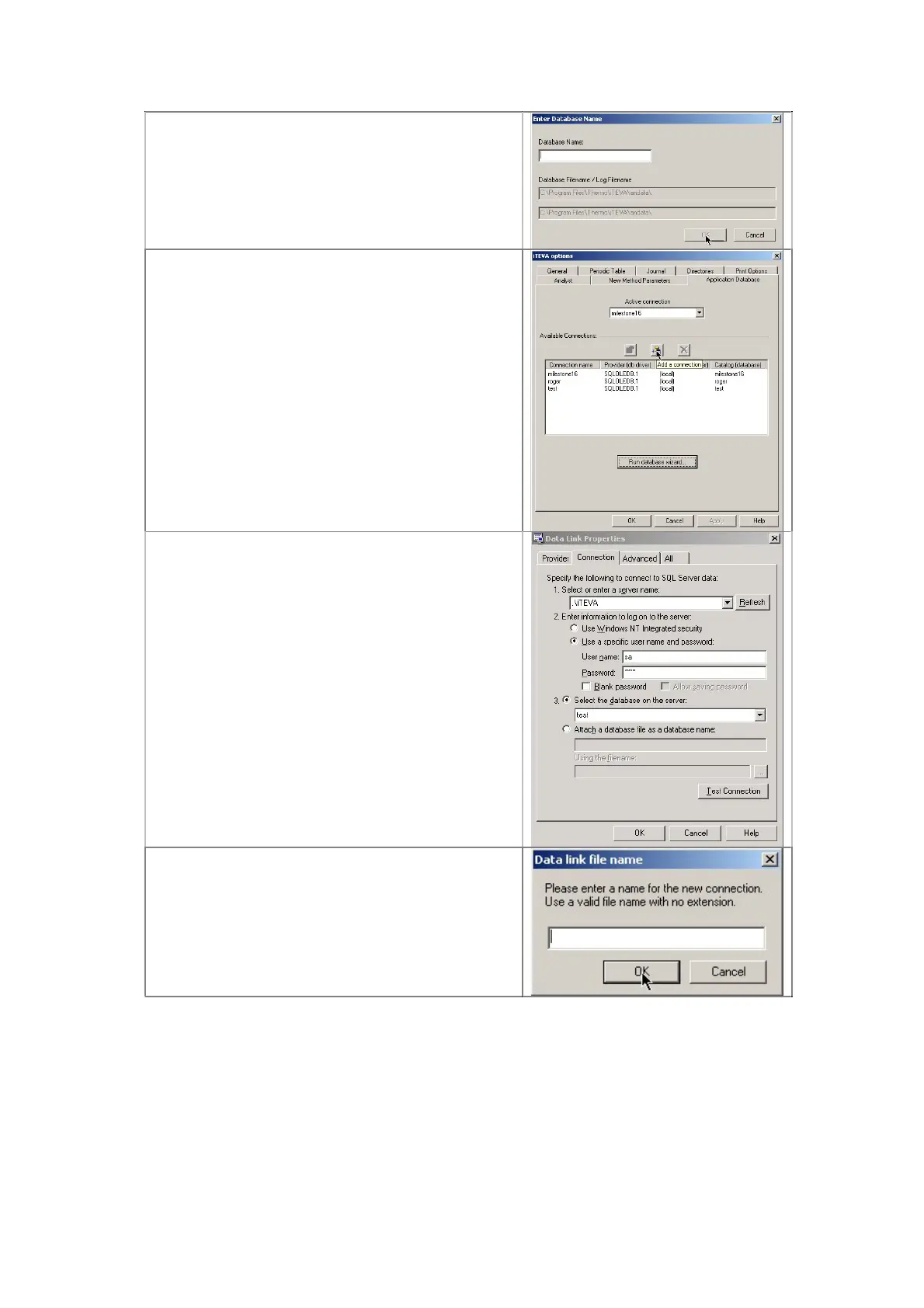
Enter required name for Database click OK and
click on close box
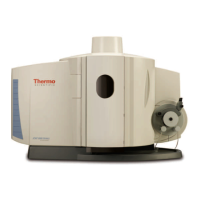
12.3.8 Creating a Database Connection
Click on the add a connection box as shown
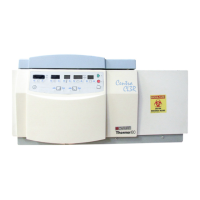
Type .\iTEVA in server name box
Type sa in User name box
Type teva in Password box
From the, Select the database on the server
box choose the Database required
Click on test Connection
Click OK
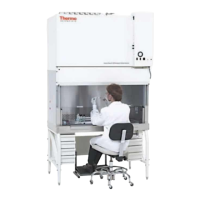
Follow instructions on box shown, fill in an
appropriate name.



 To Next Page