iCAP 6000 Series ICP-OES Spectrometer Hardware Manual
Page 45 of 51 Version 1.5 – March 2006
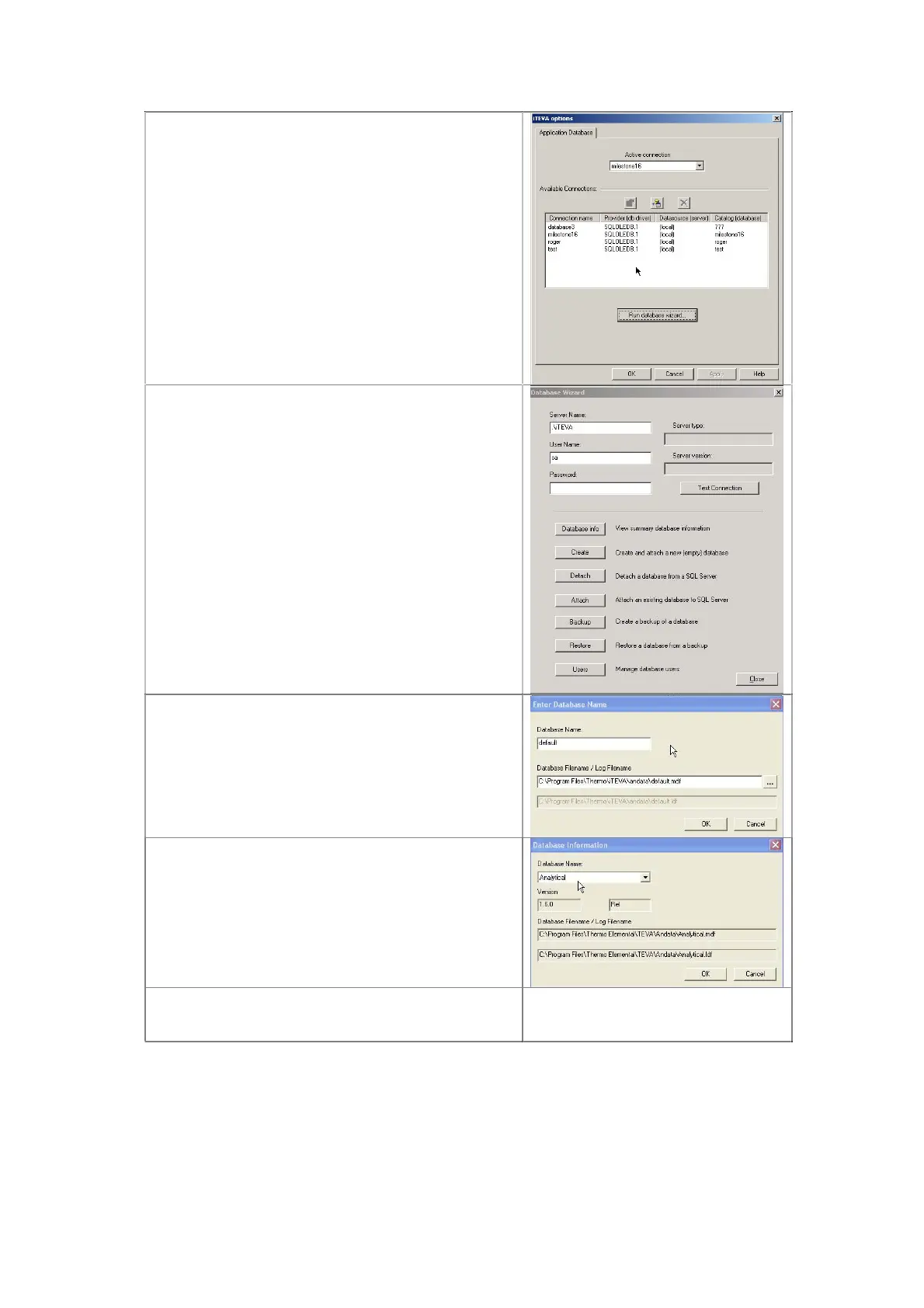
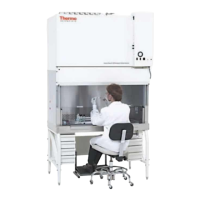
The newly created database will now appear in
the list of databases
Select the created database form the Active
connection drop down box and click on OK
This will now make the new database active
12.3.9 Attaching a database
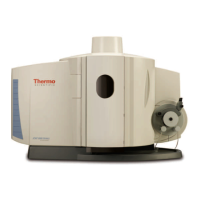
After running data base wizard click on Attach
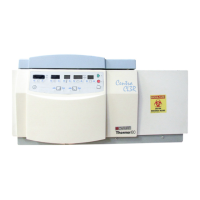
Click on Database Filename/Log Filename
Select database to Attach
Click on OK
Database will now be attached
12.3.10 Detaching a database
Carry out the same procedure as Attaching a
Database but click on Detach in the Database
Wizard
Note: The maximum database size is 4Gb. A new
database must be created before this limit is
reached.



 To Next Page