MULTISKAN RC and MS SERVICE MANUAL
14.
TEST MEASUREMENTS
&jJ
=nt
with
405 nm
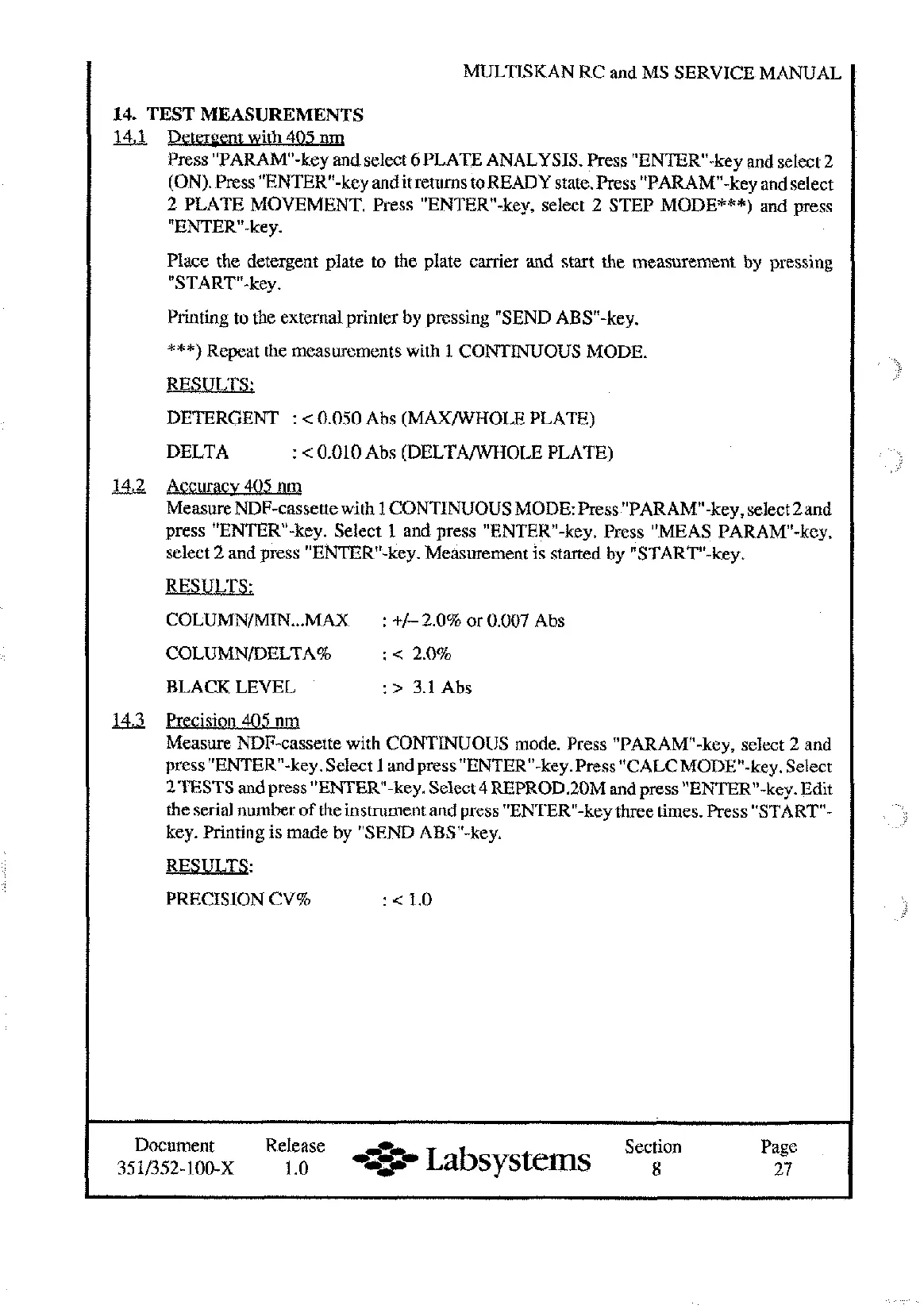
Press "PARAM-key and select
6
PLATE ANALYSIS. Press "ENTERw-key and select 2
(ON). Press "ENTER-key andit returns toREADY state. Press "PARAM"-key and select
2 PLATE MOVEMENT. Press "ENTER-key, select 2 STEP MODE***) and press
"ENTER-key.
Place the detergent plate to the plate carrier and start the measurement by pressing
"START-key.
Printing to the external printer by pressing "SEND ABS"-key.
***)
Repeat the measurements with
1
CONTINUOUS MODE.
RESULTS;
DETERGENT
:
<
0.050 Abs (MAXWHOLE PLATE)
DELTA
:
<
0.010 Abs (DELTAANWOLE PLATE)
&2
Accuracv 405
nq
Measure NDF-cassette with
1
CONTINUOUS MODE: Press "PARAM-key, select 2and
press "ENTER-key. Select
1
and press "ENTER-key. Press "MEAS PARAM"-key,
select 2 and press "ENTER-key. Measurement is started by "START-key.
RESULTS:
COLUMNMIN
...
MAX
:
+/-
2.0% or 0.007 Abs
COLUMNDELTA%
:
<
2.0%
BLACK LEVEL
:
>
3.1
Abs
U3
Precis
.
.
ion 405
nrq
Measure NDF-cassette with CONTINUOUS mode. Press "PARAM-key, select 2 and
press "ENTER-key. Select
1
and press "ENTER-key. Press TALCMODE"-key. Select
2TESTS and press "ENTER"-key. Select 4REPROD.20M and press "ENTERn-key. Edit
the serial number of the instrument and press "ENTERw-key three times. Press "START-
key. Printing is made by "SEND ABSM-key.
RESULTS:
PRECISION CV%
:<
1.0
Document Release
-0-
Section Page
35 11352- 100-x 1.0
-+w
Labsystems
8
27
Artisan Technology Group - Quality Instrumentation ... Guaranteed | (888) 88-SOURCE | www.artisantg.com










 To Next Page