EasyManua.ls Logo

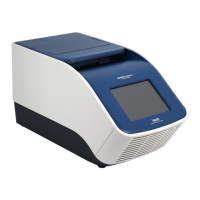
ThermoFisher Scientific QuantStudio 5 - User Manual

ThermoFisher Scientific QuantStudio 5
66 pages
Print Icon
To Next Page IconTo Next Page
Loading...
For Research Use Only. Not for use in diagnostic procedures.
QuantStudio
Design and Analysis v2
USER GUIDE
for use with:
QuantStudio
7 Pro Real-Time PCR System
QuantStudio
6 Pro Real-Time PCR System
QuantStudio
5 Real-Time PCR System
QuantStudio
3 Real-Time PCR System
QuantStudio
1 Real-Time PCR System
Publication Number MAN0018202
Revision F.0

Table of Contents

Other manuals for ThermoFisher Scientific QuantStudio 5

Questions and Answers

  • C
    Christina WalkerAug 7, 2025
    What to do if I see a high fluorescence signal in my ThermoFisher Scientific QuantStudio 5 Laboratory Equipment?
    • M
      Melissa TorresAug 7, 2025
      A high fluorescence signal could be due to several factors. First, verify that the reaction volumes in the plate are accurate and match the volume entered in the Run Method tab. Also, check the bottom of the reaction plate for any fluorescent contaminants. If contamination is present, prepare and run a new plate. Finally, identify the location of contamination on the plate or sample block. For detailed instructions, see the instrument documentation.
  • T
    Timothy CummingsAug 12, 2025
    Why is there inconsistent communication between my ThermoFisher Scientific QuantStudio 5 Laboratory Equipment and the computer?
    • M
      Molly BarrettAug 12, 2025
      Inconsistent communication can occur for several reasons. Ensure that only one connectivity option is plugged into the instrument (either an Ethernet cable or a wireless adapter, but not both). Configure for wired or wireless network connection. If you are using a wireless connection, try changing the configuration to a wired connection. Also, try to use a wireless network with a stronger or more consistent signal.
  • J
    Jesse HobbsAug 17, 2025
    How to fix inconsistent communication between ThermoFisher Scientific Laboratory Equipment and computer/Cloud?
    • M
      Melissa LawrenceAug 18, 2025
      To resolve inconsistent communication issues between your ThermoFisher Scientific Laboratory Equipment and your computer or the Cloud, ensure that only one type of network connection is active at a time. If you're using both a wired (Ethernet cable) and a wireless adapter, disconnect one of them. If you're using wireless, consider switching to a wired connection for more stability, or use a wireless network with a stronger signal.
  • P
    Pamela HerreraAug 22, 2025
    What to do if the touchscreen is black on ThermoFisher Scientific Laboratory Equipment?
    • M
      mary85Aug 23, 2025
      If the touchscreen on your ThermoFisher Scientific Laboratory Equipment is black, first, touch the screen to see if it's just in sleep mode. If that doesn't work, check if the instrument is powered on using the power switch on the rear panel. Also, verify that the power supply is properly connected.
  • M
    Michael MartinAug 27, 2025
    How to resolve 'insufficient disk space' message on ThermoFisher Scientific QuantStudio 5 Laboratory Equipment?
    • S
      Susan JohnsonAug 27, 2025
      If your ThermoFisher Scientific Laboratory Equipment displays an 'insufficient disk space' message, you'll need to free up some space. Here’s how: 1. Go to the home screen and touch 'Settings'. 2. Select 'Run History', then 'Manage'. 3. From there, you can delete or transfer experiments from the instrument to create more space.
  • B
    Brittany McmillanSep 1, 2025
    What to do if the ThermoFisher Scientific QuantStudio 5 Laboratory Equipment connection to computer is not recognized?
    • J
      Jenna HillSep 2, 2025
      If your ThermoFisher Scientific Laboratory Equipment isn't recognized by your computer, try power cycling the instrument. Turn the instrument off, and then turn it back on again.

Summary

About the Software

Set Up a Plate File

Select System Template or Plate File

Guides users on selecting system templates or existing plate files for new plate file creation.

Confirm or Edit Run Method

Details on modifying run parameters like temperature, time, ramp rate, and stages.

Confirm or Edit Plate Setup

Steps for configuring plate layout, selecting wells, and assigning samples or targets.

Manage Samples and Targets

Procedures for adding, assigning, and managing sample and target information in plate setup.

Configure Reagents and Standards

Setting up reagents, selecting passive references, and configuring standard curves for analysis.

Review and Analyze Data

Open a Data File

Instructions for importing and opening data files for analysis within the software.

Review Amplification Plot

Guidance on evaluating amplification curves, settings, and status in the Amplification Plot.

Review QC Alerts and Edit Analysis Settings

Checking Quality Control alerts and adjusting core analysis parameters like Cq and Melt settings.

General Procedures for Analyzing Data in the Quality Check Tab

Manage Plate Files and Data Files

Manage Export Settings

About Data Analysis

Primary Analysis Settings and Guidelines

Overview of primary analysis settings and guidelines for manual threshold/baseline adjustments.

Appendix A Troubleshooting

Troubleshooting: Fluorescence & Communication Issues

Resolving common issues like high fluorescence signals and instrument communication problems.

ThermoFisher Scientific QuantStudio 5 Specifications

General IconGeneral
TypeReal-Time PCR System
Number of Channels5
Detection MethodFluorescence
ConnectivityUSB, Ethernet
Excitation SourcesLED
Temperature Accuracy±0.25°C
Frequency50/60 Hz
Sample Capacity96 samples
Temperature Range4°C to 99.9°C
SoftwareQuantStudio Design and Analysis Software
Supported ApplicationsGene Expression, Genotyping, Copy Number Variation
Run TimeVariable, depending on protocol
Voltage100–240 VAC

Related product manuals