45
USER MENU
Basic boiler setup menu or user menu. In this section, you can set the boiler temperature,
water temperature in tank (puffer), set pump mode and mixing valve, set the WLAN port,
change the language, system time and program boiler operation.
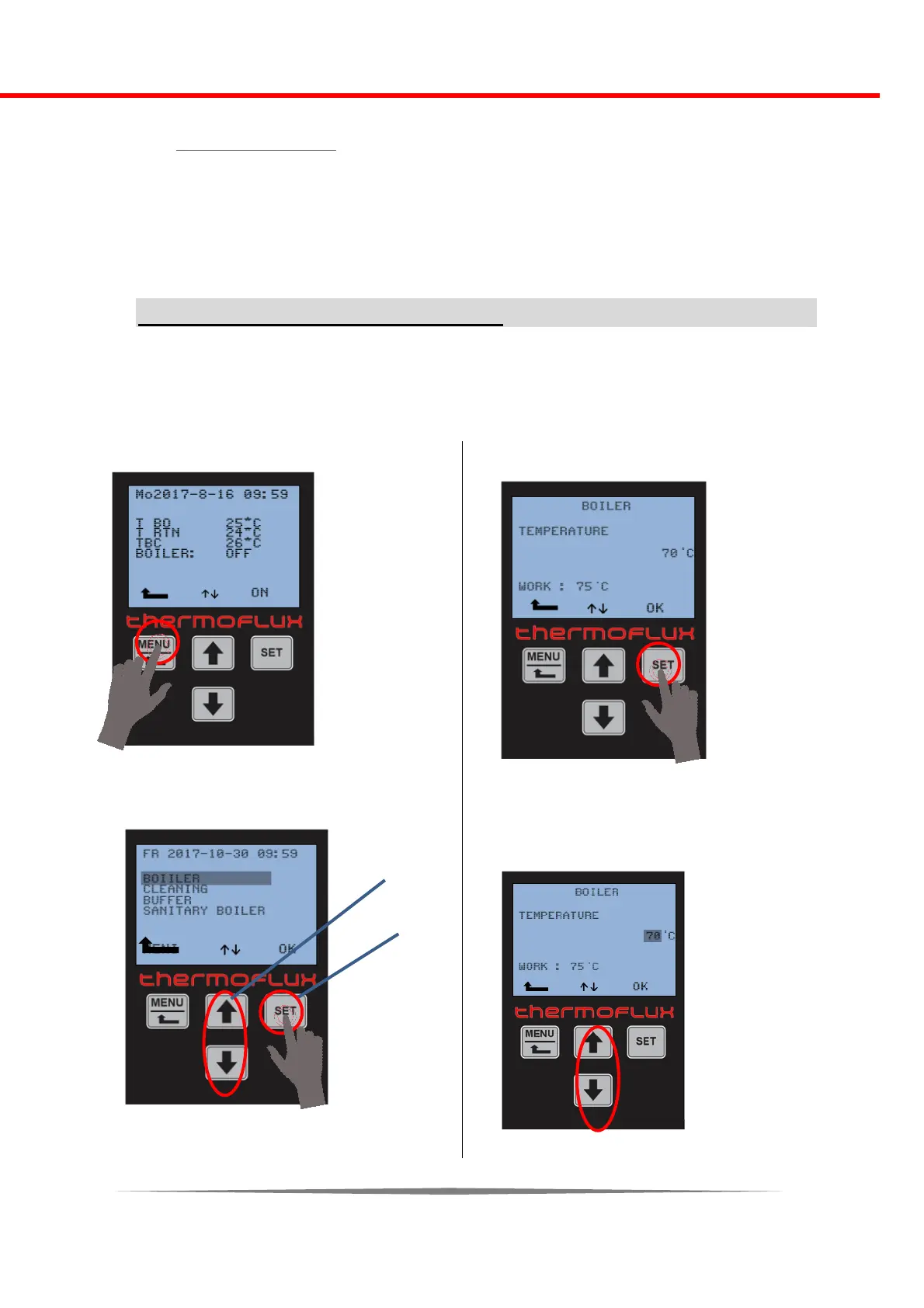
In the user menu you can enteer pressing the MENU button.
Boiler temperature settings
The method of changing the water temperature in the boiler will be explained in the next
section. The same procedure is used to modify the other parameter values and programs.
The boiler water temperature can be set in the range of 55 ° C to 85 ° C.
Press key MENU:
---------------------------------------------------
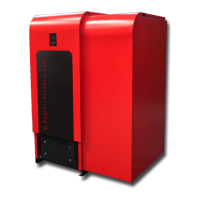
1. Chose desired area by arrows (1) and
confirm with OK (key SET) (2)
-----------------------------------
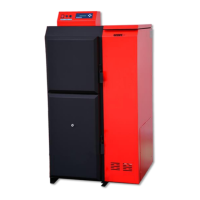
2. Press key SET
------------------------------------------------
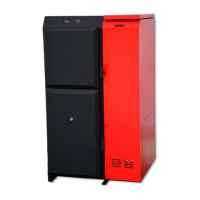
3. With the arrows chose desired
temperature



 To Next Page